New Feature
Level Up Your Workouts: iFIT + Samsung Galaxy Watch Compatibility is Here
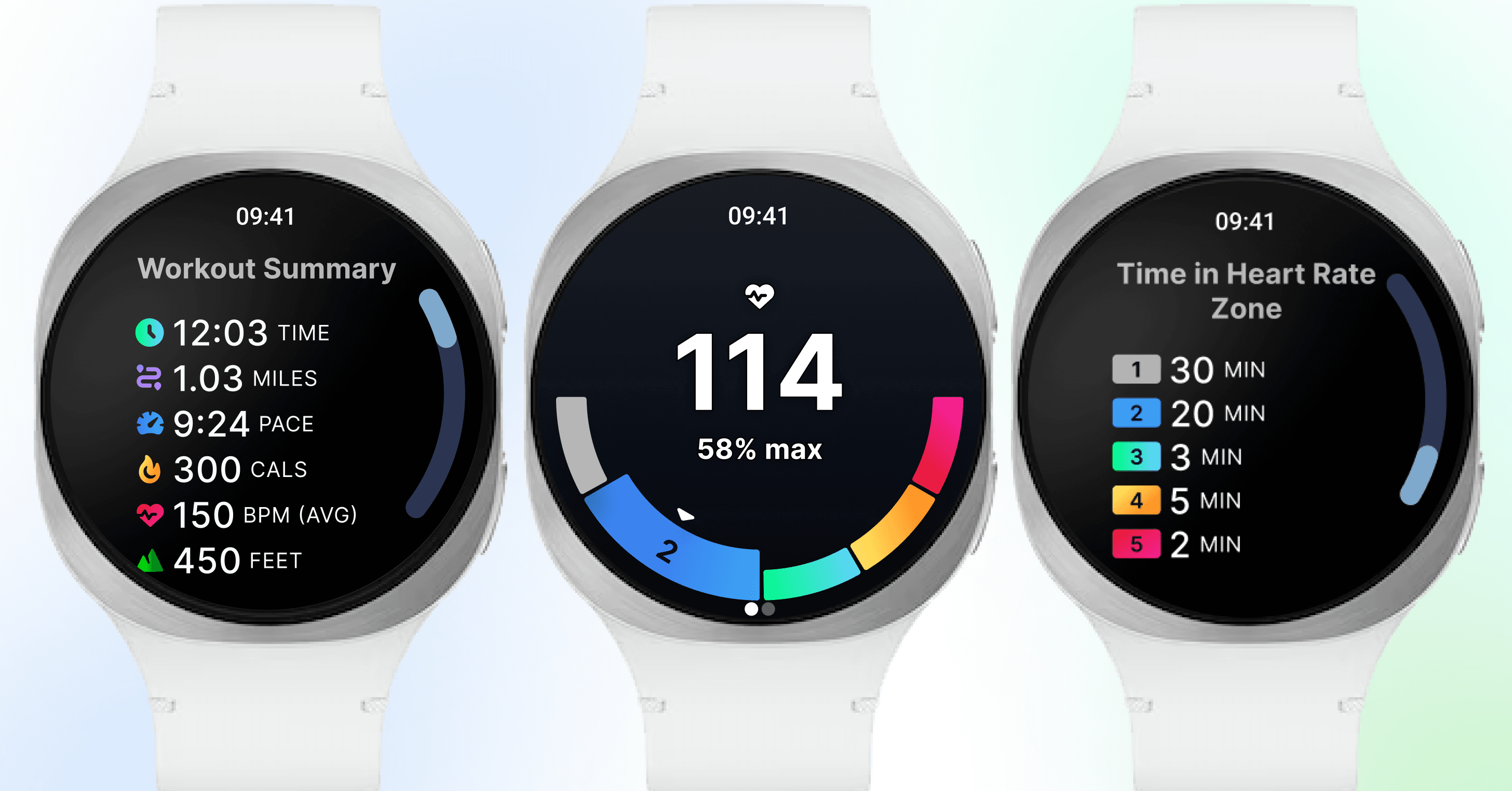
Samsung Galaxy WatchⓇ users can now pair¹ their watch with iFIT-enabled machines², including NordicTrack and ProForm, to unlock live heart rate training, smarter metrics, and a fully connected workout experience. How it worksOnce you complete the setup (see detailed instructions below), your Galaxy Watch will broadcast your heart rate directly to your iFIT-connected machine’s console.Real-Time Heart Rate & Zone TrackingOnce paired, your Galaxy Watch displays your live heart rate on your iFIT-enabled equipment screen. With color-coded heart rate zones, you’ll know exactly how hard you’re working so you can train smarter, not just harder.Smarter Calorie Burn & Performance StatsYour stats are powered by heart rate data, providing estimates of your calorie burn and workout intensity. That means more meaningful feedback and a better way to track your progress over time.Effortless Pairing & Samsung Health SyncNo complicated setup or extra gear. Tap the push notification to open the iFIT app, and you’re ready to train. After your workout, everything syncs to Samsung Health so you can see your full fitness picture, all in one place.ActivePulse™ Smart Training (Treadmills Only)Treadmill users get an extra bonus: ActivePulse™, iFIT’s smart heart rate training technology. ActivePulse automatically adjusts your treadmill’s speed and incline in real time based on your heart rate zone, so you stay optimized and on track.Who Can Use It?Samsung Galaxy Watch compatibility is available for users with a compatible Galaxy Watch¹ and the latest iFIT app version, paired with select NordicTrack and ProForm machines. Whether you’re a casual walker or a hardcore interval trainer, this feature brings a new level of intelligence and personalization to your workouts.How to Get Started Before you can start tracking, there are some simple steps to set up your device. Once you’ve completed this one-time setup process, you’ll just tap the notification on your watch at the beginning of each workout to connect and begin tracking. Step 1: Prepare your devicesMake sure your phone is running Android 14+ and make sure your Galaxy Watch™ has Wear OS 5.0+ installed. Then, install or update the iFIT mobile app on your phone.Turn Bluetooth on for both your phone and watch during setup. (Bluetooth must remain enabled during setup and workouts.) Ensure your phone, watch, and console are on the same Wi-Fi network.Step 2: Install the iFIT watch app (automatic or manual)You can install the app using a push notification or in-app prompt.Push notification: You’ll receive a push notification on your phone prompting you to install the iFIT watch app. Tap it and follow the link to the iFIT mobile app instruction screen.In-app: When you open the mobile app, you may see an in-app prompt to “Set up now.” Tap it to go to Connected Apps → Galaxy Wearable for install instructions.If prompted, open the Google Play Store on your watch and install the iFIT companion app. (Requires Wear OS 5.0+ and Android 14.)Note: If you don’t install right away, push notifications will repeat every five days (up to three times). The in-app prompt will show up each time you open iFIT (up to three times) unless you select “Don’t ask me again.”Step 3: Enable permissions on your watchOpen iFIT on your Galaxy Watch and accept the required permissions (notifications, locations, etc.). Permissions are required for the watch to share heart rate and other session data with the console.If you skip notification permission during setup, you can enable it later in your phone settings, but you will not receive push notifications on your watch until that permission is granted.Step 4: Start a workout on your machineBegin a workout from your machine. Tap the push notification on your watch to open the iFIT app. Tap connect to begin broadcasting heart rate to your equipment. If you open the watch app without a workout active, it will prompt you to start a workout on your machine.Step 5: The in-workout experienceBy default, your heart rate will be displayed in the metrics bar on your screen. If ActivePulse³ is enabled in workout settings, you’ll also see the ActivePulse™ onscreen widget and automatic adjustments based on your heart-rate zones. You can disconnect the watch at any time during a workout via the disconnect button (swipe horizontally in the in-workout view to access).Step 6: The post-workout experienceAfter your workout is complete, a summary will be shown on your watch. Workout data syncs from the mobile app to Samsung Health on Android phones. Permissions & helpful tipsAll permissions must be accepted to use the Watch app fully. If you deny them, these features (push notifications, heart-rate sharing) will not work.Bluetooth must be enabled on both phone and watch during setup; the watch will prioritize your phone’s internet connection when Bluetooth is active.If you have trouble installing, make sure your watch OS and phone OS meet the minimum versions and that you can access the Google Play Store on the watch.Ensure your phone, watch, and console are on the same Wi-Fi network.If install fails, open the Google Play Store on your watch directly and search for iFIT to install. Please ensure the Wear app is also downloaded on your phone.We’re thrilled to bring Galaxy Watch support to iFIT machines. We’re committed to creating personalized fitness experiences for you, starting with a seamless connection to the wearables you love. Update your iFIT app and watch OS, follow the setup steps above, and get ready to work out.1. Requires Samsung Galaxy Watch with Wear OS 5.0+ and Android 14+. Paid iFIT Pro or Train membership required to set up the Samsung Galaxy Watch connection. Must have the latest iFIT OS installed on an iFIT-enabled bike, rower, elliptical, or treadmill with a touch screen.2. This functionality is currently available only on iFIT-enabled devices with a built-in screen. It is not available for non-connected mobile app workouts at this time.3. ActivePulse™ is only available on iFIT-enabled treadmills.The primary purpose of this blog post is to inform and entertain. Nothing on the post constitutes or is intended to be a substitute for professional medical advice, prevention, diagnosis, or treatment. Reliance on any information provided on the blog is solely at your own risk. Always seek the advice of your physician or other qualified health provider with any questions you may have regarding a medical condition, and please consult your doctor or other health care provider before making any changes to your diet, sleep methods, daily activity, or fitness routine. Do not disregard professional medical advice or delay seeking it because of information available on this blog. NordicTrack assumes no responsibility for any personal injury or damage sustained by any recommendations, opinions, or advice given in this article. Always follow the safety precautions included in the owner’s manual of your fitness equipment.This article was authored by iFIT and may contain affiliate links. If you buy a product after clicking a link, iFIT may earn commissions.
November 3, 2025
Read More
Races, Powered by Ergatta: An Interactive New Way to Work Out on Your Rower, Bike, and Treadmill with iFIT
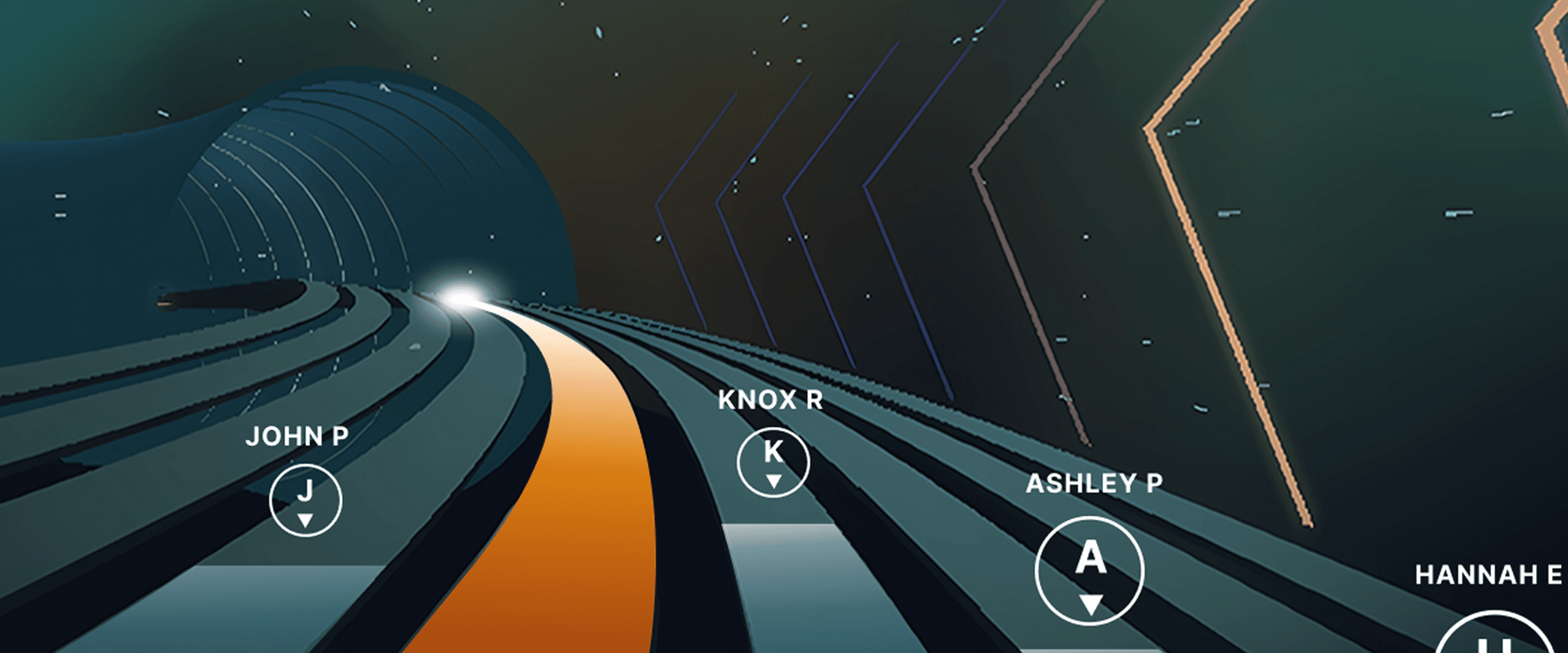
Ready to explore your competitive side? iFIT has partnered with Ergatta to bring Races to iFIT-enabled rowers, bikes, and treadmills. These new interactive game-based workouts offer a fun new way to challenge yourself and stay motivated. Races: now on rowers, bikes, and treadmills Originally launched for treadmills, Races Powered by Ergatta is now available on iFIT-connected bikes and rowers, giving you even more ways to compete and level up your workouts. Whether you prefer to row, ride, or run, you can tap into the same immersive, competitive experience across all three equipment types. Choose from dozens of race workouts ranging from quick sprints to multi-stage endurance competitions and race against: Other iFIT members in friendly competitionYour favorite iFIT Trainers for extra motivation (can you beat Ashley?)Pacer bots to benchmark your performance and chase your goalsYourself in repeat races to push your limitsWith Races, you can push your limits with rewarding gameplay, chase your personal goals, and mix up your routine. Best of all, you have options: you can race against the clock, compete with the iFIT Community, or race against your past performances. This month's racesSeptember brings five new races themed around the energy of a fresh start. From a quick back-to-school sprint to a long endurance ride, there's something for every pace and every machine.Bell Ringer0.5 miles | Tread, Bike, RowerThe bell rings and there's no easing in. Go out hard, stay sharp, and be done before you've even settled in. Fast, focused, first-period energy.Homeroom Hustle0.75 miles | Tread, Bike, RowerStart with purpose, build through the middle, and finish like you've done this a hundred times before. Confident, quick, and ready for whatever's next.Extra Credit1.5 miles | Tread, BikeEvery fall term needs one race that asks a little more. Hold a pace that challenges without breaking you, keep climbing through the middle, and bank the effort like it counts toward something bigger.Back in Session2.5 miles | Tread, Bike, RowerSummer's winding down and the pace of life is picking back up. Settle into a steady rhythm, breathe through the middle miles, and close strong as the season shifts into gear.Long Division6.2 miles | BikeFall's syllabus starts today and this one's a long one. Settle into a sustainable cadence, break the distance into manageable stretches, and let patience do the work mile after mile. New for Rowers: Meteor Dive into an exclusive game-based experience for your iFIT-enabled rower with Meteor, a thrilling single-player workout that blends fitness with arcade-style gameplay. You’ll fly through space, collecting tokens and dodging obstacles while hitting personalized targets to score points. Your rowing speed controls your vertical movement, so you can row faster to fly higher. It’s structured, it’s motivating, and it’s a lot of fun. How to install Ergatta Need a little more support? Here's a step-by-step tutorial for installing Ergatta on your machine. Ready to race? Whether you're looking to challenge yourself or compete against others, Ergatta Races brings an entirely new dimension to your workouts. New races drop every month to keep things fresh. Let's race! Install the Ergatta app to get started. Then, you can explore all the Races available in Ergatta.1 1. Paid iFIT Pro membership required to access Races by Ergatta. Must have the latest iFIT OS installed on an iFIT-enabled treadmill with a touch screen that supports third-party apps.Disclaimer: The primary purpose of this blog post is to inform and entertain. Nothing on the post constitutes or is intended to be a substitute for professional medical advice, prevention, diagnosis, or treatment. Reliance on any information provided on the blog is solely at your own risk. Always seek the advice of your physician or other qualified health provider with any questions you may have regarding a medical condition, and please consult your doctor or other health care provider before making any changes to your diet, sleep methods, daily activity, or fitness routine. Do not disregard professional medical advice or delay seeking it because of information available on this blog. iFIT assumes no responsibility for any personal injury or damage sustained by any recommendations, opinions, or advice given in this article. Always follow the safety precautions included in the owner’s manual of your fitness equipment.
July 28, 2025
Read More
How to Level Up Your Workouts with iFIT Races, Powered by Ergatta
Thanks to iFIT’s partnership with Ergatta, iFIT Pro members with iFIT-enabled treadmills¹ now have access to this thrilling interactive fitness gaming experience. If you’re looking for a fun, competitive way to stay motivated, Ergatta’s game-based workouts are the perfect solution. With Races, you can push your limits with rewarding gameplay, chase your personal goals, and mix up your routine. Best of all, you have options: you can race against the clock, compete with the iFIT Community, or race against your past performances. Here’s how to get started: Step 1: Open the Apps Menu Tap the apps icon at the bottom of your screen to access the apps menu. Step 2: Install Ergatta Races Select “Manage Apps,” find Ergatta Races, and tap “Install” to begin downloading. Note: If your machine is low on storage, you may need to uninstall other apps to install Ergatta. Step 3: Start Your Workout Once the download is complete, exit Manage Apps and start an Ergatta workout from the home screen or by opening the app menu in the bottom navigation bar. Let’s Race! Now, you're ready to experience the future of fitness! Whether you're looking to challenge yourself or compete against others, Ergatta Races brings an entirely new dimension to your workouts. Let’s race! 1. Paid iFIT Pro membership required to access Races by Ergatta. Must have the latest iFIT OS installed on an iFIT-enabled treadmill with a touch screen that supports third-party apps. Disclaimer: The primary purpose of this blog post is to inform and entertain. Nothing on the post constitutes or is intended to be a substitute for professional medical advice, prevention, diagnosis, or treatment. Reliance on any information provided on the blog is solely at your own risk. Always seek the advice of your physician or other qualified health provider with any questions you may have regarding a medical condition, and please consult your doctor or other health care provider before making any changes to your diet, sleep methods, daily activity, or fitness routine. Do not disregard professional medical advice or delay seeking it because of information available on this blog. iFIT assumes no responsibility for any personal injury or damage sustained by any recommendations, opinions, or advice given in this article. Always follow the safety precautions included in the owner’s manual of your fitness equipment.
March 28, 2025
Read More

Member Spotlight: How Motherhood Inspires Health and Fitness
As iFIT celebrates Mother's Day, we recognize members of our Community and the incredible impact motherhood has had on their fitness journeys. The remarkable moms we’re spotlighting are just a handful of so many more who show strength, resilience, and determination every day as they juggle the rewarding — but challenging — demands of motherhood while prioritizing their own health and well-being. Their stories remind us that no matter what life throws our way, we have the power to overcome obstacles, achieve our goals, and inspire others in the iFIT Community to push themselves to new heights. How did motherhood change your approach to health and fitness? Kelly D. (mother of three, ages 11 mos., 3, and 6): “Watching your body change throughout pregnancy is a wild ride. It’s such a miracle that it can drastically change in such little time. It can also play with your mind and psyche quite a bit. However, I knew working out would only benefit my [babies] and me in the end, and after my last pregnancy, I ran a 10-mile race at four months postpartum!” Stephanie A. (mother of one son, age 8): “As my son got older and life gave more twists and turns, fitness became more about being a role model to him. I wanted him to see his mom making health and fitness a priority. I also wanted him to see that hard things can be accomplished if you set your mind to it.” Beth F. (mother of one, age 3): “[My son] was born right before COVID. As we had adopted, I had hoped to have plenty of time to exercise while on my leave. Instead, I didn’t have anyone to watch him, and [I] got out of the habit of exercising and gained a lot of weight. After about a year, I shifted my perspective and realized I needed to spend time on myself, exercising, and taking care of my mind and body.” What challenges did you face as a new mom to stick to your goals? Karen W. (mother of two daughters, ages 11 and 14): “Time is the biggest challenge! As much as possible, I have tried to balance having my time to work out as my personal time. [My] girls have [also] biked alongside me as I jog, and I have even gone on a jog with them to help them train for school cross-country races. Modeling this has become an amazing feeling and part of why I do it.” Allie P. (mother of three, ages 10, 7, and 3): “There wasn’t a lot of alone time for myself. I learned I have to work out early in the [morning]; otherwise, I’m too tired and overwhelmed by life to get it done. iFIT has allowed me to run at 4:30 a.m. safely.” Megan B. (mother of one son, age 13): “As a single mom, I am responsible for work, bills, school, homework, extracurriculars, etc. I told myself I get at least 30 minutes daily to myself for some exercise. Sometimes my son will join in with me, which I love even more!” How do you maintain your fitness routine as a mother? Beth Z. (mother of three, ages 16, 13, and 10): “I love iFIT [workouts] for motivation! It’s awesome having a personal trainer in my house, and I honestly feel like I know a lot of them personally.” Julia B.: “Physical activity is addicting, with positive benefits, mentally and physically. After a while, it becomes a part of your life, like brushing your teeth, and there’s no way you could live without it.” Karen W.: “The support of the iFIT family has been huge in keeping me accountable the last year and a half. Being able to talk with other moms about tips and routines also helps. I was lucky enough to gain a great friend in a run club in town, and almost nine years later, we still run together.” Do you have any tips for moms struggling to stay motivated to exercise? Trina G. (mother of one): “Remember that you have little eyes watching you now. Try and find ways where you can get out and move with your family. Go for a hike. Do laps around the zoo. Get creative! For example, I would do squats while my daughter was in her chest baby carrier while folding laundry!” Beth Z.: “Take it one day at a time, enjoy your babies, and love yourself. Any little bit of exercise you do is progress.” Stephanie A.: “[Remember] your why. Or multiple “whys.” Our goals are for real—and our kids see that! Someone is always watching.” Last but not least—what’s the best part of being a mom? Julia B.: “So. Many. Reasons. So many adventures and memories of my boys growing up. My oldest is in the Army, and my youngest is getting ready to graduate high school. I’m so proud of the men they have grown into.” Karen W.: “The most rewarding thing for me as a mother is watching my girls become strong, independent young women. Although this can cause clashes as they find their path, it is so amazing to see them tackle new things head-on.” Trina G.: “Seeing the world [through] a new lens. Knowing that there is this big beautiful future and I have a front-row seat.” From the early days of chasing after little ones to the years of balancing work and family, moms know firsthand the importance of taking care of their health and well-being. We are inspired by the many iFIT Community members who have embraced fitness as a way to honor their bodies and minds, all while juggling the demands of motherhood. Keep up the incredible work, mamas of the world! Your dedication and commitment are an inspiration to us all. Read more inspirational Mother’s Day stories 5 Ways for Mom to Get A WorkoutHow This Mother Got Fit After Pregnancy with iFIT Disclaimer: This blog post is not intended to replace the advice of a medical professional. The above information should not be used to diagnose, treat, or prevent any disease or medical condition. Please consult your doctor before making any changes to your diet, sleep methods, daily activity, or fitness routine. iFIT assumes no responsibility for any personal injury or damage sustained by any recommendations, opinions, or advice given in this article. Always follow the safety precautions included in the owner’s manual of your fitness equipment.
May 8, 2023
Read More

Meet iFIT AI Coach (Beta)
iFIT AI Coach is coming to shape your fitness future! We’re excited to announce that iFIT AI Coach is currently available in Beta for use on NordicTrack and ProForm treadmills, and more modalities will be available soon. We’ll be sure to keep you updated as we develop and improve the product. Let’s dive into what iFIT AI Coach is, what it can do for you, and how to opt in. What is iFIT AI Coach (Beta)? iFIT AI Coach is your dedicated fitness coach, tailored to help you reach your goals. Powered by advanced AI technology, iFIT AI Coach adapts to your needs, guiding you towards success with every move, whether you’re a pro or just starting out. You can interact with iFIT AI Coach via text message and get personalized fitness support round-the-clock. Once you opt into the Beta, it will help you pinpoint your goals, create a custom fitness plan, schedule your workouts, send reminders, and keep you motivated. iFIT AI Coach ensures your fitness journey is not just personalized but also dynamic, adapting to your progress and pushing you forward. How to opt into the iFIT AI Coach (Beta) waitlist Here’s your step-by-step guide to opt-in to the iFIT AI Coach wait-list: Visit ifit.com/aicoach.On the iFIT AI Coach (Beta) page, click on the button that says “Sign up for AI Coach.”Log in using your iFIT account or your Apple or Google account.To ensure security, enter your phone number for verification.You’ll receive a verification code on the phone number you provided. Enter the verification code in the provided field.Congratulations — you’re on the iFIT AI Coach waitlist, and we’ll notify you when you can start. Now, you’re all set to experience iFIT AI Coach (Beta). Get ready for personalized workouts, expert guidance, and a fitness journey tailored just for you. Your fitness transformation starts now! Disclaimer: Please note that iFIT AI Coach is currently in Beta, and some features may still be in development or testing. This blog post is not intended to replace the advice of a medical professional. The above information should not be used to diagnose, treat, or prevent any disease or medical condition. Please consult your doctor before making any changes to your diet, sleep methods, daily activity, or fitness routine. iFIT assumes no responsibility for any personal injury or damage sustained by any recommendations, opinions, or advice given in this article. Always follow the safety precautions included in the owner’s manual of your fitness equipment.
January 17, 2023
Read More
Your Journey, Your Achievements: Inside the iFIT Trophy Case
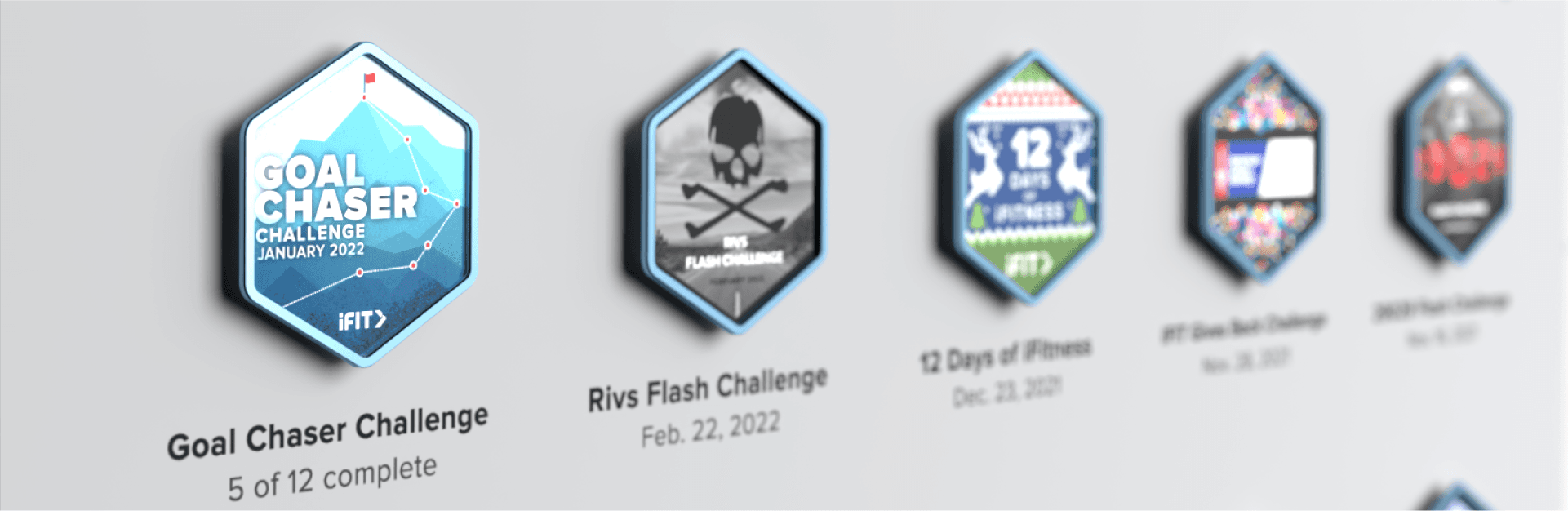
We’re all motivated in our own ways: perhaps hitting a big milestone makes your heart soar. Or, maybe just finding time to stretch and meditate on a tough day feels like a victory. Regardless of what you do, we’re here to support you! The iFIT Trophy Case is inspired by you, our iFIT Community. The way you show up for each other and yourselves. The encouragement you give and the joy you feel with every accomplishment, big or small. What is the Trophy Case? The Trophy Case is a digital display case for your accomplishments. Any past rewards you’ve earned from Challenges, Events, and Milestones are in your personal Trophy Case. As you continue to complete Challenges, Events, and Milestones, all future rewards will be automatically added to your Trophy Case. You can view your Trophy Case on the iFIT app or on your machine by tapping the Trophy Case icon on the bottom of the screen. What’s in the Trophy Case? The Trophy Case contains rewards you’ve earned for completing Challenges, Events, and your Milestones. The Trophy Case will include past rewards you’ve earned, as well as new rewards that will be automatically added as you earn them. How can I track my progress toward earning a reward? Challenges To earn a Challenge reward, you must complete all the workouts in that Challenge for the designated time period. For Challenge rewards, you can track your progress in the Challenges tab. From here, you will see your potential reward, how many workouts you’ve completed, and how many you need to complete to earn the reward. To learn more about iFIT Challenges, read our blog.Events Soon after completing an Event, a reward for that event will appear in your Trophy Case. You can view your rewards by tapping on the tab at the top of the screen. Milestones Milestones are achievements you earn by completing workouts. At the beginning of each calendar year, Milestones are reset. You can view the Milestone rewards you’ve already earned and the Milestone rewards available in the Milestones tab. To learn more about iFIT Milestones, read our blog. You can check on Challenge, Event, and Milestone rewards at any time in the iFIT app or on your iFIT-enabled machine. Frequently asked questions about the Trophy Case: Will I still receive a digital reward to share on social media or print a reward for myself? Yes, you will receive digital rewards that can be shared on social media or printed if you’d like. How will Challenges change with the Trophy Case? The Trophy Case brings the opportunity to expand Challenges and think differently about creating new ways to earn rewards, help you find new ways to push yourself, find motivation, and reach new goals! Can I earn rewards for other accomplishments? Right now, you’ll only earn rewards for Challenges, Events, and Milestones. I earned a reward, but it doesn’t appear in my Trophy Case. What can I do? Please visit iFIT Member Care or email support@ifit.com for assistance. Thank you for being a valued member of the iFIT family, and we look forward to helping you celebrate your accomplishments with the Trophy Case! Disclaimer: This blog post is not intended to replace the advice of a medical professional. The above information should not be used to diagnose, treat, or prevent any disease or medical condition. Please consult your doctor before making any changes to your diet, sleep methods, daily activity, or fitness routine. iFIT assumes no responsibility for any personal injury or damage sustained by any recommendations, opinions, or advice given in this article. Always follow the safety precautions included in the owner’s manual of your fitness equipment.
March 23, 2022
Read More

New Feature: 10 Languages Available for the iFIT App
Ready to change the language on your iFIT app? Now, you can select from multiple languages to customize your app experience with our new translations beta. This includes closed captions, navigation, browsing, and settings. We are also continuing to work through translating our expansive library of workouts with new translations coming every day. From Spanish to Russian, there are now a total of 10 languages available on your iFIT app. You can update your language settings to see information in the following languages: EnglishSpanishPortuguese French German NorwegianChineseDutch ItalianRussian To change your language on the iFIT app or on your iFIT-enabled equipment, follow these steps: Tap the three lines in the top left corner of your screen to open your side menu. From there, tap Settings.Next, tap LanguagesSelect your preferred language. This will update the language that appears on your iFIT app. Closed captioning has also been extended to support 10 languages. Here’s how to update your language setting for captions during your workout. Disclaimer: This blog post is not intended to replace the advice of a medical professional. The above information should not be used to diagnose, treat, or prevent any disease or medical condition. Please consult your doctor before making any changes to your diet, sleep methods, daily activity, or fitness routine. iFIT assumes no responsibility for any personal injury or damage sustained by any recommendations, opinions, or advice given in this article. Always follow the safety precautions included in the owner’s manual of your fitness equipment.
September 16, 2021
Read More
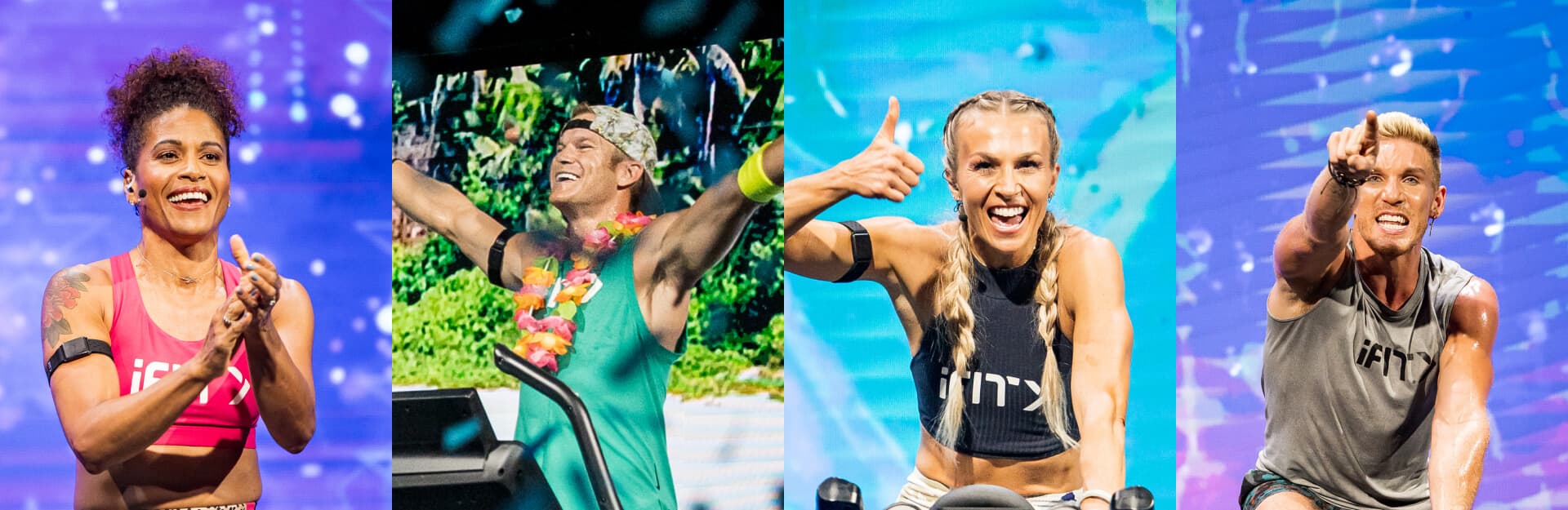
A Roundup of the Latest iFIT Features
You made the most of this summer, and so did we! Between the Summer Camp Challenge, Live Races, new series, and new workouts added to the iFIT Library, the iFIT Community completed thousands of workouts this season. Read on to see what we worked on this summer to improve your future iFIT workouts! New music stations Sync with Apple Health™, Garmin® Connect, Google Fit™, and Strava Closed captioning SmartAdjust Stream workouts with Roku Search and filter Dark Mode 29029 and Sweat Choose your music station Now you can select the music that fuels your movement! Amp up your iFIT workouts with your choice of 11 new music stations on iFIT-enabled equipment and the iFIT app. Learn more Sync with other fitness apps Connect your iFIT app to other fitness apps like Apple Health™, Garmin® Connect, Google Fit™, and Strava—because every step matters on your fitness journey. Learn more Add closed captioning Closed captioning is available in English or Spanish for most workouts on your iFIT-enabled equipment and the iFIT app. Learn more Personalize your workouts with SmartAdjust™ SmartAdjust™ auto-adjusts your workout in real time based on your heart rate and history, so you’ll experience a workout tailored to you. Learn more Stream workouts to your TV with Roku Roku users, rejoice! You can now access the iFIT Library in a whole new way—on the big screen with the iFIT TV channel for Roku! Learn more Search and filter workouts Find today’s perfect workout fast with new, more intuitive search and filtering options on your iFIT-enabled equipment, the iFIT mobile app, and iFIT TV app. Learn more Enable Dark Mode Great news for early birds and night owls. Dark Mode allows you to adjust the brightness of your screen so it's just right for early morning and late-night workouts. Learn more Look forward to new iFIT experiences 29029 Everest and Kayla Itsines’ SWEAT app have joined our fitness family. Exciting new experiences are on the horizon! From the iFIT Community Disclaimer: This blog post is not intended to replace the advice of a medical professional. The above information should not be used to diagnose, treat, or prevent any disease or medical condition. Please consult your doctor before making any changes to your diet, sleep methods, daily activity, or fitness routine. iFIT assumes no responsibility for any personal injury or damage sustained by any recommendations, opinions, or advice given in this article. Always follow the safety precautions included in the owner’s manual of your fitness equipment.
September 7, 2021
Read More

New Feature: Connect iFIT to your Favorite Fitness Apps
Whether you’re out running your favorite trail or cycling at home, every single workout is important. We believe tracking your fitness journey in a single location is a key component to chasing your goals. You can now connect your iFIT account with Apple Health™, Garmin® Connect, Google Fit™, and Strava, so all of your workouts are in one place! Note: Only iFIT workouts from the iFIT Library will count toward your iFIT Milestones. Important update 12/31/2025: Google Fit™ is a deprecated service and is no longer supprted by Google. As a result, iFIT no longer supports new Google Fit connections. We’re actively working toward supporting Google Health Connect, Google’s replacement platform, in a future update. Ready to get connected? Here’s how you can connect your favorite fitness apps to iFIT. Apple Health Garmin Connect Google Fit™ Strava How to connect iFIT to Apple Health: Launch the iFIT app on your iPhone.Tap the three lines in the top left corner to access the menu, then tap on Settings.From Settings, navigate to Connected Apps.On the Connected Apps screen, select Apple Health, then tap Connect.You'll be taken to the Health Access page where you can enable sharing data from iFIT to Health. You can control which types of information iFIT will read and write to Health. How to connect your iFIT and Garmin Connect accounts: Launch the iFIT app on your iPhone or Android phone. Tap the three lines in the top left corner to access the menu, then tap on Settings.From Settings, navigate to Connected Apps.On the Connected Apps screen, select Garmin Connect, then tap Connect.Sign in to your Garmin Connect account.After signing in to your Garmin Connect account, toggle on the preference to share activity data from Garmin Connect to iFIT.Tap the Agree button to connect your iFIT and Garmin Connect accounts.After connecting, you can set your desired preferences to automatically sync your Garmin Connect activities to your iFIT account. Important update 12/31/2025: Google Fit™ is a deprecated service and is no longer supprted by Google. As a result, iFIT no longer supports new Google Fit connections. We’re actively woring toward supporting Google Health Connect, Google’s replacement platform, in a future update.How to connect iFIT to Google Fit™: Launch the iFIT app on your iPhone or Android phone.Tap the three lines in the top left corner to access the menu, then tap on Settings.From Settings, navigate to Connected Apps.On the Connected Apps screen, select Google Fit™, then tap Connect.You’ll be prompted to select the Google account you would like to connect. Tap the Allow button to allow iFIT access to your Google Fit™ account.After connecting, you can set your desired preferences to automatically sync activities between iFIT and Google Fit™. How to connect your iFIT and Strava accounts: Launch the iFIT app on your iPhone or Android phone. Tap the three lines in the top left corner to access the menu, then tap on Settings.From Settings, navigate to Connected Apps.On the Connected Apps screen, select Strava, then tap Connect.Sign in to your Strava account.After signing in to your Strava account, tap the Authorize button to connect your iFIT and Strava accounts.After connecting, you can set your desired preferences to automatically sync your activities between your iFIT and Strava accounts. We hope you enjoy this new feature as you chase your fitness goals with iFIT! Google Fit™ is a trademark of Google LLC. Disclaimer: This blog post is not intended to replace the advice of a medical professional. The above information should not be used to diagnose, treat, or prevent any disease or medical condition. Please consult your doctor before making any changes to your diet, sleep methods, daily activity, or fitness routine. iFIT assumes no responsibility for any personal injury or damage sustained by any recommendations, opinions, or advice given in this article. Always follow the safety precautions included in the owner’s manual of your fitness equipment.
September 2, 2021
Read More