Updates

iFIT & Ergatta Fall Cup Official Rules 2026
Review the complete official rules for the 2026 iFIT & Ergatta Fall Cup, including eligibility requirements, race schedule, bracket structure, and prize details.
September 24, 2026
Read More
iFIT Makes Fast Company’s Eighth Annual List of the Best Workplaces for Innovators in Emerging Enterprise
Fast Company announced its eighth annual Best Workplaces for Innovators list, recognizing businesses that are creating cultures where innovation can thrive at every level. iFIT Inc., a global leader in interactive fitness technology and connected content, earned a spot as a winner in the Emerging Enterprise: 201-999 Employees Category for its recent expansion into connected Pilates.
September 15, 2026
Read More
The iFIT App Just Got Smarter: What’s New in August 2026
iFIT's August 2026 update brings Stacked Workouts, a smarter SmartAdjust, and customizable metrics. Here's what changed and what it means for your training.
August 17, 2026
Read More
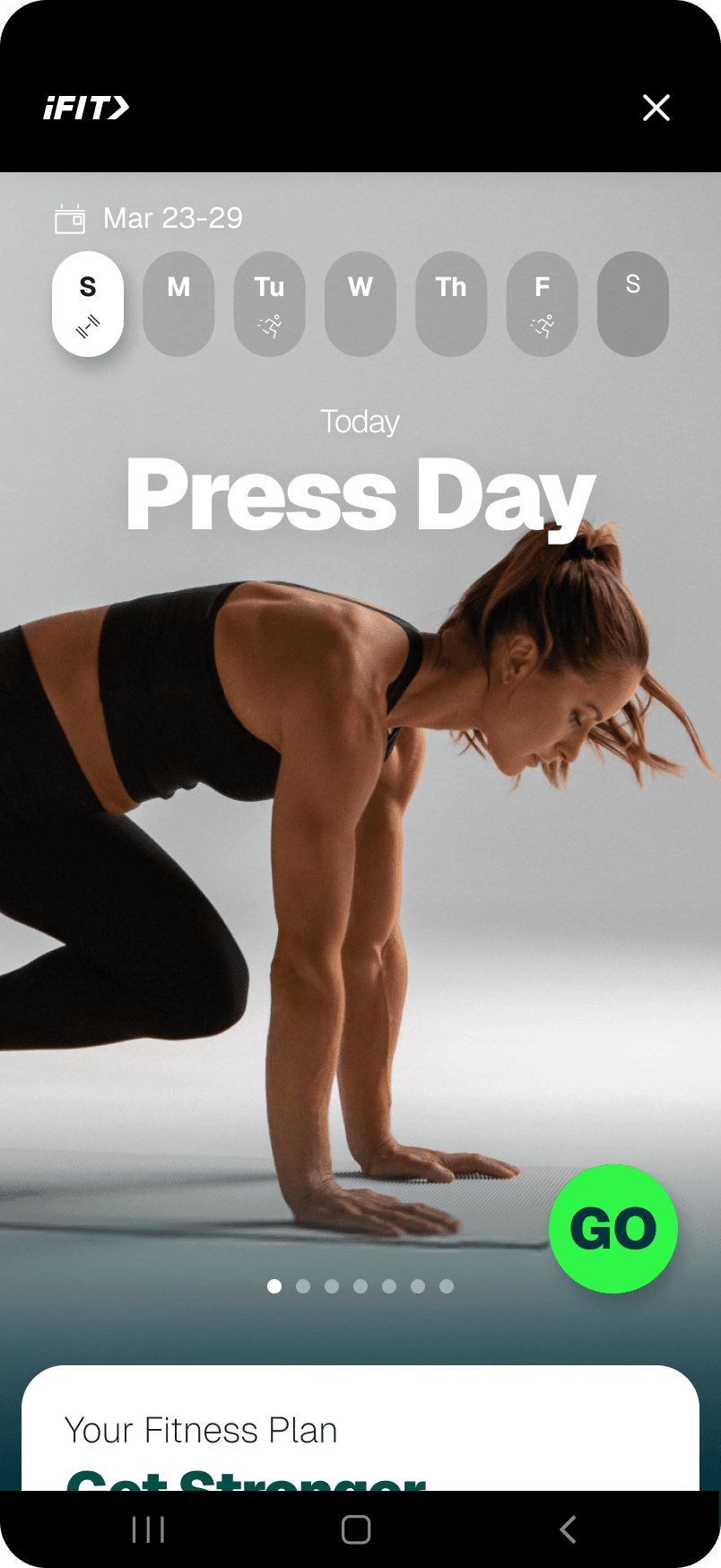
iFIT and Samsung Health Deepen Partnership with Launch of iFIT Personal Trainer on Galaxy Devices
iFIT's AI Fitness Coach to Deliver Personalised Coaching Plans in Samsung Health.
July 23, 2026
Read More
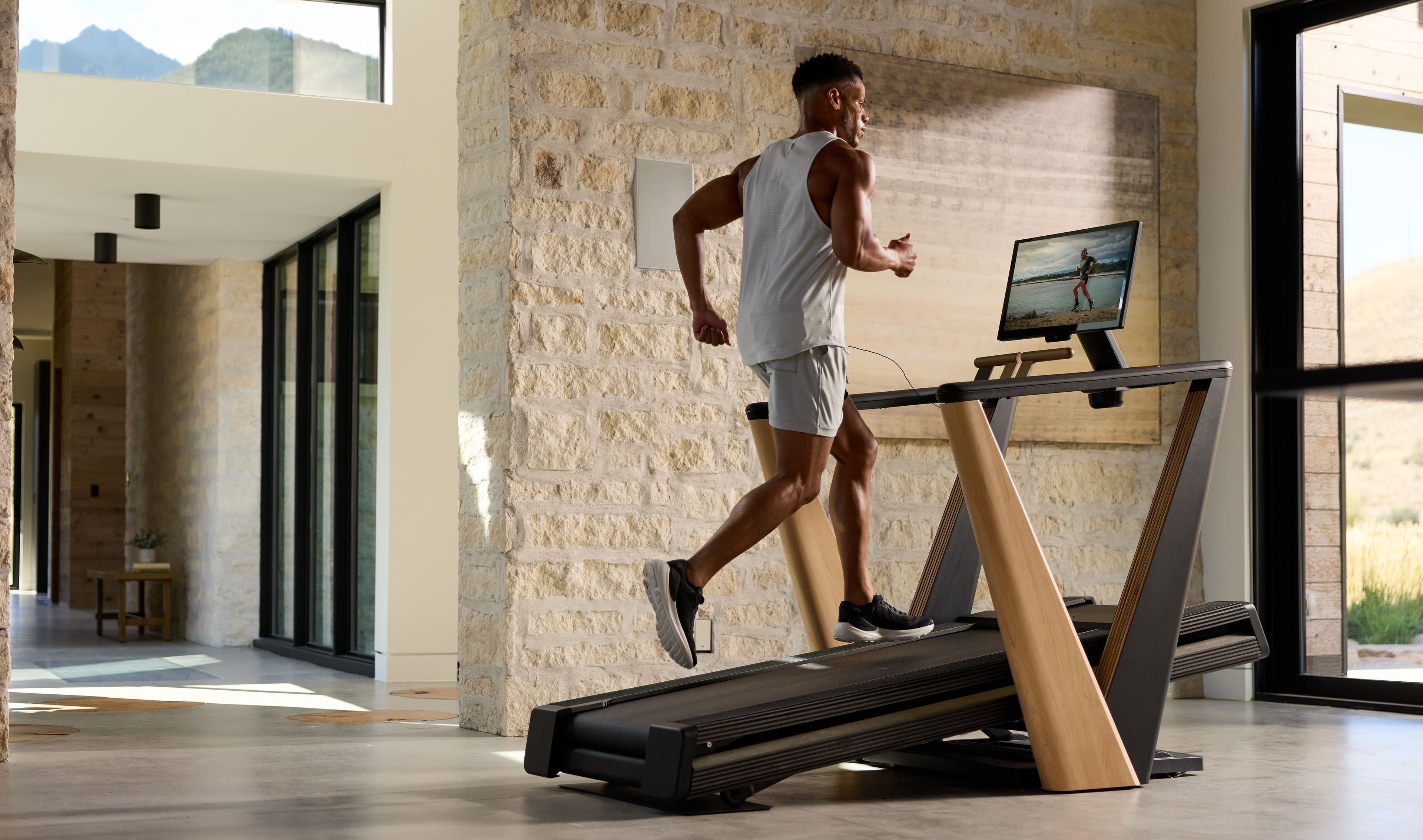
NordicTrack Ultra 1 Wins the Red Dot Award: Product Design 2026
The NordicTrack Ultra 1 has earned a Red Dot Award for Product Design 2026, its third major honor in under a year alongside Esquire and TIME recognition.
July 7, 2026
Read More
iFIT & Ergatta Spring Cup Official Rules 2026
Review the complete official rules for the 2026 iFIT x Ergatta Spring Cup, including eligibility requirements, race schedule, bracket structure, and prize details.
March 2, 2026
Read More
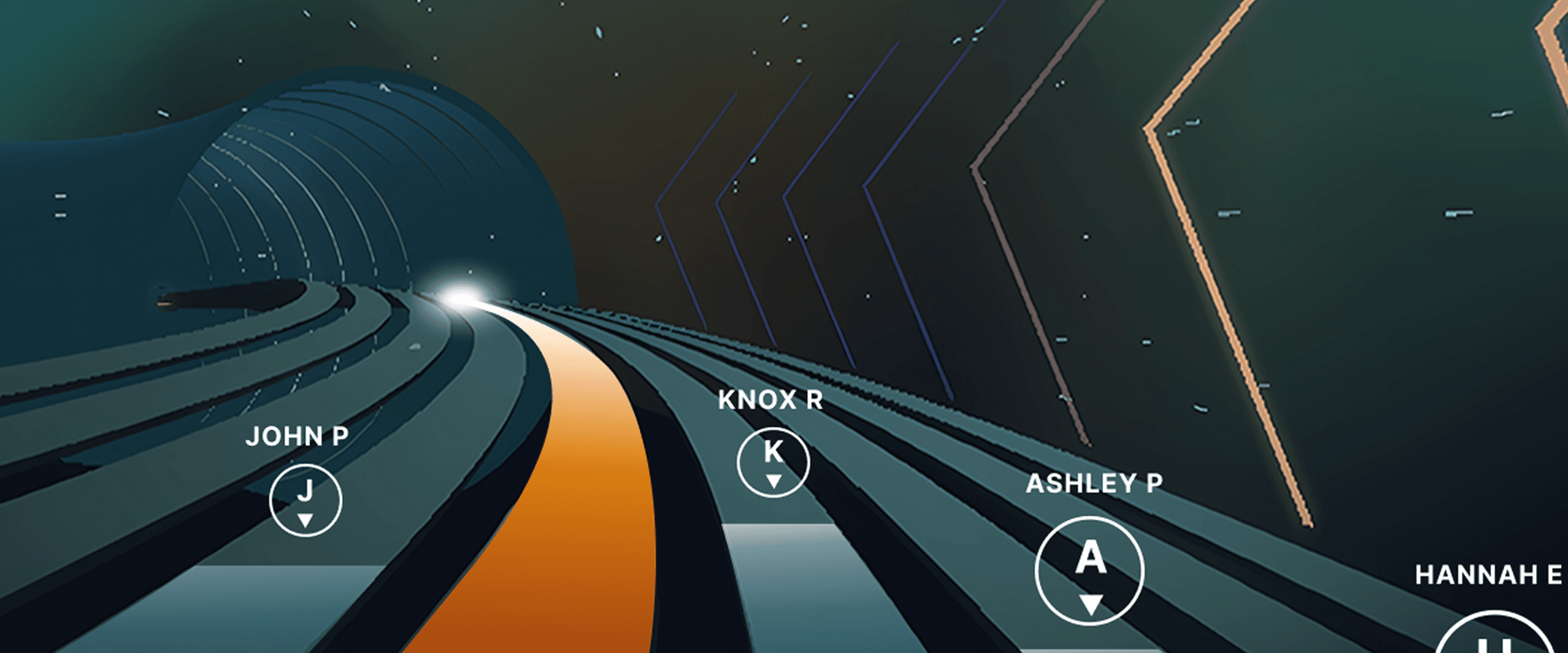
Races, Powered by Ergatta: An Interactive New Way to Work Out on Your Rower, Bike, and Treadmill with iFIT
Ready to explore your competitive side? iFIT has partnered with Ergatta to bring Races to iFIT-enabled rowers, bikes, and treadmills. These new interactive game-based workouts offer a fun new way to challenge yourself and stay motivated. Races: now on rowers, bikes, and treadmills Originally launched for treadmills, Races Powered by Ergatta is now available on iFIT-connected bikes and rowers, giving you even more ways to compete and level up your workouts. Whether you prefer to row, ride, or run, you can tap into the same immersive, competitive experience across all three equipment types. Choose from dozens of race workouts ranging from quick sprints to multi-stage endurance competitions and race against: Other iFIT members in friendly competitionYour favorite iFIT Trainers for extra motivation (can you beat Ashley?)Pacer bots to benchmark your performance and chase your goalsYourself in repeat races to push your limitsWith Races, you can push your limits with rewarding gameplay, chase your personal goals, and mix up your routine. Best of all, you have options: you can race against the clock, compete with the iFIT Community, or race against your past performances. This month's racesSeptember brings five new races themed around the energy of a fresh start. From a quick back-to-school sprint to a long endurance ride, there's something for every pace and every machine.Bell Ringer0.5 miles | Tread, Bike, RowerThe bell rings and there's no easing in. Go out hard, stay sharp, and be done before you've even settled in. Fast, focused, first-period energy.Homeroom Hustle0.75 miles | Tread, Bike, RowerStart with purpose, build through the middle, and finish like you've done this a hundred times before. Confident, quick, and ready for whatever's next.Extra Credit1.5 miles | Tread, BikeEvery fall term needs one race that asks a little more. Hold a pace that challenges without breaking you, keep climbing through the middle, and bank the effort like it counts toward something bigger.Back in Session2.5 miles | Tread, Bike, RowerSummer's winding down and the pace of life is picking back up. Settle into a steady rhythm, breathe through the middle miles, and close strong as the season shifts into gear.Long Division6.2 miles | BikeFall's syllabus starts today and this one's a long one. Settle into a sustainable cadence, break the distance into manageable stretches, and let patience do the work mile after mile. New for Rowers: Meteor Dive into an exclusive game-based experience for your iFIT-enabled rower with Meteor, a thrilling single-player workout that blends fitness with arcade-style gameplay. You’ll fly through space, collecting tokens and dodging obstacles while hitting personalized targets to score points. Your rowing speed controls your vertical movement, so you can row faster to fly higher. It’s structured, it’s motivating, and it’s a lot of fun. How to install Ergatta Need a little more support? Here's a step-by-step tutorial for installing Ergatta on your machine. Ready to race? Whether you're looking to challenge yourself or compete against others, Ergatta Races brings an entirely new dimension to your workouts. New races drop every month to keep things fresh. Let's race! Install the Ergatta app to get started. Then, you can explore all the Races available in Ergatta.1 1. Paid iFIT Pro membership required to access Races by Ergatta. Must have the latest iFIT OS installed on an iFIT-enabled treadmill with a touch screen that supports third-party apps.Disclaimer: The primary purpose of this blog post is to inform and entertain. Nothing on the post constitutes or is intended to be a substitute for professional medical advice, prevention, diagnosis, or treatment. Reliance on any information provided on the blog is solely at your own risk. Always seek the advice of your physician or other qualified health provider with any questions you may have regarding a medical condition, and please consult your doctor or other health care provider before making any changes to your diet, sleep methods, daily activity, or fitness routine. Do not disregard professional medical advice or delay seeking it because of information available on this blog. iFIT assumes no responsibility for any personal injury or damage sustained by any recommendations, opinions, or advice given in this article. Always follow the safety precautions included in the owner’s manual of your fitness equipment.
July 28, 2025
Read More
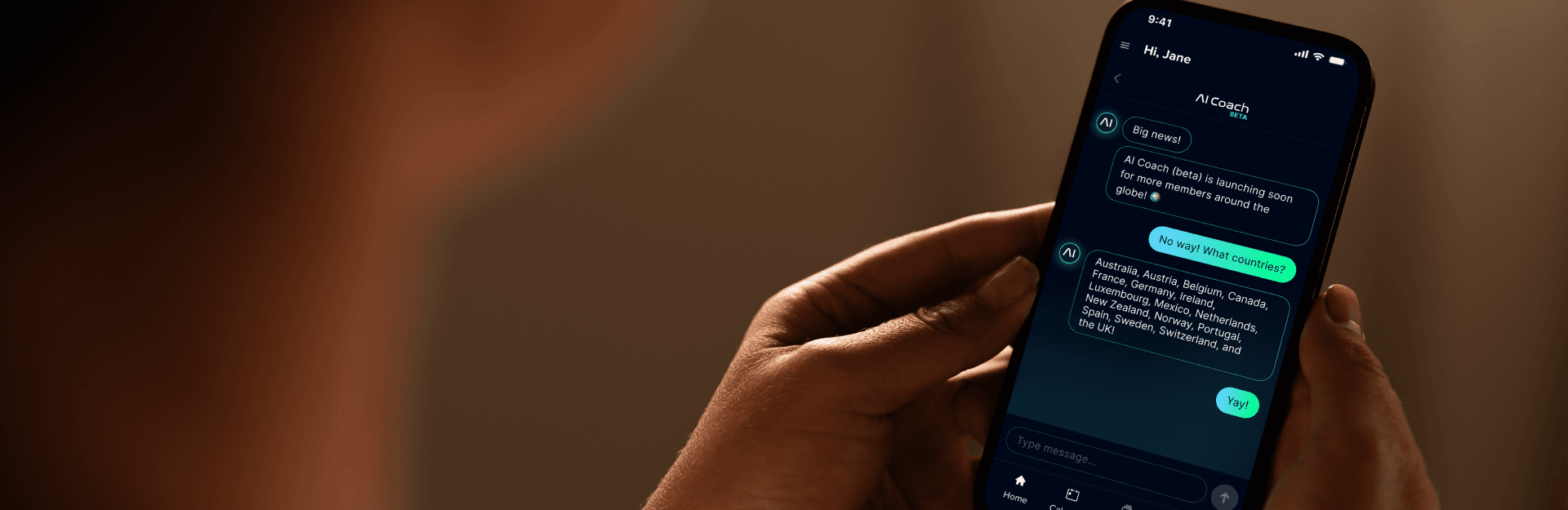
Meet your New Fitness Partner: iFIT AI Coach (beta) is Now Available in More Countries
Other languages: Dutch French German Italian Portuguese Spanish (ES) The future of personalized fitness has arrived for even more iFIT members. We’re excited to announce AI Coach (beta) is now officially available for iFIT members in the following countries (with more countries coming soon!): AustraliaAustriaBelgiumCanadaFinlandFranceGermanyIrelandItalyLuxembourgMexicoNetherlandsNew ZealandNorwayPortugalSpainSwedenSwitzerlandThe UK What is iFIT AI Coach? Think of it as your own personal fitness coach—powered by AI and built to adapt to you. Whether you’re starting your fitness journey or looking to take it to the next level, AI Coach helps you: Define your goalsBuild a personalized training planStay on track with smart scheduling and workout remindersDiscover workouts that evolve with your progress iFIT AI Coach ensures your fitness journey is not just personalized but also dynamic, adapting to your progress and pushing you forward. Getting started with AI Coach Ready to start chasing your fitness goals with AI Coach? Here’s how to access this feature: 1. Make sure you have the latest version of the iFIT app 2. Tap the AI Coach chat in the bottom right hand corner - it will pull up an in-app browser. 3. Log in to your iFIT account and confirm the disclaimers 4. You will be taken back to the dashboard, tap on the AI Coach chat button and you can start chatting with iFIT AI Coach. With AI Coach you’re never alone in your fitness journey. From individualized coaching to flexible planning and dynamic coaching and motivation, iFIT AI Coach is here to help you. Disclaimer: Please note that iFIT AI Coach is currently in Beta, and some features may still be in development or testing. This blog post is not intended to replace the advice of a medical professional. The above information should not be used to diagnose, treat, or prevent any disease or medical condition. Please consult your doctor before making any changes to your diet, sleep methods, daily activity, or fitness routine. iFIT assumes no responsibility for any personal injury or damage sustained by any recommendations, opinions, or advice given in this article. Always follow the safety precautions included in the owner’s manual of your fitness equipment. Maak kennis met je nieuwe fitnesspartner: iFIT AI Coach (bèta) is nu beschikbaar in meer landen De toekomst van gepersonaliseerde fitness is aangebroken voor nog meer iFIT-leden. We zijn verheugd te kunnen aankondigen dat AI Coach (bèta) nu officieel beschikbaar is voor iFIT-leden in de volgende landen (en binnenkort meer landen!): AustraliëOostenrijkBelgiëCanadaFinlandFrankrijkDuitslandIerlandItaliëLuxemburgMexicoNederland Nieuw-ZeelandNoorwegenPortugalSpanjeZwedenZwitserlandVK Wat is iFIT AI Coach? Zie het als je eigen persoonlijke fitnesscoach, aangedreven door AI en gebouwd om zich aan jou aan te passen. Of je nu begint met fitness of je reis naar een hoger niveau wilt tillen, AI Coach helpt je: Bepaal je doelenEen persoonlijk trainingsplan opstellenBlijf op schema met slimme planning en trainingsherinneringenOntdek workouts die evolueren met je vooruitgang iFIT AI Coach zorgt ervoor dat je fitnesstraject niet alleen gepersonaliseerd maar ook dynamisch is, dat het zich aanpast aan je vooruitgang en je vooruit stuwt. Aan de slag met AI Coach Klaar om je fitnessdoelen na te jagen met AI Coach? Zo krijg je toegang tot deze functie: 1. Zorg ervoor dat je de laatste versie van de iFIT app hebt 2. Tik op de AI Coach chat in de rechterbenedenhoek - er wordt een in-app browser geopend. 3. Log in op je iFIT-account en bevestig de disclaimers 4. Je wordt teruggebracht naar het dashboard, tik op de AI Coach chatknop en je kunt gaan chatten met iFIT AI Coach. Met AI Coach ben je nooit alleen op je fitnessreis. Van individuele begeleiding tot flexibele planning en dynamische coaching en motivatie, iFIT AI Coach is er om je te helpen. Disclaimer: iFIT AI Coach is momenteel in bèta en sommige functies worden mogelijk nog ontwikkeld of getest. Deze blogpost is niet bedoeld ter vervanging van het advies van een medisch deskundige. De bovenstaande informatie mag niet worden gebruikt voor het diagnosticeren, behandelen of voorkomen van een ziekte of medische aandoening. Raadpleeg je arts voordat je veranderingen aanbrengt in je dieet, slaapgewoonten, dagelijkse activiteiten of fitnessroutine. iFIT aanvaardt geen enkele verantwoordelijkheid voor persoonlijk letsel of schade die voortvloeit uit aanbevelingen, meningen of adviezen die in dit artikel worden gegeven. Volg altijd de veiligheidsvoorschriften in de gebruikershandleiding van je fitnessapparaat. Rencontrez votre nouveau partenaire de fitness : iFIT AI Coach (beta) est maintenant disponible dans plus de pays. L'avenir du fitness personnalisé est arrivé pour encore plus de membres iFIT. Nous sommes heureux d'annoncer qu'AI Coach (beta) est maintenant officiellement disponible pour les membres d'iFIT dans les pays suivants (d'autres pays seront bientôt disponibles !) : AustralieAutricheBelgiqueCanadaFinlandeFranceAllemagneIrlandeItalieLuxembourgMexiquePays-BasNouvelle-ZélandeNorvègePortugalEspagneSuèdeSuisseRoyaume-Uni Qu'est-ce qu'iFIT AI Coach? Il s'agit de votre coach sportif personnel, alimenté par l'IA et conçu pour s'adapter à vous. Que vous commenciez votre parcours de remise en forme ou que vous souhaitiez passer à la vitesse supérieure, AI Coach vous aide : À définir vos objectifsÀ construire un plan d'entraînement personnaliséÀ rester sur la bonne voie grâce à une planification intelligente et aux rappels d'entraînement.Découvrez des séances d'entraînement qui évoluent en fonction de vos progrès iFIT AI Coach veille à ce que votre parcours de remise en forme soit non seulement personnalisé, mais aussi dynamique, en s'adaptant à vos progrès et en vous poussant à aller de l'avant. Démarrer avec AI Coach Prêt à poursuivre vos objectifs de remise en forme avec AI Coach ? Voici comment accéder à cette fonctionnalité : 1. Assurez-vous d'avoir la dernière version de l'application iFIT. 2. Touchez le chat AI Coach dans le coin inférieur droit - un navigateur intégré à l'application s'affichera. 3. Connectez-vous à votre compte iFIT et confirmez les mentions légales. 4. Vous serez redirigé au tableau de bord, appuyez sur le bouton de chat AI Coach et vous pourrez commencer à chatter avec iFIT AI Coach. Avec AI Coach, vous n'êtes jamais seul dans votre parcours de remise en forme. Du coaching individualisé à la planification flexible en passant par le coaching dynamique et la motivation, iFIT AI Coach est là pour vous aider. Avertissement : Veuillez noter que iFIT AI Coach est actuellement en version bêta et que certaines fonctionnalités peuvent être encore en cours de développement ou de test. Cet article de blog n'est pas destiné à remplacer les conseils d'un professionnel de la santé. Les informations ci-dessus ne doivent pas être utilisées pour diagnostiquer, traiter ou prévenir une maladie ou un état pathologique. Veuillez consulter votre médecin avant de modifier votre régime alimentaire, vos méthodes de sommeil, votre activité quotidienne ou votre programme de remise en forme. iFIT n'assume aucune responsabilité en cas de blessures ou de dommages causés par les recommandations, les opinions ou les conseils donnés dans cet article. Respectez toujours les consignes de sécurité figurant dans le manuel d'utilisation de votre appareil de fitness. Lernen Sie Ihren neuen Fitness-Partner kennen: iFIT AI Coach (Beta) ist jetzt in mehr Ländern verfügbar Die Zukunft der personalisierten Fitness ist für noch mehr iFIT-Mitglieder gekommen. Wir freuen uns, ankündigen zu können, dass AI Coach (Beta) jetzt offiziell für iFIT-Mitglieder in den folgenden Ländern verfügbar ist (weitere Länder folgen in Kürze!): AustralienÖsterreichBelgienKanadaFinnlandFrankreichDeutschlandIrlandItalienLuxemburgMexikoNiederlandeNeuseelandNorwegenPortugalSpanienSchwedenSchweizGroßbritannien Was ist iFIT AI Coach? Betrachten Sie es als Ihren persönlichen Fitness-Coach, der von der KI angetrieben wird und darauf ausgelegt ist, sich an Sie anzupassen. Egal, ob Sie Ihre Fitnessreise beginnen oder Sie auf die nächste Stufe bringen möchten, der AI-Coach hilft Ihnen: Definieren Sie Ihre ZieleErstellen Sie einen personalisierten TrainingsplanBleiben Sie auf dem richtigen Weg mit intelligenten Planungs- und TrainingserinnerungenEntdecken Sie Workouts, die sich mit ihrem Fortschritt weiterentwickeln iFIT AI Coach stellt sicher, dass Ihre Fitnessreise nicht nur personalisiert, sondern auch dynamisch ist, sich an Ihre Fortschritte anpasst und Sie vorantreibt. Erste Schritte mit dem AI-Coach Sind Sie bereit, Ihre Fitnessziele mit AI Coach zu verfolgen? So greifen Sie auf diese Funktion zu: 1. Stellen Sie sicher, dass Sie die neueste Version der iFIT-App haben 2. Tippen Sie auf den AI-Coach-Chat in der unteren rechten Ecke - es wird ein In-App-Browser aufgerufen. 3. Melden Sie sich bei Ihrem iFIT-Konto an und bestätigen Sie die Haftungsausschlüsse 4. Sie werden zurück zum Dashboard geleitet, tippen Sie auf die Schaltfläche AI Coach Chat und Sie können mit iFIT AI Coach chatten. Mit AI Coach sind Sie nie allein auf Ihrer Fitnessreise. Von individualisiertem Coaching über flexible Planung bis hin zu dynamischem Coaching und Motivation steht Ihnen der iFIT AI Coach zur Seite. Haftungsausschluss: Bitte beachten Sie, dass sich der iFIT AI Coach derzeit in der Beta-Phase befindet und sich einige Funktionen möglicherweise noch in der Entwicklung oder im Test befinden. Dieser Blogbeitrag soll nicht den Rat eines Arztes ersetzen. Die oben genannten Informationen sollten nicht zur Diagnose, Behandlung oder Vorbeugung von Krankheiten oder Gesundheitszuständen verwendet werden. Bitte konsultieren Sie Ihren Arzt, bevor Sie Änderungen an Ihrer Ernährun10g, Ihren Schlafmethoden, Ihrer täglichen Aktivität oder Ihrer Fitnessroutine vornehmen. iFIT übernimmt keine Verantwortung für Personenschäden oder Schäden, die durch Empfehlungen, Meinungen oder Ratschläge in diesem Artikel entstehen. Befolgen Sie immer die Sicherheitsvorkehrungen, die in der Bedienungsanleitung Ihres Fitnessgeräts enthalten sind. Ecco il vostro nuovo partner per il fitness: iFIT AI Coach (beta) è ora disponibile in più paesi Il futuro del fitness personalizzato è arrivato per un numero ancora maggiore di membri iFIT. Siamo entusiasti di annunciare che AI Coach (beta) è ora ufficialmente disponibile per i membri di iFIT nei seguenti paesi (e altri paesi arriveranno presto!): AustraliaAustriaBelgioCanadaFinlandiaFranciaGermaniaIrlandaItaliaLussemburgoMessicoPaesi BassiNuova-ZelandaNorvegia PortogalloSpagnaSveziaSvizzeraRegno-Unito Che cos'è iFIT AI Coach? Immagina un allenatore personale di fitness, dotato di intelligenza artificiale e concepito per adattarsi ai tuoi bisogni. Che tu stia iniziando il tuo percorso di fitness o che tu voglia passare al livello superiore, AI Coach ti aiuta a: Definire gli obiettiviCreare un piano di allenamento personalizzatoRispettare il piano di allenamento con la programmazione intelligente e i promemoria per gli allenamentiScopri degli allenamenti che evolvono con i tuoi progressi iFIT AI Coach assicura che il tuo percorso di fitness non sia solo personalizzato ma anche dinamico, adattandosi ai tuoi progressi e spingendoti ad andare avanti. Come iniziare con AI Coach Sei pronto a inseguire i tuoi obiettivi di fitness con AI Coach? Ecco come accedere a questa funzione: 1. Assicurati di avere l'ultima versione dell'applicazione iFIT. 2. Clicca sulla chat di AI Coach nell'angolo in basso a destra: si aprirà un browser in-app. 3. Accedi al vostro account iFIT e conferma le dichiarazioni di non responsabilità. 4. Tornerai alla schermata iniziale, clicca sul pulsante AI Coach chat per iniziare a dialogare con iFIT AI Coach. Con AI Coach non sarete mai soli nel vostro percorso di fitness. Dal coaching personalizzato alla pianificazione flessibile, fino al coaching dinamico e alla motivazione, iFIT AI Coach è qui per aiutarti. Disclaimer: si prega di notare che iFIT AI Coach è attualmente in fase beta e alcune funzioni potrebbero essere ancora in fase di sviluppo o di test. Questo post non intende sostituire la consulenza di un medico. Le informazioni di cui sopra non devono essere utilizzate per diagnosticare, trattare o prevenire alcuna malattia o condizione medica. Consultate il vostro medico prima di apportare modifiche alla vostra dieta, ai metodi di sonno, all'attività quotidiana o alla routine di fitness. iFIT non si assume alcuna responsabilità per eventuali lesioni personali o danni subiti a causa di raccomandazioni, opinioni o consigli forniti in questo articolo. Seguire sempre le precauzioni di sicurezza riportate nel manuale d'uso dell'attrezzo fitness. Conhece o teu novo parceiro de fitness: iFIT AI Coach (beta) já está disponível em mais países. O futuro do fitness personalizado chegou para ainda mais utilizadores da iFIT. Temos o prazer de anunciar que o AI Coach (beta) está agora oficialmente disponível para os utilizadores da iFIT nos seguintes países (com mais países a chegar em breve!): AustráliaÁustriaBélgicaCanadáFinlândiaFrançaAlemanhaIrlandaItáliaLuxemburgoMéxicoPaíses BaixosNova ZelândiaNoruegaPortugalEspanhaSuéciaSuíçaReino Unido O que é o iFIT AI Coach? Pensa nele como o teu próprio treinador pessoal de fitness — impulsionado por IA e feito para se adaptar a ti. Quer estejas a começar a tua jornada de fitness ou a procurar levar a tua rotina para o próximo nível, AI Coach ajuda-te a: Definir os teus objectivosCriar um plano de treino personalizadoManter-te no caminho certo com agendamento inteligente e lembretes de treino.Descobre treinos que evoluem com o teu progresso. O iFIT AI Coach garante que a tua jornada de fitness não é apenas personalizada, mas também dinâmica, adaptando-se ao teu progresso e a impulsionar-te para a frente. Começar a utilizar o AI Coach Pronto para começar a perseguir os teus objetivos de fitness com o AI Coach? Eis como aceder a esta funcionalidade: 1. Certifica-te de que tens a versão mais recente da app iFIT. 2. Toca no chat do AI Coach no canto inferior direito – ele abrirá um navegador dentro da app. 3. Inicia sessão na tua conta iFIT e confirma os avisos de isenção de responsabilidade. 4. Serás redirecionado para o painel, toca no botão de chat do AI Coach e poderás começar a conversar com o iFIT AI Coach. Com o AI Coach, nunca estás sozinho na tua jornada de fitness. Desde coaching individualizado a planeamento flexível, coaching dinâmico e motivação, o iFIT AI Coach está aqui para te ajudar. Aviso: Por favor, nota que o iFIT AI Coach está atualmente em versão Beta, e algumas funcionalidades podem ainda estar em desenvolvimento ou em fase de testes. Este post no blog não se destina a substituir o conselho de um profissional de saúde. A informação acima não deve ser utilizada para diagnosticar, tratar ou prevenir qualquer doença ou condição médica. Por favor, consulta o teu médico antes de fazeres qualquer alteração na tua dieta, métodos de sono, atividade diária ou rotina de fitness. A iFIT não assume qualquer responsabilidade por lesões pessoais ou danos resultantes de quaisquer recomendações, opiniões ou conselhos fornecidos neste artigo. Segue sempre as precauções de segurança incluídas no manual do proprietário do teu equipamento de fitness. Conoce a tu nuevo compañero de fitness: iFIT AI Coach (beta) ya está disponible en más países El futuro del fitness personalizado ha llegado para aún más usuarios de iFIT. Nos complace anunciar que AI Coach (beta) ya está oficialmente disponible para los usuarios de iFIT en los siguientes países (¡más países próximamente!): AustraliaAustriaBélgicaCanadáFinlandiaFranciaAlemaniaIrlandaItaliaLuxemburgoMéxicoPaíses BajosNueva ZelandaNoruegaPortugalEspañaSueciaSuizaReino Unido ¿Qué es iFIT AI Coach? Piensa en él como si fuera tu propio entrenador personal, impulsado por la IA y diseñado para adaptarse a ti. Tanto si estás empezando a ponerte en forma como si quieres pasar al siguiente nivel, AI Coach te ayuda: Define tus objetivosElabora un plan de entrenamiento personalizadoMantén el rumbo con la programación inteligente y los recordatorios de entrenamientoDescubre entrenamientos que evolucionan con tu progreso iFIT AI Coach garantiza que tu viaje de fitness no sólo sea personalizado, sino también dinámico, adaptándose a tus progresos y haciéndote avanzar. Primeros pasos con AI Coach ¿Listo para empezar a perseguir tus objetivos de fitness con AI Coach? A continuación se explica cómo acceder a esta función: 1. Asegúrate de que tienes la última versión de la aplicación iFIT 2. Toca el chat AI Coach en la esquina inferior derecha y se abrirá un navegador dentro de la aplicación. 3. Inicia sesión en tu cuenta de iFIT y confirma los descargos de responsabilidad. 4. Volverás al panel de control, pulsa el botón de chat AI Coach y podrás empezar a chatear con iFIT AI Coach. Con AI Coach nunca estarás solo en tu viaje fitness. Desde el coaching individualizado hasta la planificación flexible, pasando por el coaching dinámico y la motivación, iFIT AI Coach está aquí para ayudarte. Descargo de responsabilidad: Ten en cuenta que iFIT AI Coach se encuentra actualmente en fase Beta, y algunas funciones pueden estar aún en desarrollo o en pruebas. Esta entrada de blog no pretende sustituir el consejo de un profesional médico. La información anterior no debe utilizarse para diagnosticar, tratar o prevenir ninguna enfermedad o afección médica. Por favor, consulta a tu médico antes de realizar cualquier cambio en tu dieta, métodos de sueño, actividad diaria o rutina de ejercicios. iFIT no se hace responsable de ninguna lesión personal o daño ocasionado por las recomendaciones, opiniones o consejos dados en este artículo. Sigue siempre las precauciones de seguridad incluidas en el manual del propietario de tu equipo de fitness.
May 30, 2025
Read More
AI Coach In-App Chat: Global Release Notes
Other languages: Dutch French German Italian Portuguese Spanish (ES) What is the iFIT AI Coach In-App Chat? AI Coach is an interactive chat assistant now available to iFIT members in Australia, Austria, Belgium, Canada, Finland, France, Germany, Ireland, Italy, Luxembourg, Mexico, Netherlands, New Zealand, Norway, Portugal, Spain, Sweden, Switzerland, and the UK through the iFIT mobile app. It proactively communicates with users, provides check-ins, schedules workouts, and responds to messages, helping members stay on track with their fitness goals. Who is eligible to use iFIT AI Coach? Access will extend to selected markets, including members in Australia, Austria, Belgium, Canada, Finland, France, Germany, Ireland, Italy, Luxembourg, Mexico, Netherlands, New Zealand, Norway, Portugal, Spain, Sweden, Switzerland, and the UK What iFIT membership types will have access? ProTrainGrandfathered Individual membership How can non-US members access AI Coach? 1. Make sure you have the latest version of the iFIT app on your mobile device. 2. Tap the AI Coach chat button in the bottom right-hand corner - it will pull up an in-app browser. 3. Log in to your iFIT account and confirm the disclaimers. 4. You will be taken back to the dashboard. Tap on the AI Coach chat button to start chatting with iFIT AI Coach. Features What’s new with AI Coach in-app chat? AI Coach chat buttonIf you are in select markets and are an iFIT member, a button will appear in the bottom right corner of the dashboard of the iFIT mobile app.Messaging:You can chat with AI Coach directly in the iFIT mobile app. As an in-app chat user, you will have all the same features as an SMS user. Please see the beta release notes for all that AI Coach does. Does AI Coach support push notifications? Yes! Make sure you are signed up for push notifications so these messages can be sent to your mobile device. When AI Coach messages you, you will begin seeing push notifications. Which languages does AI Coach support? AI Coach communicates in the member’s preferred language as designated in the mobile app settings. The initially supported languages include: Chinese (Simplified)DutchFrenchGermanItalianNorwegian (Bokmål)RussianSpanishPortuguese To set your language preference in AI Coach, simply tell AI Coach your preferred language. When you tell AI Coach your language preference, it will update its memory so that it can continue to speak to you in that language going forward. How can I opt out or stop receiving messages from AI Coach? Yes, you can stop receiving messages by either sending “STOP” in the chat or disabling AI Coach in the mobile app settings. Either action will cease all future communications from AI Coach. How do I start receiving messages from AI Coach again after opting out with in-app chat? To re-engage with AI Coach, simply initiate a new conversation in the in-app chat. This will restart the messaging process. Disclaimer: The primary purpose of this blog post is to inform and entertain. Nothing on the post constitutes or is intended to be a substitute for professional medical advice, prevention, diagnosis, or treatment. Reliance on any information provided on the blog is solely at your own risk. Always seek the advice of your physician or other qualified health provider with any questions you may have regarding a medical condition, and please consult your doctor or other health care provider before making any changes to your diet, sleep methods, daily activity, or fitness routine. Do not disregard professional medical advice or delay seeking it because of information available on this blog. NordicTrack assumes no responsibility for any personal injury or damage sustained by any recommendations, opinions, or advice given in this article. Always follow the safety precautions included in the owner’s manual of your fitness equipment. iFIT AI Coach (bèta) In-App Chat: Meer landen toegevoegd Wat is de iFIT AI Coach In-App Chat? AI Coach is een interactieve chat-assistent die nu beschikbaar is voor iFIT-leden in Australië, Oostenrijk, België, Canada, Finland, Frankrijk, Duitsland, Ierland, Italië, Luxemburg, Mexico, Nederland, Nieuw-Zeeland, Noorwegen, Portugal, Spanje, Zweden, Zwitserland en het Verenigd Koninkrijk via de mobiele app van iFIT. Het communiceert proactief met gebruikers, biedt check-ins, plant workouts in en reageert op berichten, zodat leden op schema blijven met hun fitnessdoelen. Wie mag iFIT AI Coach gebruiken? Toegang zal worden uitgebreid naar geselecteerde markten, waaronder leden in Australië, Oostenrijk, België, Canada, Finland, Frankrijk, Duitsland, Ierland, Italië, Luxemburg, Mexico, Nederland, Nieuw-Zeeland, Noorwegen, Portugal, Spanje, Zweden, Zwitserland en het Verenigd Koninkrijk. Welke iFIT-lidmaatschappen krijgen toegang? ProTrainOpgewaardeerd individueel lidmaatschap Hoe krijgen niet-Amerikaanse leden toegang tot AI Coach? 1. Zorg ervoor dat je de laatste versie van de iFIT-app op je mobiele apparaat hebt. 2. Tik op de AI Coach-chatknop rechtsonder – er wordt dan een in-appbrowser geopend. 3. Log in op je iFIT-account en bevestig de disclaimers. 4. Je wordt teruggebracht naar het dashboard. Tik op de AI Coach chatknop om te beginnen chatten met iFIT AI Coach. Kenmerken Wat is er nieuw aan AI Coach in-app chat? AI Coach chatknopAls je je in een geselecteerde markt bevindt en iFIT-lid bent, verschijnt er een knop rechtsonder in het dashboard van de iFIT mobiele app. Berichtgeving:Je kunt rechtstreeks met AI Coach chatten in de iFIT mobiele app. Als gebruiker van een in-app chat heb je dezelfde functies als een sms-gebruiker. Bekijk de aantekeningen bij de bètaversie voor alles wat AI Coach doet. Ondersteunt AI Coach pushmeldingen? Ja! Zorg ervoor dat je bent aangemeld voor pushmeldingen, zodat deze berichten naar je mobiele apparaat kunnen worden gestuurd. Als AI Coach je een bericht stuurt, krijg je pushmeldingen te zien. Welke talen ondersteunt AI Coach? AI Coach communiceert in de voorkeurstaal van het lid zoals aangegeven in de instellingen van de mobiele app. De talen die in eerste instantie worden ondersteund zijn onder andere: Chinees (Vereenvoudigd)NederlandsEngelsFransDuitsItaliaansNoors (Bokmål)Portugees RussischSpaans Om je taalvoorkeur in AI Coach in te stellen, vertel je AI Coach gewoon welke taal je verkiest. Als je je taalvoorkeur doorgeeft aan AI Coach, wordt het geheugen bijgewerkt zodat het voortaan in die taal tegen jou kan praten. Hoe kan ik stoppen met het ontvangen van berichten van AI Coach? Ja, je kunt stoppen met het ontvangen van berichten door "STOP" te sturen in de chat of door AI Coach uit te schakelen in de instellingen van de mobiele app. In beide gevallen wordt alle toekomstige communicatie van AI Coach stopgezet. Hoe kan ik weer berichten van AI Coach ontvangen nadat ik me heb afgemeld voor de in-app chat? Om opnieuw contact op te nemen met AI Coach, start je gewoon een nieuw gesprek in de in-app chat. Hierdoor wordt het berichtgevingsproces opnieuw gestart. Disclaimer: iFIT AI Coach is momenteel in bèta en sommige functies worden mogelijk nog ontwikkeld of getest. Deze blogpost is niet bedoeld ter vervanging van het advies van een medisch deskundige. De bovenstaande informatie mag niet worden gebruikt voor het diagnosticeren, behandelen of voorkomen van een ziekte of medische aandoening. Raadpleeg je arts voordat je veranderingen aanbrengt in je dieet, slaapgewoonten, dagelijkse activiteiten of fitnessroutine. iFIT aanvaardt geen enkele verantwoordelijkheid voor persoonlijk letsel of schade die voortvloeit uit aanbevelingen, meningen of adviezen die in dit artikel worden gegeven. Volg altijd de veiligheidsvoorschriften in de gebruikershandleiding van je fitnessapparaat. iFIT AI Coach (bêta) – Chat intégré à l'application : Plus de pays ajoutés Qu'est-ce que le iFIT AI Coach (bêta) – Chat intégré à l'application? AI Coach est un assistant de chat interactif désormais disponible pour les membres iFIT en Australie, Autriche, Belgique, Canada, Finlande, France, Allemagne, Irlande, Italie, Luxembourg, Mexique, Pays-Bas, Nouvelle-Zélande, Norvège, Portugal, Espagne, Suède, Suisse et Royaume-Uni via l'application mobile de l'iFIT. Il communique de manière proactive avec les utilisateurs, propose des bilans réguliers, planifie des séances d'entraînement et répond aux messages, aidant ainsi les membres à rester motivés et à atteindre leurs objectifs de remise en forme. Qui peut utiliser iFIT AI Coach ? L'accès sera étendu à certains marchés, y compris les membres en Australie, Autriche, Belgique, Canada, Finlande, France, Allemagne, Irlande, Italie, Luxembourg, Mexique, Pays-Bas, Nouvelle-Zélande, Norvège, Portugal, Espagne, Suède, Suisse et Royaume-Uni. Quels types d’abonnement iFIT y auront accès ? ProTrainAbonnement individuel (ancien plan) Comment les membres non américains peuvent-ils accéder à AI Coach ? 1. Assurez-vous d'avoir la dernière version de l'application iFIT sur votre appareil mobile. 2. Touchez le bouton de chat AI Coach dans le coin inférieur droit - cela ouvrira un navigateur intégré à l'application. 3. Connectez-vous à votre compte iFIT et confirmez les mentions légales. 4. Vous serez redirigé(e) vers le tableau de bord. Appuyez sur le bouton de chat AI Coach pour commencer à discuter avec iFIT AI Coach. Caractéristiques Quelles sont les nouveautés d'iFIT AI Coach (bêta) – Chat intégré à l'application ? Bouton de chat avec AI CoachSi vous êtes dans certains pays et que vous êtes membre iFIT, un bouton apparaîtra dans le coin inférieur droit du tableau de bord de l'application mobile iFIT.Messagerie :Vous pouvez discuter avec AI Coach directement dans l'application mobile iFIT. En tant qu'utilisateur du chat intégré à l'application, vous bénéficiez des mêmes fonctionnalités qu'un utilisateur SMS. Veuillez consulter les notes de mise à jour de la version bêta pour connaître toutes les fonctionnalités d'AI Coach. AI Coach prend-il en charge les notifications push? Oui ! Assurez-vous d'être inscrit aux notifications push afin que ces messages puissent être envoyés sur votre appareil mobile. Lorsque AI Coach vous envoie un message, vous commencez à recevoir des notifications push. Quelles sont les langues prises en charge par AI Coach? AI Coach communique dans la langue préférée du membre, telle qu'elle est indiquée dans les paramètres de l'application mobile. Les langues initialement prises en charge sont les suivantes Chinois (simplifié)NéerlandaisAnglaisFrançaisAllemandItalienNorvégien (Bokmål)Portugais RusseEspagnol Pour définir vos préférences linguistiques dans AI Coach, il vous suffit d'indiquer à AI Coach votre langue préférée. Lorsque vous indiquez à AI Coach votre préférence linguistique, il met à jour sa mémoire afin de continuer à vous parler dans cette langue par la suite. Comment puis-je me désinscrire ou cesser de recevoir des messages d'AI Coach ? Oui, vous pouvez arrêter de recevoir des messages en envoyant "STOP" dans le chat ou en désactivant AI Coach dans les paramètres de l'application mobile. L'une ou l'autre de ces actions mettra fin à toute communication future de la part d'AI Coach. Comment puis-je recommencer à recevoir des messages d'AI Coach après m'être désabonné du chat intégré à l'application ? Pour reprendre contact avec AI Coach, il suffit d'entamer une nouvelle conversation dans le chat de l'application. Cette opération redémarre le processus de messagerie. Avertissement : Veuillez noter que iFIT AI Coach est actuellement en version bêta et que certaines fonctionnalités peuvent être encore en cours de développement ou de test. Cet article de blog n’est pas destiné à remplacer les conseils d’un professionnel de la santé. Les informations ci-dessus ne doivent pas être utilisées pour diagnostiquer, traiter ou prévenir une maladie ou un état pathologique. Veuillez consulter votre médecin avant de modifier votre régime alimentaire, vos méthodes de sommeil, votre activité quotidienne ou votre programme de remise en forme. iFIT n’assume aucune responsabilité en cas de blessures ou de dommages causés par les recommandations, les opinions ou les conseils donnés dans cet article. Respectez toujours les consignes de sécurité figurant dans le manuel d’utilisation de votre appareil de fitness. iFIT AI Coach (Beta) In-App-Chat: Weitere Länder hinzugefügt Was ist der iFIT AI Coach In-App Chat? AI Coach ist ein interaktiver Chat-Assistent, der iFIT-Mitgliedern in Australien, Österreich, Belgien, Kanada, Finnland, Frankreich, Deutschland, Irland, Italien, Luxemburg, Mexiko, den Niederlanden, Neuseeland, Norwegen, Portugal, Spanien, Schweden, der Schweiz und Großbritannien jetzt über die mobile iFIT-App zur Verfügung steht. Es kommuniziert proaktiv mit den Benutzern, bietet Check-ins, plant Workouts und reagiert auf Nachrichten, damit die Mitglieder bei ihren Fitnesszielen auf Kurs bleiben. Wer ist berechtigt, den iFIT AI Coach zu nutzen? Der Zugang erstreckt sich auf ausgewählte Märkte, darunter Mitglieder in Australien, Österreich, Belgien, Kanada, Finnland, Frankreich, Deutschland, Irland, Italien, Luxemburg, Mexiko, den Niederlanden, Neuseeland, Norwegen, Portugal, Spanien, Schweden, der Schweiz und Großbritannien. Welche iFIT-Mitgliedschaftstypen haben Zugriff? ProTrainGrandfathered-Einzelmitgliedschaft Wie können Nicht-US-Mitglieder auf den AI-Coach zugreifen? 1. Stellen Sie sicher, dass Sie die neueste Version der iFIT-App auf Ihrem Mobilgerät haben. 2. Tippen Sie auf die Schaltfläche AI-Coach-Chat in der unteren rechten Ecke - es wird ein In-App-Browser angezeigt. 3. Melden Sie sich bei Ihrem iFIT-Konto an und bestätigen Sie die Haftungsausschlüsse. 4. Sie werden zurück zum Dashboard weitergeleitet. Tippen Sie auf die Schaltfläche AI-Coach-Chat, um mit iFIT AI-Coach zu chatten. Funktionen Was ist neu im AI-Coach-In-App-Chat? AI-Coach-Chat-SchaltflächeWenn Sie sich in ausgewählten Märkten befinden und iFIT-Mitglied sind, wird in der unteren rechten Ecke des Dashboards der mobilen iFIT-App eine Schaltfläche angezeigt. Nachrichten:Sie können direkt in der mobilen iFIT-App mit AI Coach chatten. Als In-App-Chat-Benutzer haben Sie die gleichen Funktionen wie ein SMS-Benutzer. Bitte lesen Sie die Beta-Versionshinweise für alles, was AI Coach tut. Unterstützt AI Coach Push-Benachrichtigungen? Ja! Stellen Sie sicher, dass Sie für Push-Benachrichtigungen angemeldet sind, damit diese Nachrichten an Ihr mobiles Gerät gesendet werden können. Wenn AI-Coach Ihnen Nachrichten sendet, werden Sie Push-Benachrichtigungen sehen. Welche Sprachen unterstützt AI Coach? AI Coach kommuniziert in der bevorzugten Sprache des Mitglieds, wie in den Einstellungen der mobilen App angegeben. Zu den anfänglich unterstützten Sprachen gehören: Chinesisch (vereinfacht)NiederländischEnglishFranzösischDeutschItalienischNorwegisch (Bokmål)Portugiesisch RussischSpanisch Um Ihre Sprachpräferenz im AI-Coach festzulegen, teilen Sie dem AI-Coach einfach Ihre bevorzugte Sprache mit. Wenn Sie AI Coach Ihre Sprachpräferenz mitteilen, wird es sein Gedächtnis aktualisieren, damit es auch in Zukunft mit Ihnen in dieser Sprache sprechen kann. Wie kann ich mich abmelden oder den Empfang von Nachrichten von AI Coach beenden? Ja, Sie können den Empfang von Nachrichten beenden, indem Sie entweder „STOP“ im Chat senden oder den AI-Coach in den Einstellungen der mobilen App deaktivieren. Beide Maßnahmen werden alle zukünftigen Kommunikationen von AI Coach einstellen. Wie erhalte ich wieder Nachrichten von AI Coach, nachdem ich mich über den In-App-Chat abgemeldet habe? Um wieder mit dem AI-Coach in Kontakt zu treten, initiieren Sie einfach eine neue Konversation im In-App-Chat. Dadurch wird der Messaging-Prozess neu gestartet. Haftungsausschluss: Bitte beachten Sie, dass sich der iFIT AI Coach derzeit in der Beta-Phase befindet und sich einige Funktionen möglicherweise noch in der Entwicklung oder im Test befinden. Dieser Blogbeitrag soll nicht den Rat eines Arztes ersetzen. Die oben genannten Informationen sollten nicht zur Diagnose, Behandlung oder Vorbeugung von Krankheiten oder Gesundheitszuständen verwendet werden. Bitte konsultieren Sie Ihren Arzt, bevor Sie Änderungen an Ihrer Ernährun10g, Ihren Schlafmethoden, Ihrer täglichen Aktivität oder Ihrer Fitnessroutine vornehmen. iFIT übernimmt keine Verantwortung für Personenschäden oder Schäden, die durch Empfehlungen, Meinungen oder Ratschläge in diesem Artikel entstehen. Befolgen Sie immer die Sicherheitsvorkehrungen, die in der Bedienungsanleitung Ihres Fitnessgeräts enthalten sind. iFIT AI Coach (beta) Chat In-App: Aggiunti altri paesi Che cos'è la chat in-app di iFIT AI Coach? AI Coach è un assistente interattivo di chat ora disponibile per i membri iFIT in Australia, Austria, Belgio, Canada, Finlandia, Francia, Germania, Irlanda, Italia, Lussemburgo, Messico, Paesi Bassi, Nuova-Zelanda, Norvegia, Portogallo, Spagna, Svezia, Svizzera e Regno-Unito attraverso l'applicazione mobile iFIT. Comunica in modo proattivo con gli utenti, fornisce check-in, pianifica allenamenti e risponde ai messaggi, aiutando i membri a rimanere in linea con i loro obiettivi di fitness. Chi può utilizzare iFIT AI Coach? L'accesso sarà esteso ai mercati selezionati, compresi i membri di Australia, Austria, Belgio, Canada, Finlandia, Francia, Germania, Irlanda, Italia, Lussemburgo, Messico, Paesi Bassi, Nuova-Zelanda, Norvegia, Portogallo, Spagna, Svezia, Svizzera e Regno-Unito. Quali tipi di abbonamento iFIT potranno accedervi? ProTrainIscrizione individuale con diritti acquisiti Come possono accedere ad AI Coach i membri non statunitensi? 1. Assicurati di avere l'ultima versione dell'applicazione iFIT sulla tua periferica. 2. Clicca sul pulsante della chat di AI Coach nell'angolo in basso a destra: si aprirà un browser in-app. 3. Accedi al tuo account iFIT e conferma le dichiarazioni di non responsabilità. 4. Apparirà la schermata iniziale. Tocca il pulsante della chat AI Coach per iniziare a chattare con iFIT AI Coach. Caratteristiche Cosa c'è di nuovo nella chat in-app di AI Coach? Pulsante chat AI CoachSe ti trovi in uno dei paesi selezionati e sei abbonato ad iFIT, nell'angolo in basso a destra dell'app di iFIT apparirà un pulsante. Messaggistica:È possibile chattare con l'AI Coach direttamente nell'app mobile iFIT. Come utente della chat in-app, avrai a disposizione le stesse funzioni di un utente SMS. Per conoscere tutte le funzioni di AI Coach, consultare le note della versione beta. AI Coach supporta le notifiche push? Sì! Assicurati di essere iscritto alle notifiche push, in modo che questi messaggi possano essere inviati sul tuo telefono. Quando AI Coach ti invia un messaggio, inizierai a vedere le notifiche push. Quali lingue supporta AI Coach? AI Coach comunica nella lingua selezionata dall'utente, come indicato nelle impostazioni dell'applicazione mobile. Le lingue inizialmente supportate sono: Cinese (semplificato)OlandeseIngleseFranceseTedescoItalianoNorvegese (Bokmål)Portoghese RussoSpagnolo Per impostare le preferenze linguistiche in AI Coach, è sufficiente indicare ad AI Coach la lingua preferita. Quando si comunica all'AI Coach la propria preferenza linguistica, l'app aggiorna la sua memoria in modo da poter continuare a parlare con l'utente in quella lingua anche in futuro. Come posso rinunciare o smettere di ricevere messaggi da AI Coach? Sì, è possibile smettere di ricevere messaggi inviando "STOP" nella chat o disabilitando AI Coach nelle impostazioni dell'app mobile. Entrambe le azioni interromperanno tutte le comunicazioni future da parte di AI Coach. Come si fa a ricominciare a ricevere messaggi da AI Coach dopo averne disdetto l'utilizzo con la chat in-app? Per riprendere contatto con AI Coach, è sufficiente avviare una nuova conversazione nella chat dell'app. In questo modo si riavvia il processo di messaggistica. Disclaimer: si prega di notare che iFIT AI Coach è attualmente in fase beta e alcune funzioni potrebbero essere ancora in fase di sviluppo o di test. Questo post non intende sostituire la consulenza di un medico. Le informazioni di cui sopra non devono essere utilizzate per diagnosticare, trattare o prevenire alcuna malattia o condizione medica. Consultate il vostro medico prima di apportare modifiche alla vostra dieta, ai metodi di sonno, all’attività quotidiana o alla routine di fitness. iFIT non si assume alcuna responsabilità per eventuali lesioni personali o danni subiti a causa di raccomandazioni, opinioni o consigli forniti in questo articolo. Seguire sempre le precauzioni di sicurezza riportate nel manuale d’uso dell’attrezzo fitness. iFIT AI Coach (beta) Chat na aplicação: Mais países adicionados O que é o Chat na aplicação do iFIT AI Coach? O AI Coach é um assistente de chat interativo agora disponível para utilizadores iFIT na Austrália, Áustria, Bélgica, Canadá, Finlândia, França, Alemanha, Irlanda, Itália, Luxemburgo, México, Países Baixos, Nova Zelândia, Noruega, Portugal, Espanha, Suécia, Suíça e no Reino Unido através da aplicação móvel iFIT. Ele comunica-se proativamente com os utilizadores, faz registos de acompanhamento, agenda treinos e responde a mensagens, ajudando os utilizadores a manterem-se no caminho certo para os seus objetivos de fitness. Quem é elegível para utilizar o iFIT AI Coach? O acesso será alargado a mercados selecionados, incluindo utilizadores na Austrália, Áustria, Bélgica, Canadá, Finlândia, França, Alemanha, Irlanda, Itália, Luxemburgo, México, Países Baixos, Nova Zelândia, Noruega, Portugal, Espanha, Suécia, Suíça e no Reino Unido. Que tipos de utilizadores iFIT terão acesso? ProTrainAssinatura individual com direitos adquiridos Como podem os utilizadores fora dos EUA aceder ao AI Coach? 1. Certifica-te de que tens a versão mais recente da aplicação iFIT no teu dispositivo móvel. 2. Toca no botão de chat do AI Coach no canto inferior direito – isso abrirá um navegador dentro da aplicação. 3. Inicia sessão na tua conta iFIT e confirma os avisos legais. 4. Serás levado de volta ao painel principal. Toca no botão de chat do AI Coach para começar a conversar com o iFIT AI Coach. Caraterísticas O que há de novo no Chat na aplicação do AI Coach? Botão de chat do AI Coach Se estiveres em mercados selecionados e fores um utilizador iFIT, um botão aparecerá no canto inferior direito do painel da aplicação móvel iFIT. Mensagens:Podes conversar diretamente com o AI Coach na aplicação móvel iFIT. Como utilizador do chat na aplicação, terás todas as mesmas funcionalidades que um utilizador de SMS. Por favor, consulta as notas de lançamento da versão beta para saberes tudo o que o AI Coach faz. O AI Coach suporta notificações push? Sim! Certifica-te de que estás registado para notificações push para que estas mensagens possam ser enviadas para o teu dispositivo móvel. Quando o AI Coach te enviar mensagens, começarás a ver notificações push. Quais idiomas o AI Coach suporta? O AI Coach comunica na língua preferida do utilizador, conforme definida nas definições da aplicação móvel. As línguas inicialmente suportadas incluem: Chinês (simplificado)holandêsInglêsfrancêsalemãoitalianoNorueguês (Bokmål)Português Russoespanhol Para definir a tua língua preferida no AI Coach, basta dizer ao AI Coach qual é a tua língua preferida. Quando dizes ao AI Coach a tua língua preferida, ele atualizará a sua memória para que possa continuar a falar contigo nessa língua a partir de aí. Como posso cancelar ou deixar de receber mensagens do AI Coach? Sim, podes deixar de receber mensagens enviando “STOP” no chat ou desativando o AI Coach nas definições da aplicação móvel. Qualquer uma das ações irá interromper todas as comunicações futuras do AI Coach. Como começar a receber mensagens do AI Coach novamente após cancelar no chat da aplicação? Para voltar a interagir com o AI Coach, basta iniciar uma nova conversa no chat da aplicação. Isto reiniciará o processo de envio de mensagens. Aviso: Por favor, nota que o iFIT AI Coach está atualmente em versão Beta, e algumas funcionalidades podem ainda estar em desenvolvimento ou em fase de testes. Este post no blog não se destina a substituir o conselho de um profissional de saúde. A informação acima não deve ser utilizada para diagnosticar, tratar ou prevenir qualquer doença ou condição médica. Por favor, consulta o teu médico antes de fazeres qualquer alteração na tua dieta, métodos de sono, atividade diária ou rotina de fitness. A iFIT não assume qualquer responsabilidade por lesões pessoais ou danos resultantes de quaisquer recomendações, opiniões ou conselhos fornecidos neste artigo. Segue sempre as precauções de segurança incluídas no manual do proprietário do teu equipamento de fitness. Chat en la aplicación iFIT AI Coach (beta): Más países añadidos ¿Qué es el chat en la aplicación del iFIT AI Coach? AI Coach es un asistente de chat interactivo ya disponible para los miembros de iFIT en Alemania, Australia, Austria, Bélgica, Canadá, España, Finlandia, Francia, Irlanda, Italia, Luxemburgo, México, Noruega, Nueva Zelanda, Países Bajos, Portugal, Reino Unido, Suecia y Suiza A través de la aplicación móvil iFIT. Se comunica de forma proactiva con los usuarios, les ofrece check-ins, programa entrenamientos y responde a los mensajes, ayudando a los socios a mantener el rumbo hacia sus objetivos fitness. ¿Quién puede utilizar iFIT AI Coach? El acceso se ampliará a determinados mercados, como Alemania, Australia, Austria, Bélgica, Canadá, España, Finlandia, Francia, Irlanda, Italia, Luxemburgo, México, Noruega, Nueva Zelanda, Países Bajos, Portugal, Reino Unido, Suecia y Suiza. ¿Qué tipos de suscripción iFIT tendrán acceso? ProTrainSuscripción individual con condiciones previas. ¿Cómo pueden acceder los socios no estadounidenses a AI Coach? 1. Asegúrate de tener la última versión de la aplicación iFIT en tu dispositivo móvil. 2. Toca el botón de chat AI Coach en la esquina inferior derecha, que abrirá un navegador dentro de la aplicación. 3. Inicia sesión en tu cuenta de iFIT y confirma los descargos de responsabilidad. 4. Volverás al panel de control. Toca el botón de chat AI Coach para empezar a chatear con iFIT AI Coach. Características ¿Qué hay de nuevo en el chat en la aplicación del iFIT AI Coach? Botón de chat AI CoachSi te encuentras en mercados selectos y eres miembro de iFIT, aparecerá un botón en la esquina inferior derecha del panel de control de la aplicación móvil iFIT.Mensajería:Puedes chatear con AI Coach directamente en la aplicación móvil iFIT. Como usuario del chat in-app, dispondrás de las mismas funciones que un usuario de SMS. Consulta las notas de la versión beta para saber todo lo que hace AI Coach. ¿Es compatible AI Coach con las notificaciones push? ¡Sí! Asegúrate de estar suscrito a las notificaciones push para que estos mensajes puedan enviarse a tu dispositivo móvil. Cuando AI Coach te envíe mensajes, empezarás a ver notificaciones push. ¿Qué idiomas admite AI Coach? AI Coach se comunica en el idioma preferido por el usuario, según lo designado en la configuración de la aplicación móvil. Los idiomas admitidos inicialmente son: Chino (simplificado)HolandésEspañolFrancésAlemánItalianoNoruego (Bokmål)Portugués RusoEspañol Para establecer tus preferencias de idioma en AI Coach, sólo tienes que indicarle tu idioma preferido. Cuando le digas a AI Coach tu idioma preferido, actualizará su memoria para poder seguir hablándote en ese idioma en el futuro. ¿Cómo puedo excluirme o dejar de recibir mensajes de AI Coach? Sí, puedes dejar de recibir mensajes enviando "STOP" en el chat o desactivando AI Coach en los ajustes de la aplicación móvil. Cualquiera de las dos acciones pondrá fin a todas las comunicaciones futuras de AI Coach. ¿Cómo puedo volver a recibir mensajes de AI Coach después de haberme dado de baja del chat de la aplicación? Para volver a interactuar con AI Coach, solo tienes que iniciar una nueva conversación en el chat de la aplicación. Esto reiniciará el proceso de mensajería. Descargo de responsabilidad: Ten en cuenta que iFIT AI Coach se encuentra actualmente en fase Beta, y algunas funciones pueden estar aún en desarrollo o en pruebas. Esta entrada de blog no pretende sustituir el consejo de un profesional médico. La información anterior no debe utilizarse para diagnosticar, tratar o prevenir ninguna enfermedad o afección médica. Por favor, consulta a tu médico antes de realizar cualquier cambio en tu dieta, métodos de sueño, actividad diaria o rutina de ejercicios. iFIT no se hace responsable de ninguna lesión personal o daño ocasionado por las recomendaciones, opiniones o consejos dados en este artículo. Sigue siempre las precauciones de seguridad incluidas en el manual del propietario de tu equipo de fitness.
May 30, 2025
Read More