Equipment
.jpg&w=3840&q=75)
NordicTrack’s Most Ambitious Pilates Machine Yet: Introducing the Ultra 1 Reformer
NordicTrack introduces the Ultra 1 Reformer, bringing studio-quality Pilates into the home. Featuring the innovative Smart Spine™ enclosed spring system, push-button resistance, and a 24-inch pivoting HD touchscreen powered by iFIT, it delivers an immersive, personalized workout experience without the complexity.
May 19, 2026
Read More
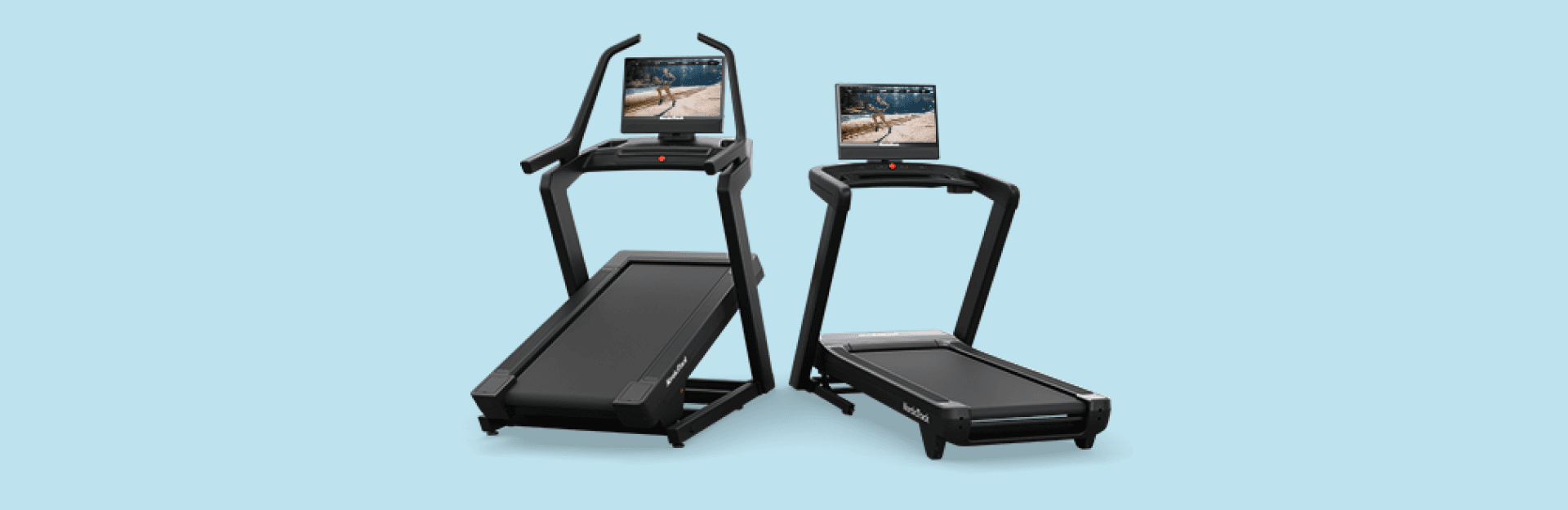
Keep Your NordicTrack Treadmill in Top Shape: A Guide to Belt Maintenance
Like your vehicle, kitchen appliances, and most everything else, maintenance is key to keeping them running smoothly and getting the most value out of them. Your NordicTrack treadmill is no different, requiring annual care to extend its lifespan, run safely, and enhance your workout experience. Outside of keeping your treadmill area tidy, one of the best things you can do for your machine is belt maintenance. Here’s how to keep your treadmill running smoothly and safely. Lubrication: Keep your treadmill running smoothly Making sure your treadmill’s belt is lubricated is surprisingly easy. The Treadmill Lubrication FAQ has all the answers you need, including how to check if it's time to lubricate the belt and the step-by-step process. Even if you don’t use your treadmill daily, annual lubrication is recommended. Look for signs of wear and tear Make it a point to check your treadmill’s belt monthly for signs of wear before they become bigger problems. Here's what to look for: Fraying edges: Any loose or frayed edges could indicate wear.Tearing: Check thoroughly for tears along the edges or across the belt surface.Seam separation: Inspect the seam joining the belt ends for signs of puckering or visual separation.Belt alignment: Ensure that the belt gap on both sides is even. Misalignment can cause damage and reduce performance.Motor hood inspection: Look under the motor hood for any black residue. This residue can occur when an improperly aligned belt rubs against the deck rail. If your belt shows signs of these issues, it might need replacement to maintain proper function and safety. Belt looking misaligned? Click here for detailed alignment instructions, or refer to your owner’s manual. Adjusting belt tension for workout safety Is your belt skipping during workouts? It may be the belt tension, which you can adjust yourself. Detailed instructions on belt tension adjustments can be found in your owner’s manual and online: Aligning and Tensioning Your Treadmill BeltTroubleshooting a Slipping Treadmill Belt Get your own treadmill maintenance kit Not sure which lubricant to use? We’ve got you covered! Treadmill maintenance kits are available here. Need help? If you have any questions or need assistance with your treadmill maintenance, reach out to the iFIT Member Care team by using our Live Chat or calling 1-833-680-4348. They’ll help ensure your treadmill keeps running as efficiently as possible, providing safe workouts for years to come. Disclaimer: The primary purpose of this blog post is to inform and entertain. Nothing on the post constitutes or is intended to be a substitute for professional medical advice, prevention, diagnosis, or treatment. Reliance on any information provided on the blog is solely at your own risk. Always seek the advice of your physician or other qualified health provider with any questions you may have regarding a medical condition, and please consult your doctor or other health care provider before making any changes to your diet, sleep methods, daily activity, or fitness routine. Do not disregard professional medical advice or delay seeking it because of information available on this blog. NordicTrack assumes no responsibility for any personal injury or damage sustained by any recommendations, opinions, or advice given in this article. Always follow the safety precautions included in the owner’s manual of your fitness equipment.
May 28, 2025
Read More

2024 iFIT Milestones: Everything You Need to Know
Welcome to 2024, a new year of more ambitious fitness goals and an exciting journey of health and fitness with iFIT! As we continue to evolve, we’re thrilled to introduce new features and experiences to enhance your iFIT adventure with intelligent fitness. More trainer messages: As you hit new milestones, look forward to special messages from our iFIT Trainers, adding a personal touch to your achievements.iFIT Family membership entry: Achieve your 200th milestone and gain an entry for an iFIT Family membership.More iFIT Backstage Pass entries: Earn more entries to win when you reach your 300th, 400th, 500th and 1,000th milestones.New physical rewards: When you reach your 100th, 500th, and 1,000th milestone, you can purchase exclusive physical rewards from our Milestones Collection. As you dive into the rest of this blog, discover how they all add up to a more fulfilling fitness journey with iFIT this year - and beyond. Frequently asked questions about iFIT Milestones What are iFIT Milestones? iFIT Milestones in 2024 are more than just numbers; they’re your personal fitness victories. Running (no pun intended) from January 1 to December 31, these achievements now come with extra recognition. When you hit certain milestones, expect not just an email or a push notification but also more personalized communication and new, exclusive rewards to celebrate your progress. To view your Milestones in the iFIT app: Tap on the Trophy Case icon in the iFIT app at the bottom of the screen.At the top of the Trophy Case screen, scroll to the right and tap “Milestones.”You can view your milestones by year, how many workouts you’ve completed, and your next milestone to reach for the current year. What’s new in 2024? We’ve listened to your feedback and are excited to re-introduce physical rewards for certain milestones reached. Now, at 100, 500, and 1,000 workouts completed, you can purchase an exclusive item from our Milestones Collection, like a shirt, sweatshirt, or jacket. These rewards are a way to showcase your dedication and hard work. Plus, with a chance to win an iFIT Family membership after completing 200 workouts, you’ll want to stay active together. And be sure to explore our Passport newsletter, inspiring you to keep racking up more milestones with a monthly treasure trove of exclusive glimpses into the iFIT world. Physical milestone rewards are back? We’re excited (and hope you are, too) to reintroduce physical milestone rewards in a new way. As you hit the 100, 500, and 1,000 workout milestones, you'll have the opportunity to purchase celebratory items from our Milestones Collection, like a shirt, sweatshirt, or jacket. This exciting addition aligns with our commitment to both sustainable practices and meaningful member recognition. Celebrate your fitness achievements in style! Please note: Physical rewards are only available to iFIT members in the U.S. All items will be on a monthly pre-order basis. Visit the Milestones Collection page for more information. What is the iFIT Backstage Pass? The iFIT Backstage Pass* is our new and improved iFIT 500 Workout Giveaway from previous years. Five (5) grand prizes will be awarded. Each grand prize winner will receive a 3-day/2-night trip for the winner to Logan, UT to tour the iFIT studio and meet an iFIT Trainer. Prize includes roundtrip air transportation (coach) for up from a major U.S. gateway airport nearest the winner’s home to Salt Lake City or other airport determined by Sponsor in its sole discretion, hotel accommodations (one (1) standard room, for two (2) nights). Full grand prize description with limitations and restrictions below. Approximate retail value of each grand prize is $2,000. Each prize winner will be able to nominate one or more iFIT Trainers they would like to meet but the iFIT Trainer(s) that will be present for the meet up will be determined based on availability and the Sponsor’s sole determination. Each prize winner will also receive $200.00 in spending money to cover incidental costs. Please note: The iFIT Backstage Pass is available to customers who are U.S. residents. How do I enter to win the iFIT Backstage Pass? To enter you must complete a minimum of 300 iFIT workouts from 1/1/2024 – 12/31/2024. Global, Studio, Live, and on app workouts count. Manual workouts do not count. Sponsor reserves the right to reject or disqualify any counted workout which Sponsor, at its sole discretion, determines to be inconsistent with the letter or spirit of the Official Rules. Limit one (1) entry per iFIT account for 300 workouts; (3) additional entries for 400 workouts; Five (5) additional entries for 500 workouts; 10 (Ten) additional entries for 1,000 workouts. Secondary users can qualify. Click here for more information. How are milestones related to the Trophy Case? Your milestones, including those reached in previous years, can be found in your Trophy Case, as well as digital rewards from Challenges. Rewards from Challenges and milestones will be automatically added to your iFIT account as you earn them. You can check your milestones anytime in the iFIT app or your iFIT-enabled machine. In 2024, what new workouts can I expect? We’re bringing you a host of new workouts, series and categories in 2024 to keep you engaged and challenged. Here’s a glimpse: Pedal with Chris Davenport in his Dolomite Cycling Series.Ride with Ashley Paulson in Canada’s National Parks.Explore with Alex Gregory in his Walk the World Martinique and UK Lakes Series.Run with Knox Robinson in his Ireland Running Series.Train with Richard Biglia in his Superior Strength and Rowing Series.Accelerate with Casey Gilbert in his Performance Zone Bootcamp Series.Row with Susan Francia in her Rowing the Rockies Series.Transform with Gerell Webb in his Fitness Revamp Weight Loss Series.Build with Jorry Francis in her HIIT and Muscle Group Isolations Series.Sculpt with Shannon Cooper in her Barre Basics Series. And that’s just the tip of the iceberg — be on the lookout for more series, Shorts, Collections, and Challenges in 2024! How do I track milestones? Tracking your iFIT Milestones is simple. Just tap the Trophy Case icon at the bottom of the iFIT app screen, then select Milestones at the top of the Trophy Case screen. Here, you can view your milestones by year, see how many workouts you’ve completed, and plan your next milestone. This feature makes it easier to stay informed and motivated throughout your fitness journey. Which workouts count toward my milestones? Any programmed workout in the iFIT Library, including Google Maps™ workouts, counts towards your milestones. Unfortunately, manual workouts do not count. Remember, you must have a paid and active iFIT membership to be eligible for milestone rewards. Secondary users on an active account are also eligible for milestone rewards. Will I receive a reward for every workout completed? While not every workout comes with a reward, we have specific milestones where you will earn digital rewards and more. These milestones are designed to celebrate significant numbers of workouts completed, starting from your very first workout and including key milestones like your 50th, 100th, 200th, and up to your 1,000th workout, where you’ll receive special digital rewards and messages from iFIT Trainers, have the chance to purchase exclusive iFIT Milestone gear, and entries to win an iFIT Family membership and iFIT Backstage Pass. Milestones eligible for rewards: Digital rewards only: Milestones #1 - #10Milestones #15, #20, #25Milestones #30, #35, #40Milestones #50, #70, #80Milestones #80, #90, #125Milestones #150, #175, #225Milestones #250,# 275, #325Milestones #375, #425, #475Milestones #550, #600, #650Milestones #700, #750, #800Milestones #850, #900, #950 Digital reward + physical rewards (available for purchase): Milestone #100Milestone #500Milestone #1,000 Digital reward + iFIT Pro Membership entry: Milestone #200 Digital reward + iFIT Backstage Pass entry: Milestone #300 (one entry)Milestone #400 (three additional entries)Milestone #500 (five additional entries)Milestone #1,000 (10 additional entries) What if I don't see my milestones in the Trophy Case? If you believe you've reached a milestone but don’t see it reflected in your Trophy Case, please contact our Member Care Team at support@ifit.com. We’re here to help make sure your achievements are recognized and celebrated. What are milestone emails? We’ll send you an email when you reach the following milestones: Emails: Milestone #1, Milestone #25, Milestone #50, Milestone #100, Milestone #200, Milestone #300Milestone #400, Milestone #500Milestone #1,000 What are milestone push notifications? We’ll send a push notification to your mobile device when you reach the following milestones: Push notifications: Milestones #1 - #10Milestones #15, #20, #25Milestones #30, #35, #40Milestones #50, #60, #70, #80Milestones #80, #90, #125Milestones #150, #175, #225Milestones #250,# 275, #325Milestones #375, #425, #475Milestones #550, #600, #650Milestones #700, #750, #800Milestones #850, #900, #950 When will I receive an email or push notification? You’ll receive an email or push notification immediately after reaching a milestone. You can view milestones right away in your Trophy Case. How can I make sure I receive milestone emails and notifications? To receive milestone emails and push notifications, please check your account settings on the iFIT desktop. Tap Emails under Preferences.Check which emails you would like to receive.Your updates will automatically save. To ensure that you receive these emails in your inbox and not your spam or junk folder, please add iFIT to your safe sender list. To ensure you receive push notifications from iFIT, please read more about how to turn them on. The more communications you receive, the more you will stay updated and never miss important information — and we have much to share. What’s the eligibility criteria for milestone rewards? To be eligible for milestone rewards, your iFIT account must be active and in current standing. Users with free, paused, or inactive accounts will not receive milestone rewards. However, if you renew your membership or decide to join, your past qualifying workouts will still count toward your overall workout total, but you will not receive past rewards. If you have an iFIT membership that was included with the purchase of iFIT-enabled equipment, you qualify for milestones during the duration of that membership. If you meet all of the above requirements and still have yet to receive any communications after completing workouts saved this year, please visit iFIT Member Care or email support@ifit.com for further assistance. Embrace every workout, every moment, and every milestone — your journey to peak fitness starts with iFIT in 2024! Disclaimer: This blog post is not intended to replace the advice of a medical professional. The above information should not be used to diagnose, treat, or prevent any disease or medical condition. Please consult your doctor before making any changes to your diet, sleep methods, daily activity, or fitness routine. iFIT assumes no responsibility for any personal injury or damage sustained by any recommendations, opinions, or advice given in this article. Always follow the safety precautions included in the owner’s manual of your fitness equipment.
January 1, 2024
Read More
Join Us for the Live Lift Bridge Road Race!
Lace up for the first Live Race of the summer season with the iFIT Community in Bayport, Minnesota! You’ll join iFIT Trainer Leah Dana Rosenfeld and run through the quaint residential streets of Bayport before ending on the banks of the scenic St. Croix River. As Leah’s first Live Race, this 5K is bound to be one to remember! Meet iFIT Trainer Leah Dana Rosenfeld As the daughter of two marathon runners, iFIT Trainer Leah Dana Rosenfeld often says she was born into the running lifestyle. Throughout high school, Leah participated in cross country and track and field, where she developed a true love for running. She ran for Penn State and Northern Arizona University during her academic career and later became a running coach for NAU. Today, Leah shares her experiences of training, racing, and recovery with athletes of all ages to help them achieve their athletic and life goals. As your iFIT Trainer, Leah will motivate you through every running workout! How it works On Saturday, June 25 at 8 a.m. ET, you’ll meet iFIT Trainer Leah Dana Rosenfeld on your iFIT-enabled treadmill, elliptical, or the iFIT app on your smartphone or tablet. Can’t join us that morning? This race will also be rebroadcast the same day at 8 p.m. ET. Join us to run your first 5K or one of many races you have planned this year. As with all of our Live Races, you’re in control of your pace, so make it fun. After finishing the race, you’ll receive your reward in your Trophy Case! You can expect the Live Lift Bridge Road Race to be posted in the iFIT Library a few days after the event. Return to this exciting race to work on your 5K time or revisit Leah’s first iFIT Live Race! Joining the Live Race Schedule the race on your iFIT-enabled treadmill, elliptical, or in the iFIT app. On race day, access the race on the home screen or in your calendar. Join 10 minutes ahead of the start time, then scan the QR code to ask Leah your pre-race questions. She might answer yours live! Train for the Race Whether the Lift Bridge Road Race is your first official race or you simply wish to familiarize yourself with the racecourse, try this Google Maps workout! By race day, you’ll be ready to go! Plus, this workout will count toward your 2022 milestones. Digital reward Race bib Download and print your race bib From your iFIT Community Join the iFIT Community Disclaimer: This blog post is not intended to replace the advice of a medical professional. The above information should not be used to diagnose, treat, or prevent any disease or medical condition. Please consult your doctor before making any changes to your diet, sleep methods, daily activity, or fitness routine. iFIT assumes no responsibility for any personal injury or damage sustained by any recommendations, opinions, or advice given in this article. Always follow the safety precautions included in the owner’s manual of your fitness equipment.
June 3, 2022
Read More

iFIT Halloween Costume Contest 2021
Winner update! It’s the spookiest time of year, which means the annual iFIT Halloween Costume Contest is here! Don your best costume for a chance to be the winner in one of our 6 categories. Head to the The Official iFIT Member Page to enter before October 31, 2021! Prizes will be awarded to 6 winners. Here’s how to participate in the contest: 1. Join The Official iFIT Member Page. 2. Dress up in your best costume. 3. Pose with your workout equipment! Incorporate your treadmill, bike, elliptical, rower, Fusion, dumbbells, kettlebells, yoga mat, or exercise ball. Get creative and use whatever you’ve got! 4. Post your costume photo to The Official iFIT Member Page using #iFITHalloween2021 from October 22–31, 2021. Winners and prizes will be announced on October 31–November 2, 2021! Join in on the Halloween fun with the iFIT family! Will you go for a hilarious costume or one that gives us the heebie jeebies? We’ll be waiting by the front door with a big bowl of candy (metaphorically speaking, of course). There will be a total of 6 winners for the following 6 categories (1 winner per category): Best Group CostumeBest Fitness CostumeFunniest CostumeMost Creative CostumeScariest CostumeBest Costume During the Wicked 10K Each costume contest winner will receive three (3) months of iFIT! Official Rules NO PURCHASE NECESSARY. iFIT Halloween Costume Contest is open only to legal residents of the 50 United States (and DC), who are at least 18 at the time of entry. Contest starts on October 22, 2021 and ends on October 31, 2021 at 8:00 a.m. MST. Void where prohibited. Sponsored by iFit Inc., 1500 South 1000 West, Logan, UT 84321. 1. Eligibility iFIT Social Giveaway (the “Giveaway”) is open only to legal residents of the fifty (50) United States (including the District of Columbia), who are 18 years or older at the time of participation. Void where prohibited by law. Employees of ICON Health & Fitness, Inc. or any of its respective affiliates, subsidiaries, advertising agencies, or any other company or individual involved with the design, production, execution, or distribution of the Giveaway and their immediate family (spouse, parents, step-parents, siblings, step-siblings, children, and step-children) and household members (people who share the same residence at least three (3) months out of the year) of each such employee are not eligible. The Giveaway is subject to all applicable federal, state, and local laws and regulations. Participation constitutes entrant’s full and unconditional agreement to these Official Rules and Sponsor’s decisions, which are final and binding in all matters related to the Giveaway. Winning a prize is contingent upon fulfilling all requirements set forth herein. 2. Sponsor iFIT Health & Fitness, Inc., 1500 South 1000 West, Logan, UT 84321. 3. Giveaway entry period The Giveaway starts on October 22, 2021 at 12:00 a.m. Eastern Time (“ET”) and ends on October 31, 2021 at 11:59 p.m. ET (the “Giveaway Entry Period”). Sponsor is the official timekeeper for this Giveaway. 4. How to enter There is one (1) way to enter during the Giveaway Entry Period at the provided Giveaway website: Join The Official iFIT Member page on Facebook. Post a photo of you in a Halloween costume to the group page. Limit one (1) entry per person during the Giveaway Entry Period. An entrant may not use more than one Facebook account to enter. A person may not share a Facebook account or Instagram account when entering. The use of automated entry devices is prohibited, and no mechanically reproduced entries are allowed; all such entries are void. The Sponsor is not responsible for: late, incomplete, delayed, undelivered, or misdirected entries. Proof of submission does not constitute proof of receipt. Sponsor shall not be liable for any problems that occur during the entry process and shall not have any obligation to advise an entrant of an incomplete or undeliverable entry. All entries become the property of the Sponsor and will not be returned or acknowledged. 5. Winner selection Approximately one (1) day after the end of the Giveaway Entry Period, the Sponsor or an independent judging agency will select five (5) entry for the grand prize described below in Section 8, selected from valid entries received during the Giveaway Entry Period. The entrant will be contacted using Facebook (subject to verification of eligibility and compliance with the terms of these rules). Each entrant must ensure that they have their social media account set to public and have notifications turned on. Sponsor’s decisions as to the administration and operation of the Giveaway and the selection of a potential winner are final and binding in all matters related to the Giveaway. Failure to respond to the initial contact within three (3) days of the date of notification will result in disqualification. 6. POTENTIAL GIVEAWAY WINNER IS SUBJECT TO VERIFICATION BY SPONSOR WHOSE DECISIONS ARE FINAL AND BINDING IN ALL MATTERS RELATED TO THE GIVEAWAY. 7. Verification of potential winner Potential winner must continue to comply with all terms and conditions of these Official Rules, and winning is contingent upon fulfilling all requirements. The potential winner may be required to provide the Sponsor with documentation that shows he or she was an eligible participant. The potential winner will be notified by Facebook after the date of the random drawing. The potential winner will be required to sign and return to the Sponsor, within three (3) days of the date the notice is sent, an affidavit of eligibility and liability/publicity release (except where prohibited) to claim his/her prize, if applicable. If a potential winner of any prize cannot be contacted, fails to sign and return the affidavit of eligibility and liability/publicity release within the required time period (if applicable), or if the prize or prize notification is returned as undeliverable, the potential winner forfeits the prize. If a potential winner of a Giveaway prize is disqualified for any reason, the Sponsor may award the applicable prize to an alternate winner by selection from among all remaining eligible entries. 8. Grand Prize 6 (6) Grand Prize winners will win 3 months of the iFIT Family membership. The Sponsor reserves the right to substitute the listed prize for one of equal or greater value for any reason. The Sponsor reserves the right to substitute the listed prize (or portion thereof) for one of comparable or greater value for any reason. The prize is provided “as is,” with no warranty or guarantee by the Sponsor. The Grand Prize winner is responsible for all taxes and fees associated with the prize receipt and/or use. All federal, state, and local tax liabilities, as well as any other costs and expenses not specified herein as being awarded, are the sole responsibility of the Grand Prize winner. The Grand Prize winner may be required to complete and return an IRS W-9 form (i.e. Request for Taxpayer Identification Number and Certification). The prize will be awarded only if the potential Grand Prize winner fully complies with these Official Rules. 9. Entry conditions and release By entering, each participant agrees to: (a) comply with and be bound by these Official Rules and the decisions of the Sponsor and/or the Giveaway judges which are binding and final in all matters relating to this Giveaway; (b) release and hold harmless the Sponsor and each of its respective parents, subsidiary, and affiliated companies, the prize suppliers, and any other organizations responsible for sponsoring, fulfilling, administering, advertising, or promoting the Giveaway, and all of their respective past and present officers, directors, employees, agents, and representatives (collectively, the “Released Parties”) from and against any and all claims, expenses, and liability, including but not limited to: negligence and damages of any kind to persons and property, including but not limited to: invasion of privacy (under appropriation, intrusion, public disclosure of private facts, false light in the public eye, or other legal theory), defamation, slander, libel, violation of right of publicity, infringement of trademark, copyright or other intellectual property rights, property damage, or death or personal injury arising out of or relating to a participant’s entry, creation of an entry or submission of an entry, participation in the Giveaway, acceptance or use or misuse of prize (including any travel or activity related thereto) and/or the broadcast, exploitation, or use of entry; and (c) indemnify, defend, and hold harmless the Sponsor from and against any and all claims, expenses, and liabilities (including reasonable attorneys fees) arising out of or relating to an entrant’s participation in the Giveaway and/or entrant’s acceptance, use, or misuse of the prize. 10. Publicity Except where prohibited, participation in the Giveaway constitutes the winner’s consent to the Sponsor’s and its agents’ use of winner’s name, likeness, photograph, voice, opinions, and/or hometown and state for promotional purposes in any media, worldwide, without further payment or consideration. 11. General conditions Sponsor reserves the right to cancel, suspend, and/or modify the Giveaway, or any part of it, if any fraud, technical failures or any other factor beyond the Sponsor’s reasonable control impairs the integrity or proper functioning of the Giveaway, as determined by the Sponsor in its sole discretion. The Sponsor reserves the right in its sole discretion to disqualify any individual it finds to be tampering with the entry process or the operation of the Giveaway, or to be acting in violation of these Official Rules or any other promotion or in an unsportsmanlike or disruptive manner. Any attempt by any person to deliberately undermine the legitimate operation of the Giveaway may be a violation of criminal and civil law, and, should such an attempt be made, the Sponsor reserves the right to seek damages from any such person to the fullest extent permitted by law. The Sponsor’s failure to enforce any term of these Official Rules shall not constitute a waiver of that provision. In the event of a dispute as to any registration, the authorized account holder of the email address used to register will be deemed to be the registrant or player. The “authorized account holder” is the natural person assigned an email address by an Internet access provider, online service provider, or other organization responsible for assigning email addresses for the domain associated with the submitted address. The potential winner may be required to show proof of being the authorized account holder. All entries become the sole and exclusive property of the Sponsor and will not be returned. The Sponsor reserves the right to contact entrants and all other individuals whose email address is submitted as part of this Giveaway. 12. Limitations of liability The Released Parties are not responsible for: (a) any incorrect or inaccurate information, whether caused by entrants, printing errors, or by any of the equipment or programming associated with or utilized in the Giveaway; (b) technical failures of any kind, including, but not limited to: malfunctions, interruptions, or disconnections in phone lines or network hardware or software; (c) unauthorized human intervention in any part of the entry process or the Giveaway; (d) technical or human error which may occur in the administration of the Giveaway or the processing of entries; or (e) any injury or damage to persons or property which may be caused, directly or indirectly, in whole or in part, from an entrant’s participation in the Giveaway or the receipt or use or misuse of any prize. If, for any reason, an entrant’s entry is confirmed to have been erroneously deleted, lost, or otherwise destroyed or corrupted, entrant’s sole remedy is another entry in the Giveaway play, provided that if it is not possible to award another entry due to discontinuance of the Giveaway, or any part of it, for any reason, the Sponsor, at its discretion, may elect to hold a random drawing from among all eligible entries received up to the date of discontinuance for any or all of the prize offered herein. No more than the stated number of prizes will be awarded. In the event that production, technical, seeding, programming, or any other reasons cause more than the stated number of prizes as set forth in these Official Rules to be available and/or claimed, the Sponsor reserves the right to award only the stated number of prizes by a random drawing among all legitimate, unawarded, eligible prize claims. 13. Disputes Entrant agrees that: (a) any and all disputes, claims, and causes of action arising out of or connected with this Giveaway shall be resolved individually, without resort to any form of class action; (b) any and all disputes, claims, and causes of action arising out of or connected with this Giveaway, or any prize awarded, shall be resolved exclusively by the United States District Court or the appropriate Utah State Court located in Cache County, Utah; (c) any and all claims, judgments, and awards shall be limited to the actual out-of-pocket costs incurred, including costs associated with entering this Giveaway, but in no event attorneys’ fees; and (d) under no circumstances will entrant be permitted to obtain awards for, and entrant hereby waives all rights to claim punitive, incidental and consequential damages and any other damages, other than for actual out-of-pocket expenses, and any and all rights to have damages multiplied or otherwise increased. SOME JURISDICTIONS DO NOT ALLOW THE LIMITATIONS OR EXCLUSION OF LIABILITY FOR INCIDENTAL OR CONSEQUENTIAL DAMAGES, SO THE ABOVE MAY NOT APPLY TO YOU. All issues and questions concerning the construction, validity, interpretation, and enforceability of these Official Rules, or the rights and obligations of the entrant and the Sponsor in connection with the Giveaway, shall be governed by, and construed in accordance with, the laws of the State of Utah, without giving effect to any choice of law or conflict of law rules (whether of the State of Utah or any other jurisdiction), which would cause the application of the laws of any jurisdiction other than the State of Utah. 14. Entrant’s personal information Information collected from entrants is subject to the Sponsor’s Privacy Policy, which is available at https://www.ifit.com/privacypolicy. 15. Giveaway results For Giveaway results, send a hand-printed, self-addressed, stamped envelope to Winners List – iFIT Social Giveaway c/o ICON Health & Fitness, Inc., 1500 South 1000 West, Logan, UT 84321. Requests for the winners’ list must be received within 60 days after the winner selection. Disclaimer: This blog post is not intended to replace the advice of a medical professional. The above information should not be used to diagnose, treat, or prevent any disease or medical condition. Please consult your doctor before making any changes to your diet, sleep methods, daily activity, or fitness routine. iFIT assumes no responsibility for any personal injury or damage sustained by any recommendations, opinions, or advice given in this article. Always follow the safety precautions included in the owner’s manual of your fitness equipment.
October 23, 2021
Read More

New Feature: 10 Languages Available for the iFIT App
Ready to change the language on your iFIT app? Now, you can select from multiple languages to customize your app experience with our new translations beta. This includes closed captions, navigation, browsing, and settings. We are also continuing to work through translating our expansive library of workouts with new translations coming every day. From Spanish to Russian, there are now a total of 10 languages available on your iFIT app. You can update your language settings to see information in the following languages: EnglishSpanishPortuguese French German NorwegianChineseDutch ItalianRussian To change your language on the iFIT app or on your iFIT-enabled equipment, follow these steps: Tap the three lines in the top left corner of your screen to open your side menu. From there, tap Settings.Next, tap LanguagesSelect your preferred language. This will update the language that appears on your iFIT app. Closed captioning has also been extended to support 10 languages. Here’s how to update your language setting for captions during your workout. Disclaimer: This blog post is not intended to replace the advice of a medical professional. The above information should not be used to diagnose, treat, or prevent any disease or medical condition. Please consult your doctor before making any changes to your diet, sleep methods, daily activity, or fitness routine. iFIT assumes no responsibility for any personal injury or damage sustained by any recommendations, opinions, or advice given in this article. Always follow the safety precautions included in the owner’s manual of your fitness equipment.
September 16, 2021
Read More

New Feature: Closed Captioning
At iFIT, our goal is to provide personalized, engaging workouts that are accessible to everyone. We thrive on feedback from our members, so we can make improvements that enhance the iFIT experience. We’re thrilled to announce that your most requested feature is here! Closed captioning is now available in 10 languages for most workouts, both on iFIT-enabled equipment and the iFIT app. There are now a total of 10 languages available for closed captioning. You can update your language settings to see information in the following languages: EnglishSpanishPortuguese French German NorwegianChineseDutch ItalianRussian Ready to try this new feature? Here's how closed captioning works: On iFIT-enabled equipment To turn closed captioning on or off during a workout: 1. Start an iFIT workout, then tap the screen. 2. In the bottom left corner, toggle Closed Captions on or off. To change languages for all workouts: 1. Navigate to your Settings, then tap on In Workout. 2. At the bottom, next to Workout Closed Captions, select your preferred language. On the iFIT mobile app To turn closed captioning on or off during a workout: 1. Start an iFIT workout, then tap the screen. 2. In the top right corner, tap the CC button to turn closed captions on or off. To change languages for all workouts: Navigate to your Settings, then tap on In Workout. At the bottom, under Workout Closed Captions, select your preferred language. Closed captioning now makes all our recorded workouts accessible to everyone in any environment! Ready for an enhanced iFIT workout experience? Try closed captioning now! Disclaimer: This blog post is not intended to replace the advice of a medical professional. The above information should not be used to diagnose, treat, or prevent any disease or medical condition. Please consult your doctor before making any changes to your diet, sleep methods, daily activity, or fitness routine. iFIT assumes no responsibility for any personal injury or damage sustained by any recommendations, opinions, or advice given in this article. Always follow the safety precautions included in the owner’s manual of your fitness equipment.
July 29, 2021
Read More

Introducing 11 New Music Stations!
Music and movement just go together. Now, you can amp up workouts on your iFIT-enabled equipment with 11 new music stations. Which will you choose? iFIT music stations Choose a NEW music station to get you moving! Note: International users will have 4 music stations to choose from. How to choose your music station: 1. Initiate your warmup or workout, then tap anywhere on the screen to bring up the pause screen. 2. Tap the Audio & Music Settings button. 3. Tap the Music tab to open music settings. 4. If Music is toggled off, switch it on by tapping the Music toggle to the on position. 5. Choose your music by tapping on one of the music stations. You can select one station at a time and change the station as often as you’d like. The Music tab can also be accessed by tapping on the notification that pops up when a song starts playing, or by tapping the song information displayed on the pause screen. From there, follow the instructions in step five to customize your music experience. To change the volume of the music station you’ve selected, tap the Volume Mixer tab that appears to the right of the Music tab, then slide the musical note along the Volume bar until you reach your desired volume. Disclaimer: This blog post is not intended to replace the advice of a medical professional. The above information should not be used to diagnose, treat, or prevent any disease or medical condition. Please consult your doctor before making any changes to your diet, sleep methods, daily activity, or fitness routine. iFIT assumes no responsibility for any personal injury or damage sustained by any recommendations, opinions, or advice given in this article. Always follow the safety precautions included in the owner’s manual of your fitness equipment.
July 8, 2021
Read More

Spring Cleaning Your Cardio Equipment
When spring comes around, almost everyone gets into the cleaning spirit. From decluttering bedrooms to deep-cleaning floors, the spring season is the perfect time to rejuvenate your home. When you’re gearing up for a weekend of cleaning, your cardio equipment should definitely be on your to-do list! Just like your vehicle, your treadmill, rower, elliptical, or bike is an investment that needs routine cleaning and maintenance for optimal performance. Taking the time to ensure that your equipment is clean and functional can add to its lifespan. Luckily, giving your cardio equipment TLC is relatively simple and doesn’t take much time. Not sure how to get started? Your user manual will have step-by-step instructions for both cleaning and routine maintenance. While tons of cleaning tutorials are available online from everyday people, it's important to follow the manufacturer’s instructions to ensure that you do not accidentally void the warranty. Follow these cleaning and maintenance guidelines from NordicTrack and ProForm to keep your fitness equipment running well! Treadmill cleaning and maintenance Press the power switch into the off position. Then, unplug the power cord.With a damp cloth and a small amount of mild soap, wipe the exterior parts of the treadmill (the handrails, accessory tray, foot rails, etc.). Do NOT spray cleaning solution or other liquids directly onto the treadmill. Spray a clean, soft cloth with a non-abrasive cleaner to wipe off the console.Dry the treadmill with a soft towel.Tighten all parts of the treadmill.Check to see if your treadmill needs lubrication. If no lubrication is required, skip to the last step. (These lubrication steps are provided by NordicTrack but can be applied to ProForm treadmills as well).Unplug the power cord.With an Allen wrench (or screwdriver), loosen the belt’s bolt. To locate this bolt on your specific treadmill, consult your user manual.Once the walking belt is loosened, lift it enough to place your hand under it. If your hand remains dry, lubrication is needed. If your hand has oil on it when you pull it back out, lubrication is not required at this time.To lubricate the treadmill, please order a maintenance kit from NordicTrack or ProForm.With the treadmill unplugged, loosen and lift the walking belt and apply the lubricant underneath. You can also watch this video tutorial.Place the belt back into position.Turn on the treadmill at a slow speed and allow it to run for about 5 minutes. This will help evenly distribute the lubricant on the underside of the belt.Turn the treadmill off and wipe away any excess lubricant.Tighten the walking belt back into place and plug the treadmill back into the power source.If you find that the walking belt has become worn or other parts of the treadmill are damaged, replace them immediately. Contact NordicTrack or ProForm for genuine replacement parts. We also recommend cleaning your home gym throughout the year. Follow your user manual for the proper folding guidelines for the treadmill so that you may clean the floor and wipe the underside of the treadmill with a soft towel. This will allow you to clear the motor area of dust accumulation. Bike cleaning and maintenance Unplug the power cord.With a damp cloth and a small amount of mild detergent, wipe the exterior parts of the bike (the handlebars, seat, accessory tray, pedals, etc.). Apply a non-abrasive cleaner or water to a cloth and gently wipe the console. Do NOT spray cleaning solution directly onto the console. Dry the bike with a soft towel.Tighten all parts of the bike, examining the pedals, drive belt, and other areas of the machine for wear. Consult your user manual for detailed instructions on accessing the drive belt. If you notice any worn or damaged parts, replace them immediately. Contact NordicTrack or ProFrom for genuine replacement parts.While unplugged, move the bike away from the space to clean the area. Then, wheel it back into its normal position.Plug the bike back into the power source. Rower cleaning and maintenance Unplug the power cord.With a damp cloth and a small amount of mild detergent, wipe the exterior parts of the rower (the row bar, seat, rail, footrests, etc.). Apply a non-abrasive cleaner or water to a cloth and gently wipe the console. Do NOT spray cleaning solution directly onto the console.Dry the rower with a soft towel.Tighten all parts of the rower, but be sure not to overtighten. Inspect the strap, rail, wheels, and other parts of the rower for damage while tightening nuts and bolts.If you find worn parts, replace them immediately. Contact NordicTrack or ProForm for genuine replacement parts.Fold the rower according to the user manual instructions and move it out of the space. Clean the area and replace the rower.Plug the rower back into the power source. Elliptical cleaning and maintenance Unplug the elliptical from the power source.With a damp cloth and a small amount of mild soap, wipe the exterior of the elliptical. Clean the handlebars, accessory tray, pedals, stride rails, rollers, and other areas that accumulate sweat and dust.Apply a non-abrasive cleaner or water to a cloth and gently wipe the console. Do NOT spray cleaning solution directly onto the console. Dry the elliptical with a soft towel.Remove the plastic cover from the fan and gently vacuum to rid dust build-up. Replace the cover when finished.Tighten all movable parts of the elliptical. Inspect for wear and tear on the pedals.Replace any damaged parts immediately. Contact NordicTrack or ProForm for genuine replacement parts.Clean the area the elliptical occupies by moving it according to the user manual instructions. Then, move the elliptical in its original position.Plug the elliptical back into the power source. Cleaning and maintaining your cardio equipment should take less than 30 minutes to complete, depending on the type of machine(s) you own. Try to get in the habit of cleaning your equipment not only in the spring but several times a year for optimal performance. Your user manual will have specific recommendations on the frequency of maintenance, depending on months and machine mileage. Make future cleanings more efficient by placing an equipment mat beneath your machine, which will protect your floors and make moving the machine a breeze! Disclaimer: This blog post is not intended to replace the advice of a medical professional. The above information should not be used to diagnose, treat, or prevent any disease or medical condition. Please consult your doctor before making any changes to your diet, sleep methods, daily activity, or fitness routine. iFit assumes no responsibility for any personal injury or damage sustained by any recommendations, opinions, or advice given in this article. Always follow the safety precautions included in the owner’s manual of your fitness equipment.
April 28, 2021
Read More