
Introducing 11 New Music Stations!
Music and movement just go together. Now, you can amp up workouts on your iFIT-enabled equipment with 11 new music stations. Which will you choose?
iFIT music stations
Choose a NEW music station to get you moving!

Note: International users will have 4 music stations to choose from.
How to choose your music station:
1. Initiate your warmup or workout, then tap anywhere on the screen to bring up the pause screen.
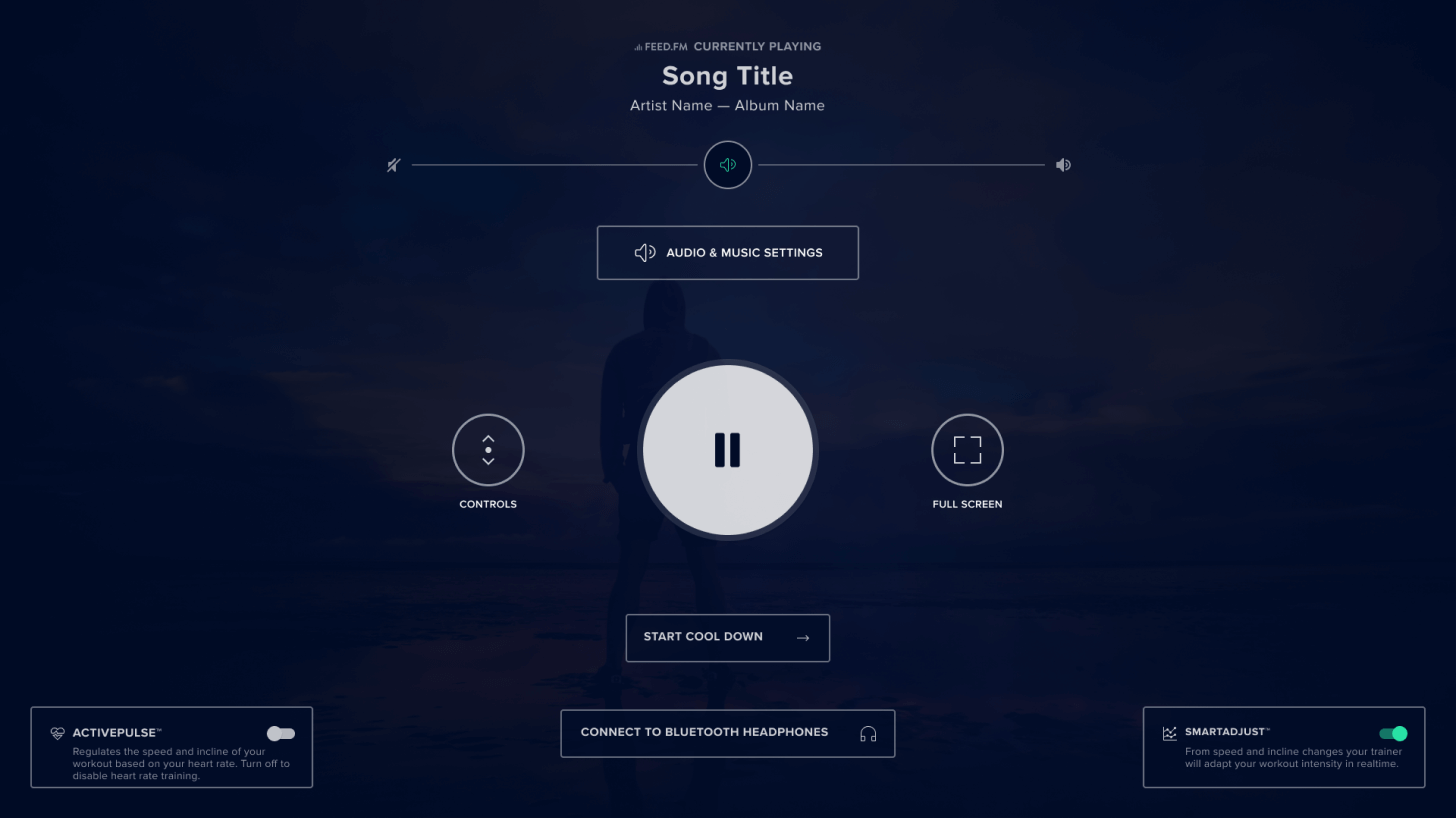
2. Tap the Audio & Music Settings button.
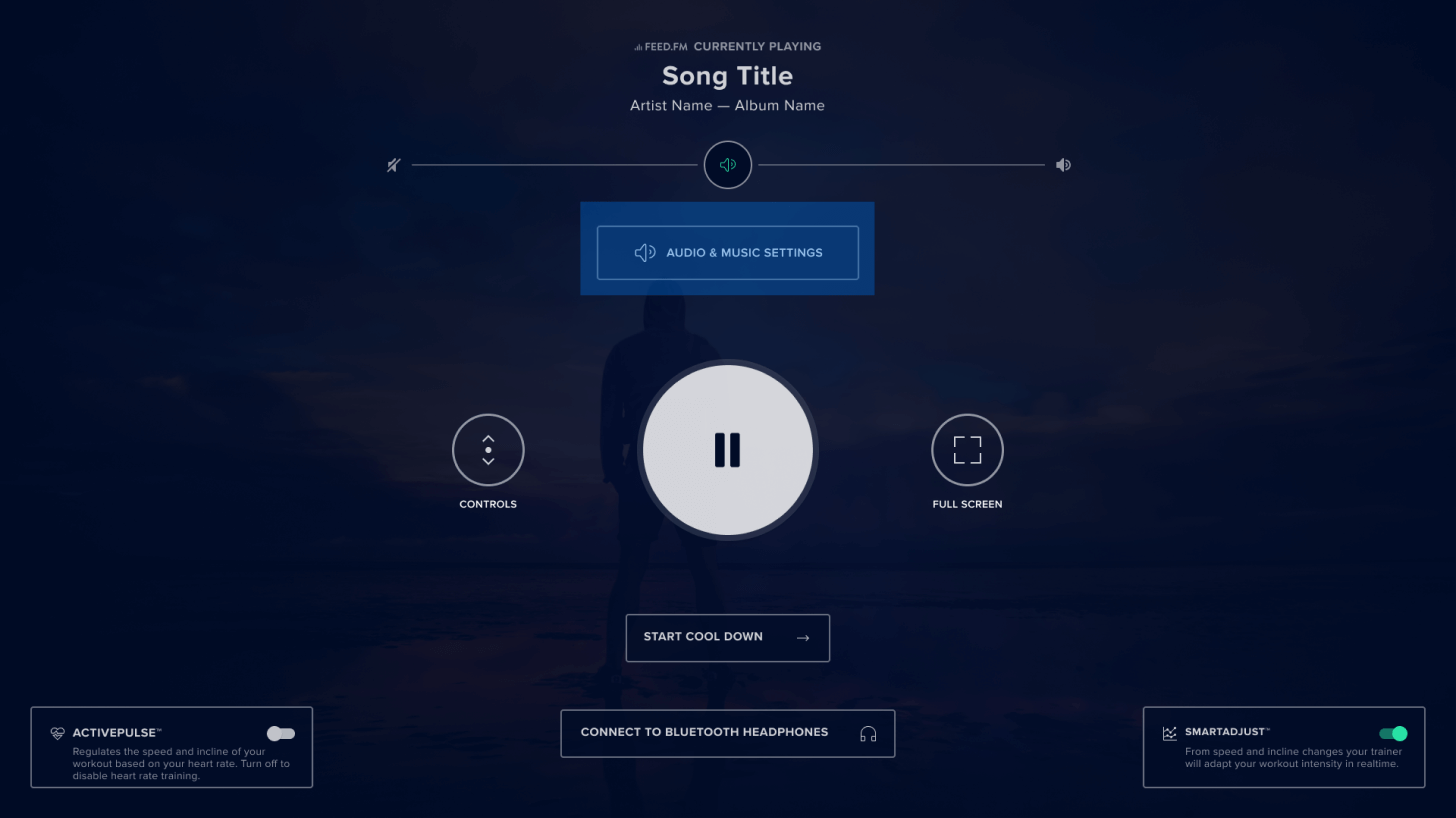
3. Tap the Music tab to open music settings.
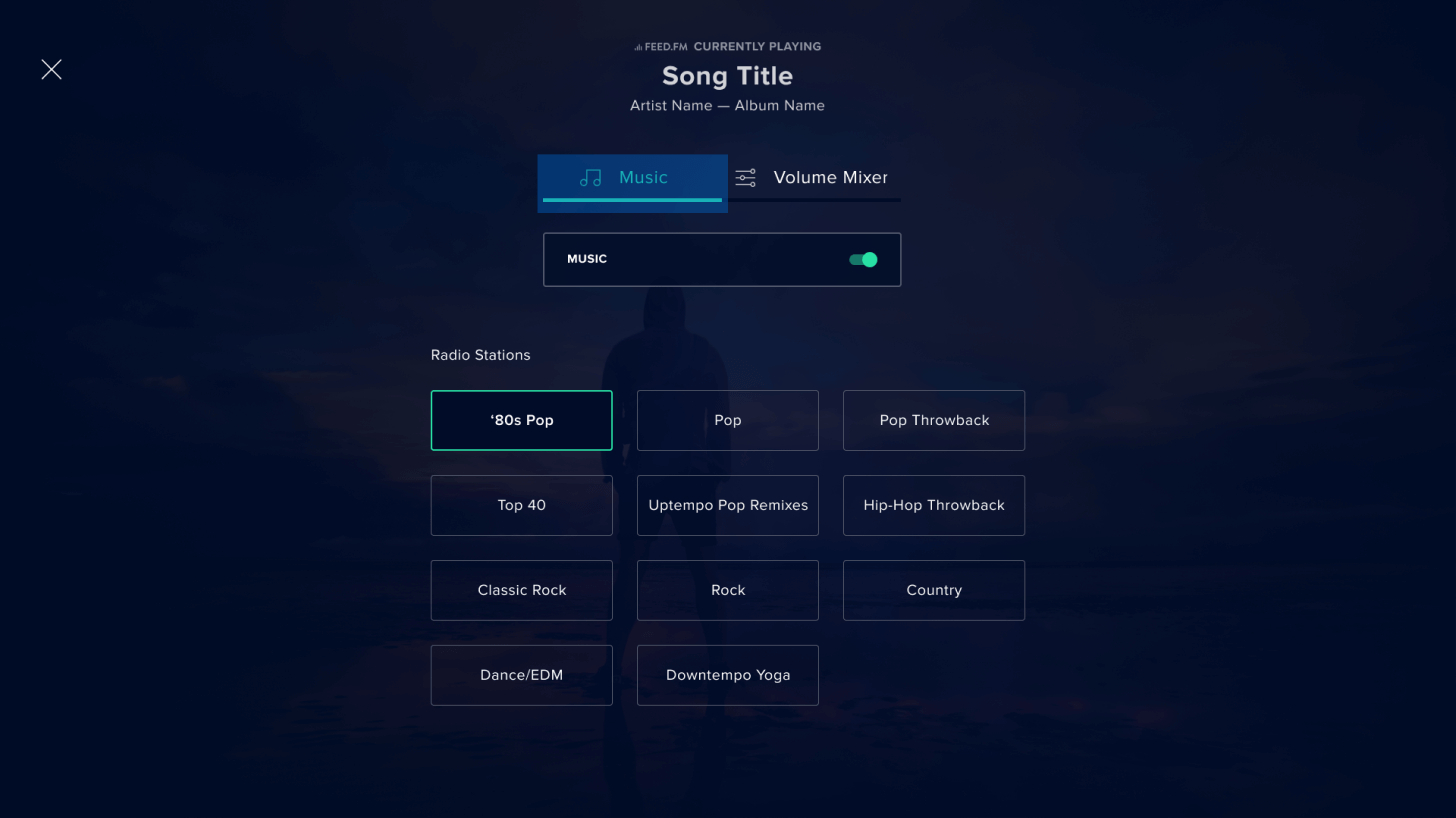
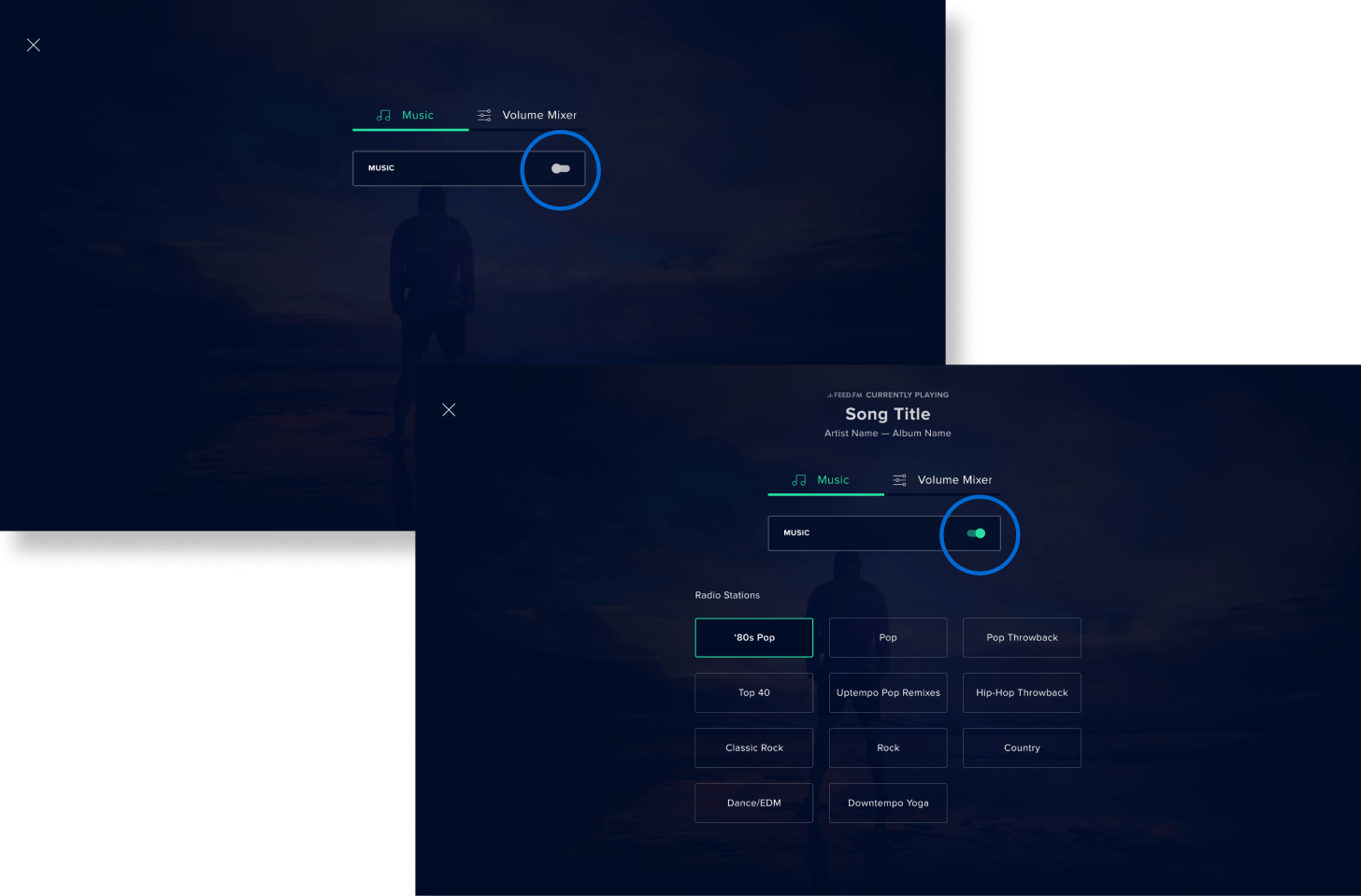
4. If Music is toggled off, switch it on by tapping the Music toggle to the on position.
5. Choose your music by tapping on one of the music stations. You can select one station at a time and change the station as often as you’d like.
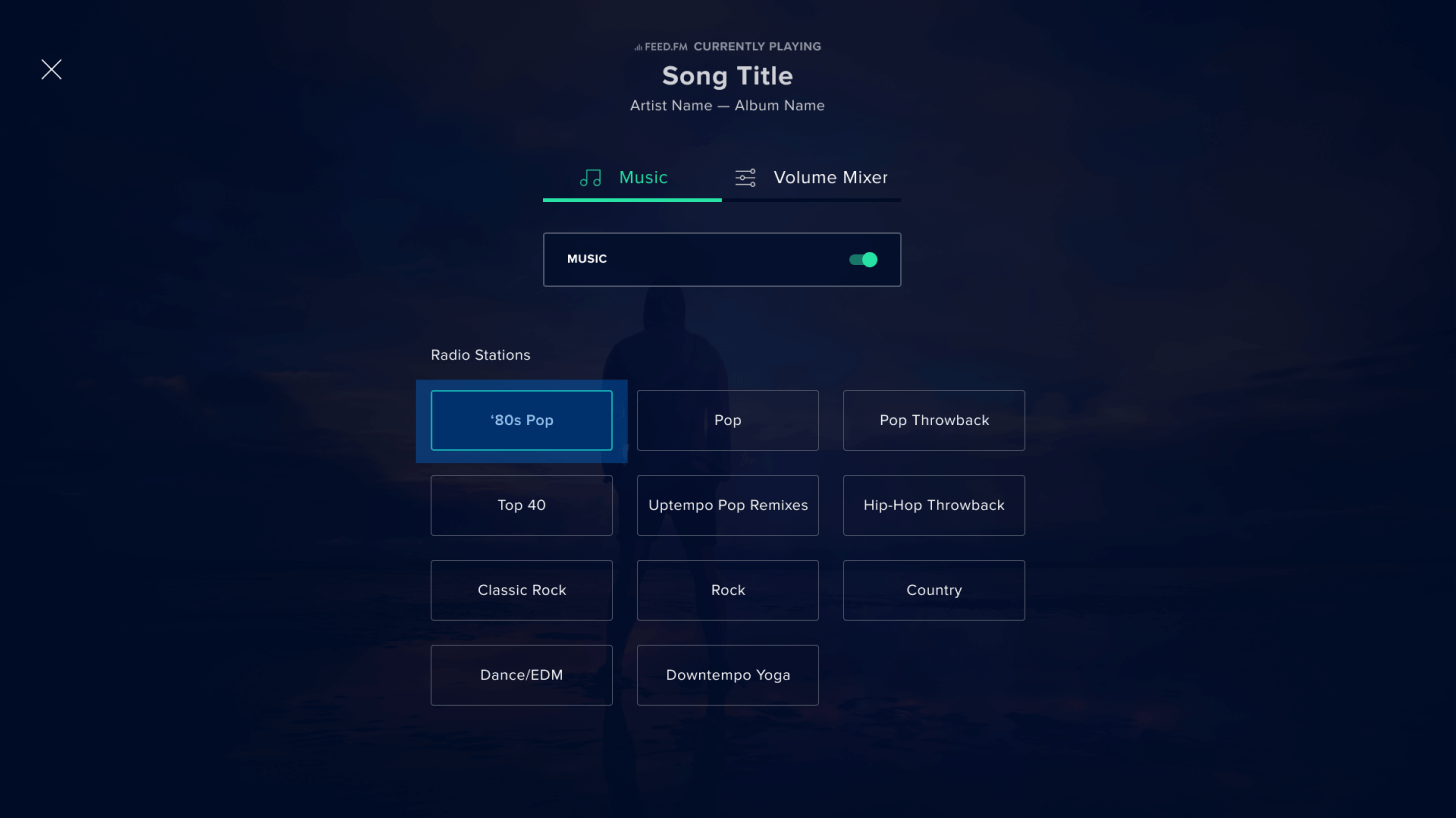
The Music tab can also be accessed by tapping on the notification that pops up when a song starts playing, or by tapping the song information displayed on the pause screen. From there, follow the instructions in step five to customize your music experience.
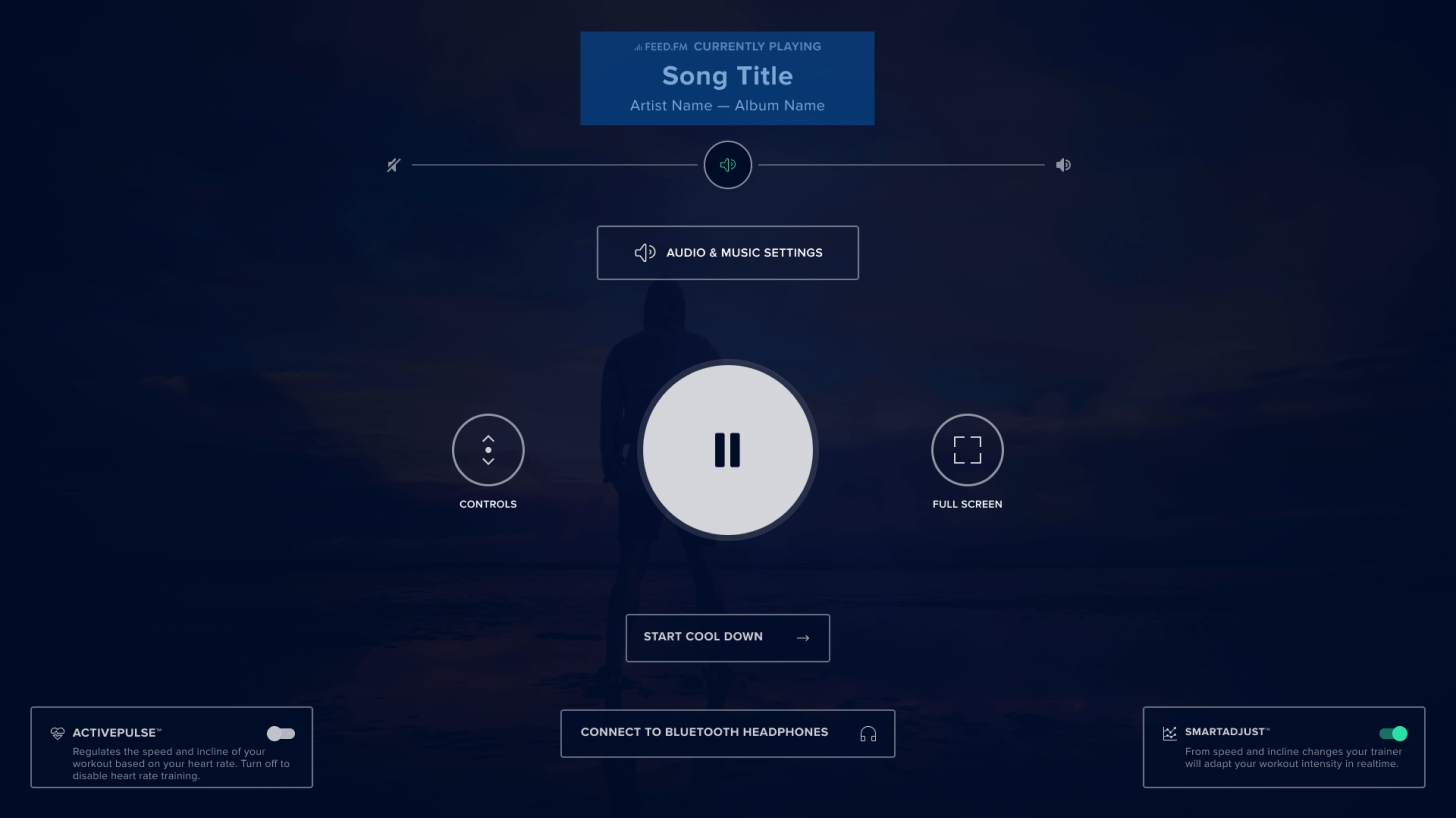
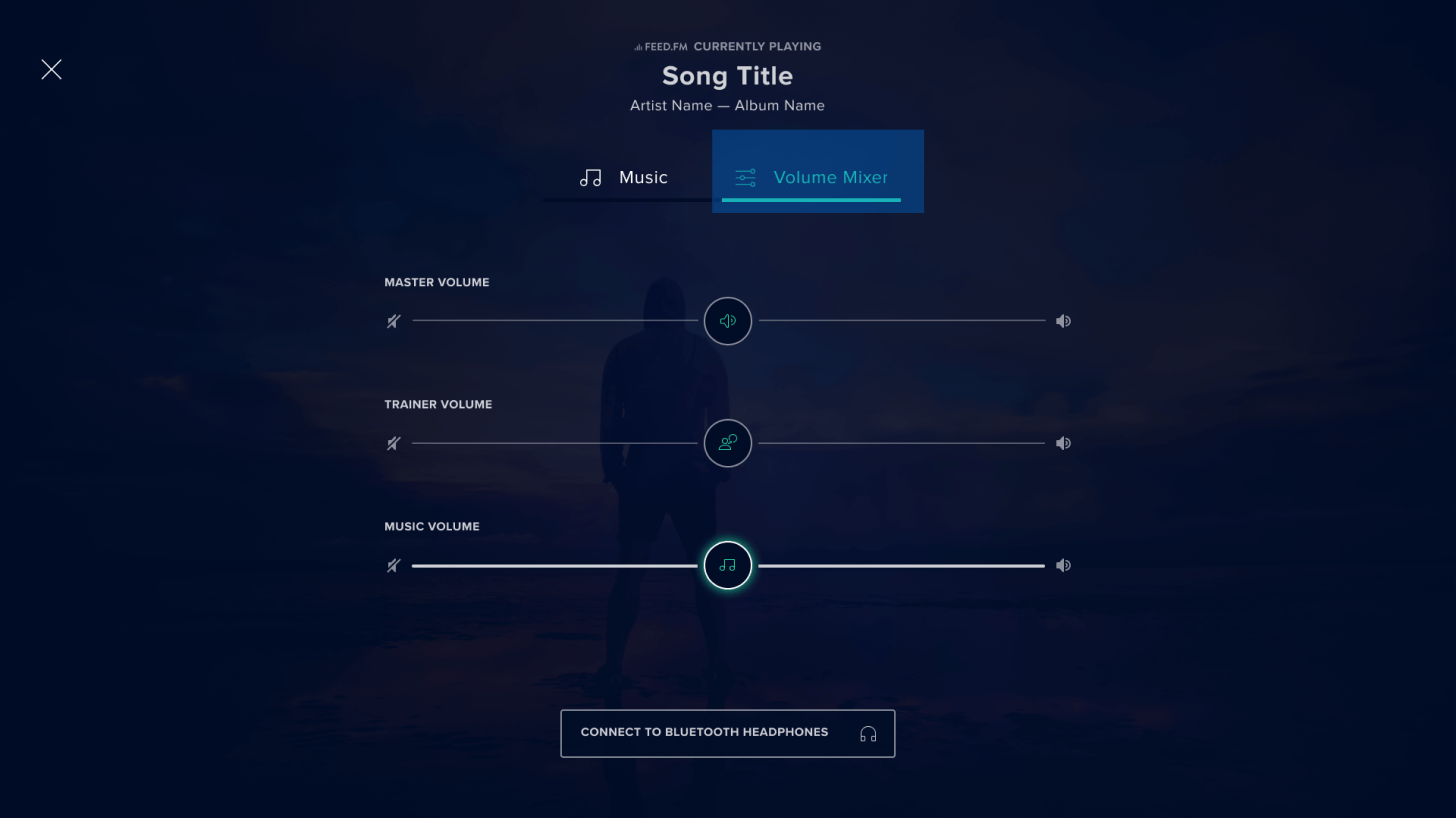
To change the volume of the music station you’ve selected, tap the Volume Mixer tab that appears to the right of the Music tab, then slide the musical note along the Volume bar until you reach your desired volume.
Disclaimer: This blog post is not intended to replace the advice of a medical professional. The above information should not be used to diagnose, treat, or prevent any disease or medical condition. Please consult your doctor before making any changes to your diet, sleep methods, daily activity, or fitness routine. iFIT assumes no responsibility for any personal injury or damage sustained by any recommendations, opinions, or advice given in this article. Always follow the safety precautions included in the owner’s manual of your fitness equipment.
You might also like

Introducing SmartAdjust™ for Your Treadmill: iFIT’s New Personalized Workout Experience
SmartAdjust personalizes your treadmill workout before it even starts, adapting speed and incline to your fitness level in real time.
March 16, 2021
.jpg&w=3840&q=75)
NordicTrack’s Most Ambitious Pilates Machine Yet: Introducing the Ultra 1 Reformer
NordicTrack introduces the Ultra 1 Reformer, bringing studio-quality Pilates into the home. Featuring the innovative Smart Spine™ enclosed spring system, push-button resistance, and a 24-inch pivoting HD touchscreen powered by iFIT, it delivers an immersive, personalized workout experience without the complexity.
May 19, 2026

Explore Heart Rate Training with the ActivePulse™ Training Series
When it comes to a customized, interactive workout experience, it doesn’t get better than heart rate training. Our new, groundbreaking feature called ActivePulse uses your heart rate to personalize your workout. It’s the newest way to experience an interactive, personalized experience with iFIT. What is ActivePulse? ActivePulse is iFIT’s first heart rate training feature, designed for users who want to get the most out of their workouts. With ActivePulse turned on and a Bluetooth®-enabled heart rate monitor connected to your treadmill, the intensity of your workout will be automatically adjusted, based on your target heart rate zone. You will automatically be sped up or slowed down in order to maintain the ideal heart rate zone for your workout. This includes recovery, speed, or strength runs! Ready to explore ActivePulse? Try the ActivePulse Training Series! If you’re ready to try this new feature and put heart rate training to work for you, join the ActivePulse Training Series that covers all the basics of ActivePulse and heart rate training as you explore beautiful San Diego. Filmed in 2019, this six-part program is led by iFIT Trainer Tommy Rivs Puzey. Together, you’ll run through San Diego as you learn how to use the ActivePulse feature. You’ll also learn about the five heart rate zones, cardiac drift, and how your heart responds to stress. As you explore different zones, Tommy will continue to adjust your workout in order to set the perfect intensity for your fitness level. Disclaimer: This blog post is not intended to replace the advice of a medical professional. The above information should not be used to diagnose, treat, or prevent any disease or medical condition. Please consult your doctor before making any changes to your diet, sleep methods, daily activity, or fitness routine. iFIT assumes no responsibility for any personal injury or damage sustained by any recommendations, opinions, or advice given in this article. Always follow the safety precautions included in the owner’s manual of your fitness equipment.
March 30, 2021