
How to Level Up Your Workouts with iFIT Races, Powered by Ergatta
Thanks to iFIT’s partnership with Ergatta, iFIT Pro members with iFIT-enabled treadmills¹ now have access to this thrilling interactive fitness gaming experience. If you’re looking for a fun, competitive way to stay motivated, Ergatta’s game-based workouts are the perfect solution.
With Races, you can push your limits with rewarding gameplay, chase your personal goals, and mix up your routine. Best of all, you have options: you can race against the clock, compete with the iFIT Community, or race against your past performances.
Here’s how to get started:
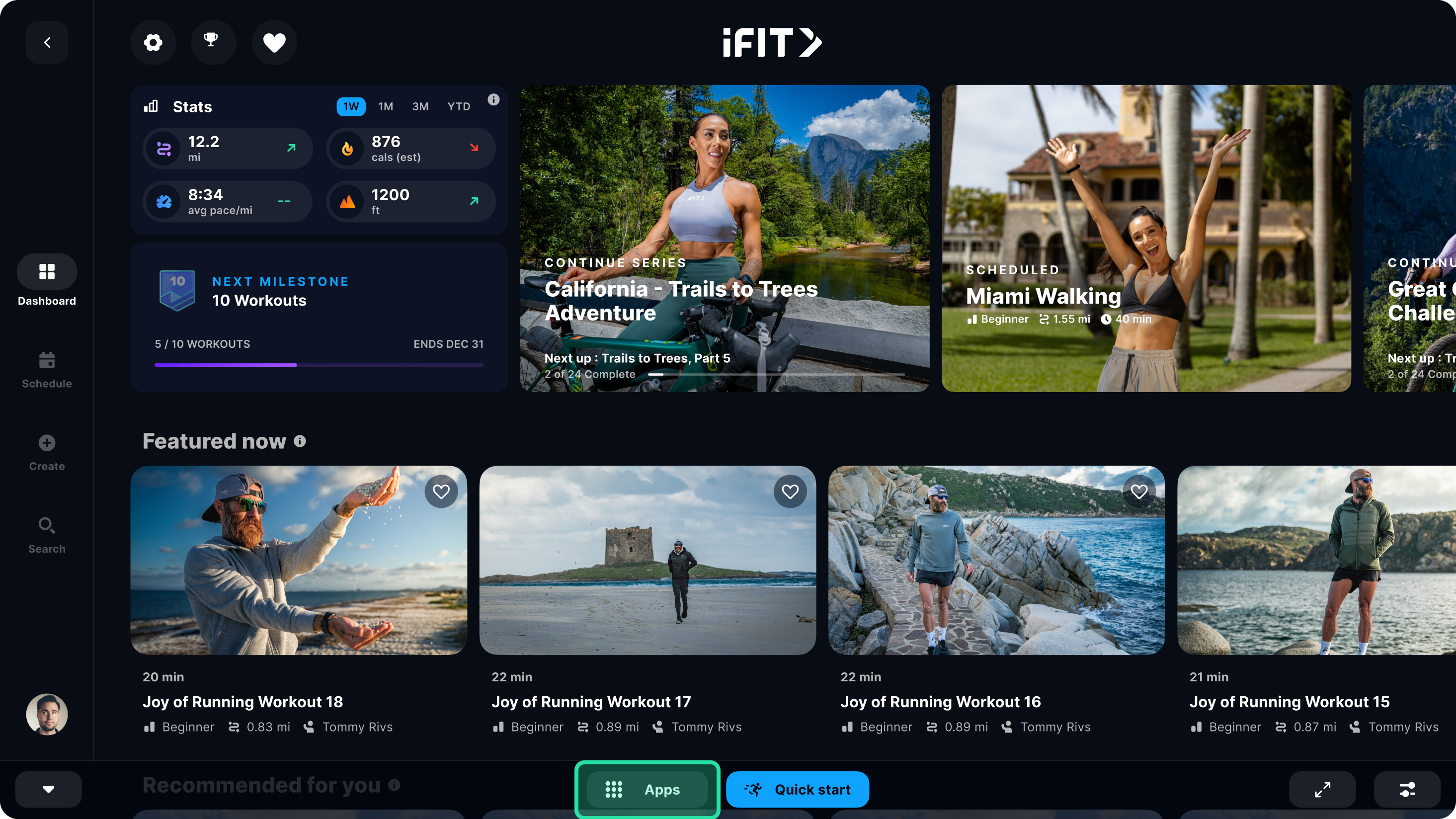
Step 1: Open the Apps Menu
Tap the apps icon at the bottom of your screen to access the apps menu.
Step 2: Install Ergatta Races
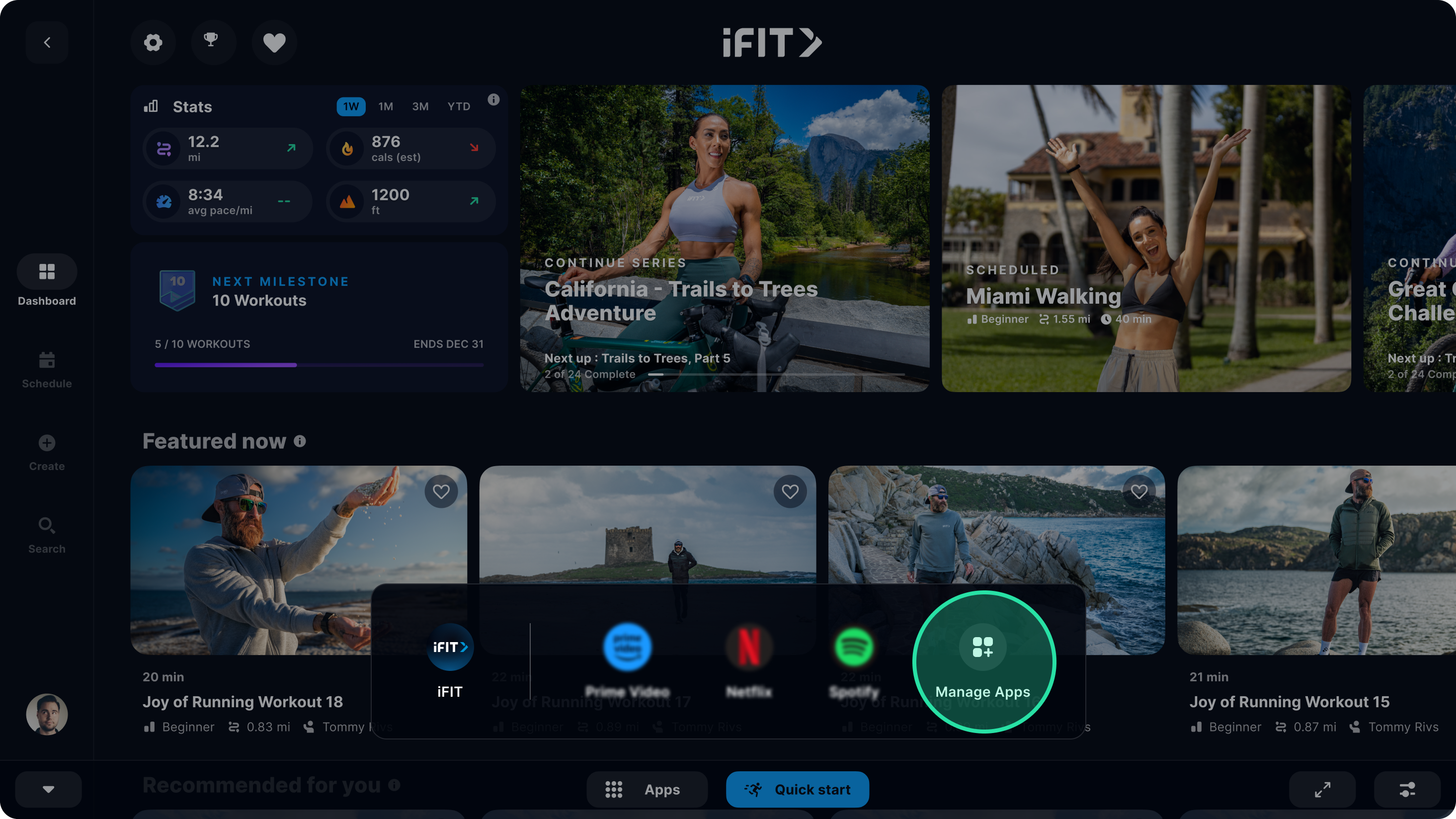
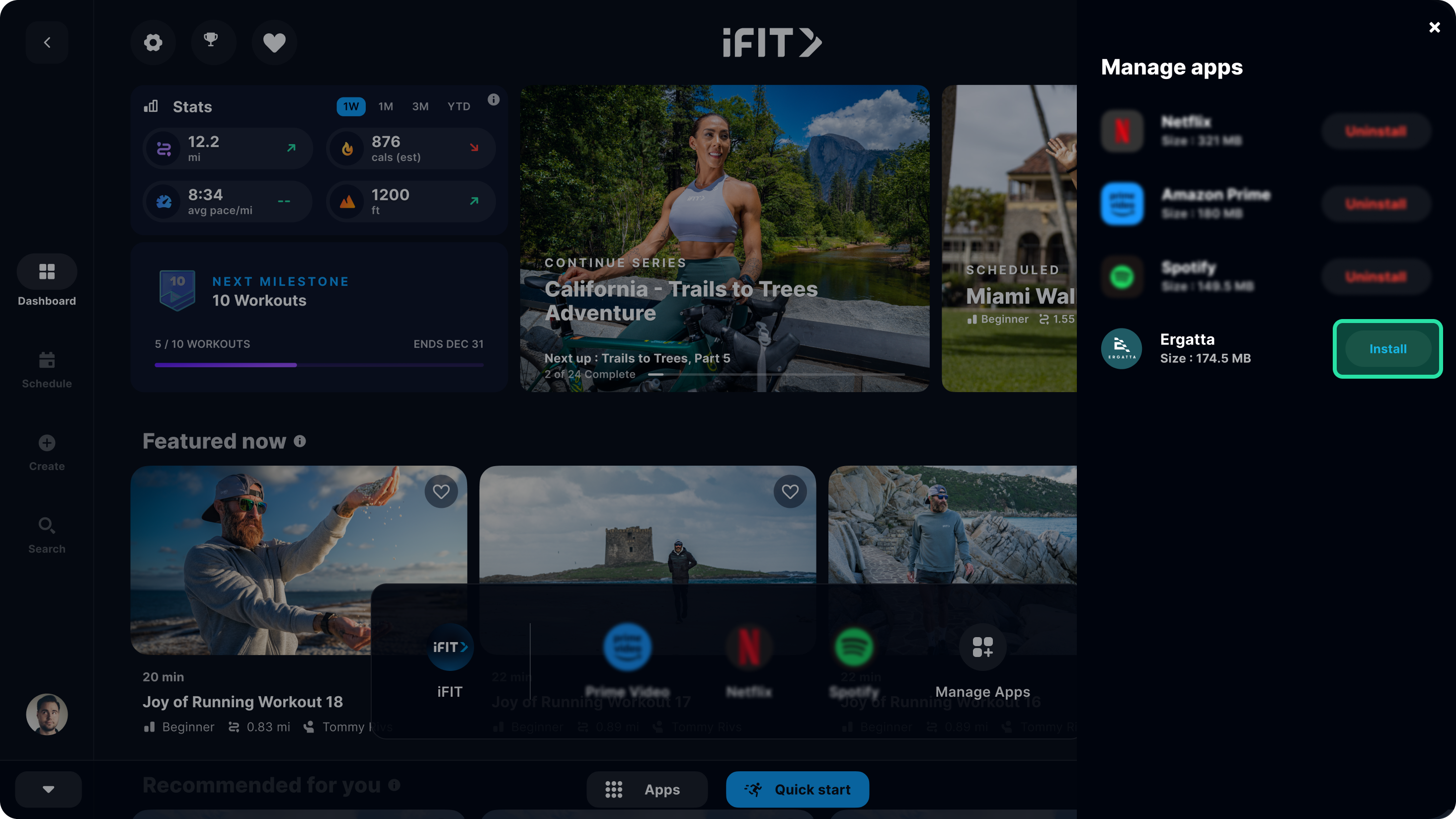
Select “Manage Apps,” find Ergatta Races, and tap “Install” to begin downloading. Note: If your machine is low on storage, you may need to uninstall other apps to install Ergatta.
Step 3: Start Your Workout
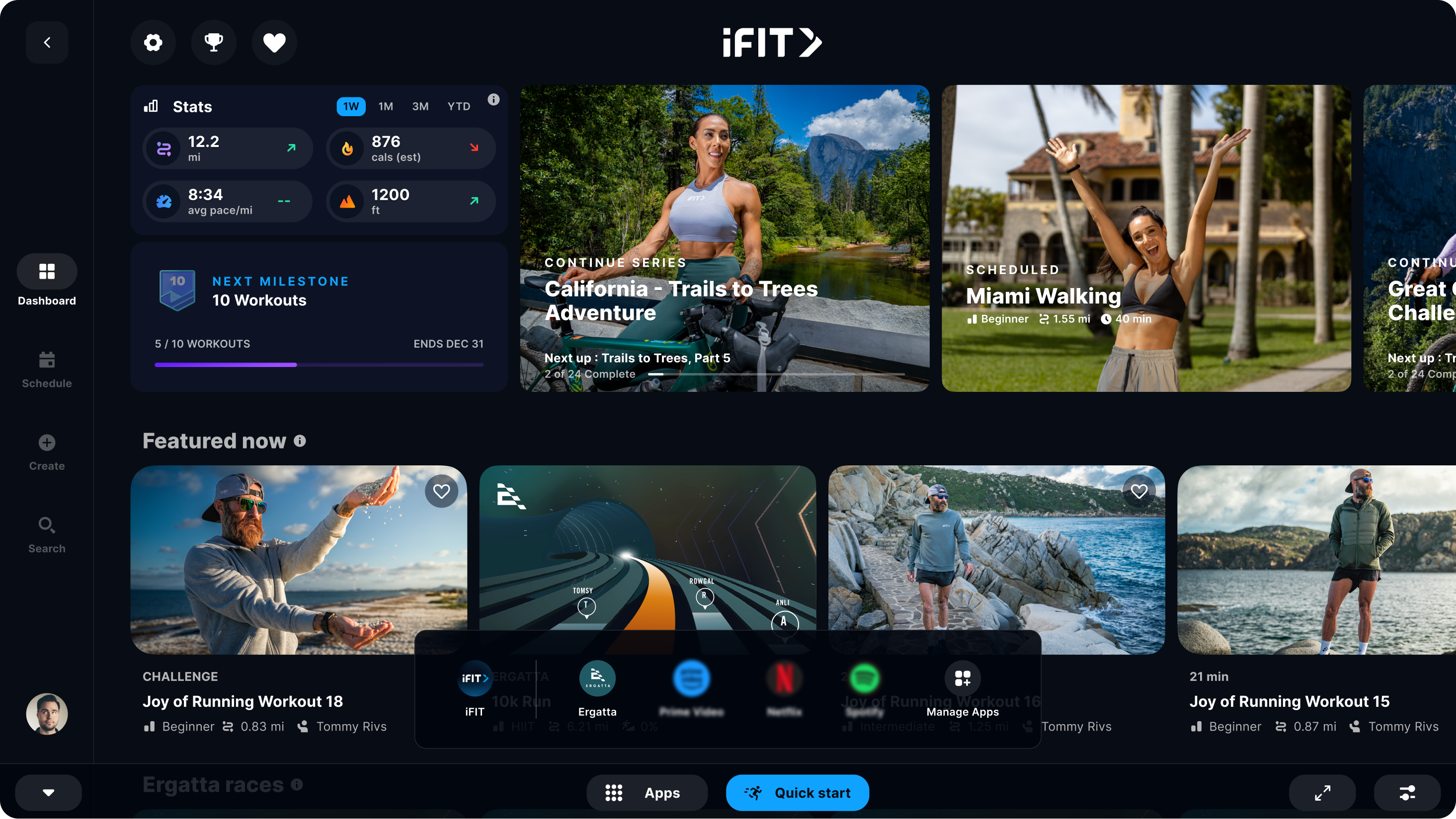
Once the download is complete, exit Manage Apps and start an Ergatta workout from the home screen or by opening the app menu in the bottom navigation bar.
Let’s Race!
Now, you're ready to experience the future of fitness! Whether you're looking to challenge yourself or compete against others, Ergatta Races brings an entirely new dimension to your workouts. Let’s race!
1. Paid iFIT Pro membership required to access Races by Ergatta. Must have the latest iFIT OS installed on an iFIT-enabled treadmill with a touch screen that supports third-party apps.
Disclaimer: The primary purpose of this blog post is to inform and entertain. Nothing on the post constitutes or is intended to be a substitute for professional medical advice, prevention, diagnosis, or treatment. Reliance on any information provided on the blog is solely at your own risk. Always seek the advice of your physician or other qualified health provider with any questions you may have regarding a medical condition, and please consult your doctor or other health care provider before making any changes to your diet, sleep methods, daily activity, or fitness routine. Do not disregard professional medical advice or delay seeking it because of information available on this blog. iFIT assumes no responsibility for any personal injury or damage sustained by any recommendations, opinions, or advice given in this article. Always follow the safety precautions included in the owner’s manual of your fitness equipment.
You might also like

BenefitHub
Access exclusive pricing to iFIT’s top brands, only available through your BenefitHub program.
September 19, 2020
Beneplace
Access exclusive pricing to iFIT’s top brands, only available through your Beneplace perks program.
September 19, 2020
VennGo
Access exclusive pricing to iFIT’s top brands, only available through your VennGo program.
September 19, 2020