
New Feature: Connect iFIT to your Favorite Fitness Apps
Whether you’re out running your favorite trail or cycling at home, every single workout is important. We believe tracking your fitness journey in a single location is a key component to chasing your goals. You can now connect your iFIT account with Apple Health™, Garmin® Connect, Google Fit™, and Strava, so all of your workouts are in one place!
Note: Only iFIT workouts from the iFIT Library will count toward your iFIT Milestones.
Important update 12/31/2025: Google Fit™ is a deprecated service and is no longer supprted by Google. As a result, iFIT no longer supports new Google Fit connections. We’re actively working toward supporting Google Health Connect, Google’s replacement platform, in a future update.
Ready to get connected? Here’s how you can connect your favorite fitness apps to iFIT.
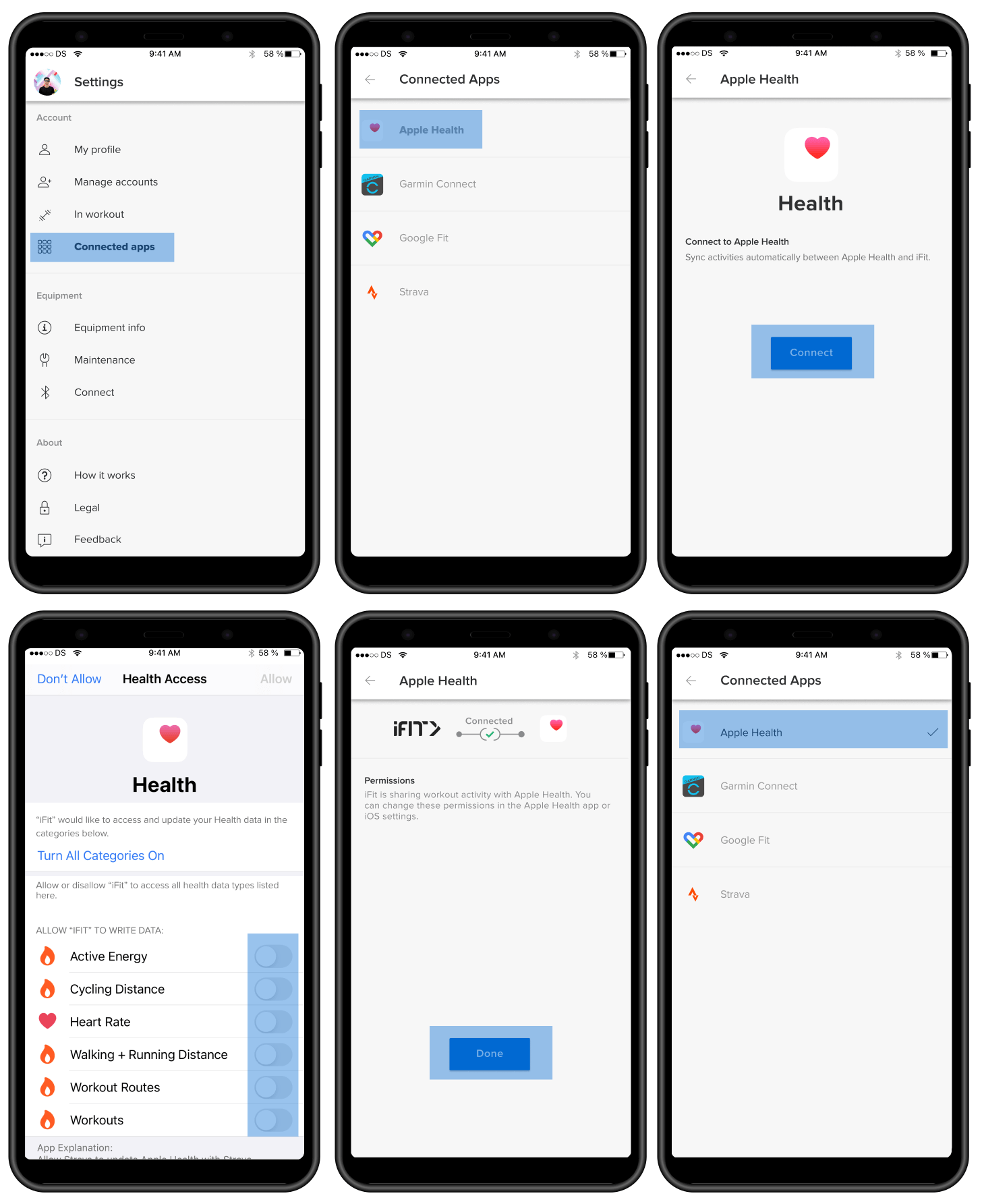
How to connect iFIT to Apple Health:
- Launch the iFIT app on your iPhone.
- Tap the three lines in the top left corner to access the menu, then tap on Settings.
- From Settings, navigate to Connected Apps.
- On the Connected Apps screen, select Apple Health, then tap Connect.
- You'll be taken to the Health Access page where you can enable sharing data from iFIT to Health. You can control which types of information iFIT will read and write to Health.
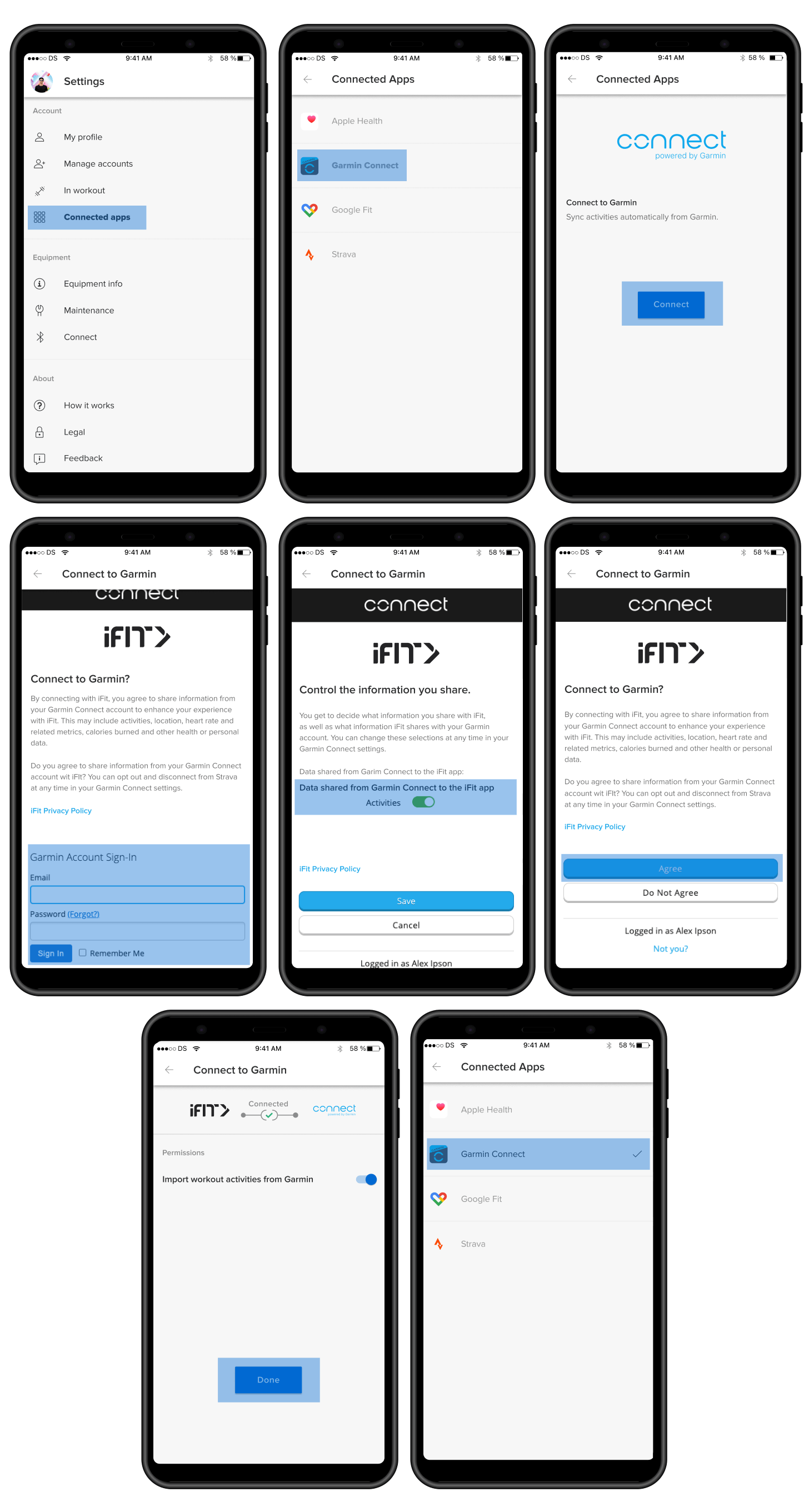
How to connect your iFIT and Garmin Connect accounts:
- Launch the iFIT app on your iPhone or Android phone.
- Tap the three lines in the top left corner to access the menu, then tap on Settings.
- From Settings, navigate to Connected Apps.
- On the Connected Apps screen, select Garmin Connect, then tap Connect.
- Sign in to your Garmin Connect account.
- After signing in to your Garmin Connect account, toggle on the preference to share activity data from Garmin Connect to iFIT.
- Tap the Agree button to connect your iFIT and Garmin Connect accounts.
- After connecting, you can set your desired preferences to automatically sync your Garmin Connect activities to your iFIT account.
Important update 12/31/2025: Google Fit™ is a deprecated service and is no longer supprted by Google. As a result, iFIT no longer supports new Google Fit connections. We’re actively woring toward supporting Google Health Connect, Google’s replacement platform, in a future update.
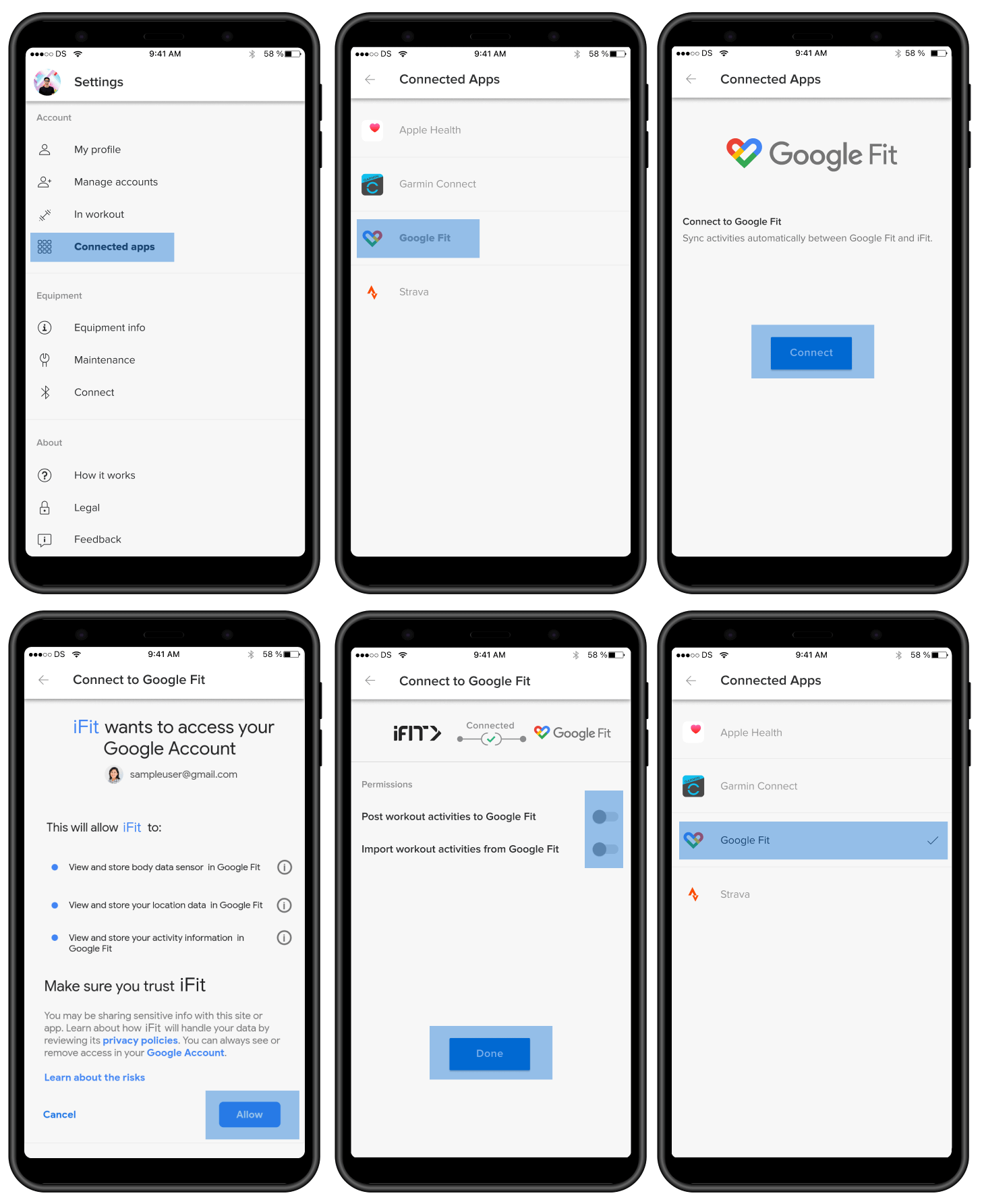
How to connect iFIT to Google Fit™:
- Launch the iFIT app on your iPhone or Android phone.
- Tap the three lines in the top left corner to access the menu, then tap on Settings.
- From Settings, navigate to Connected Apps.
- On the Connected Apps screen, select Google Fit™, then tap Connect.
- You’ll be prompted to select the Google account you would like to connect.
- Tap the Allow button to allow iFIT access to your Google Fit™ account.
- After connecting, you can set your desired preferences to automatically sync activities between iFIT and Google Fit™.
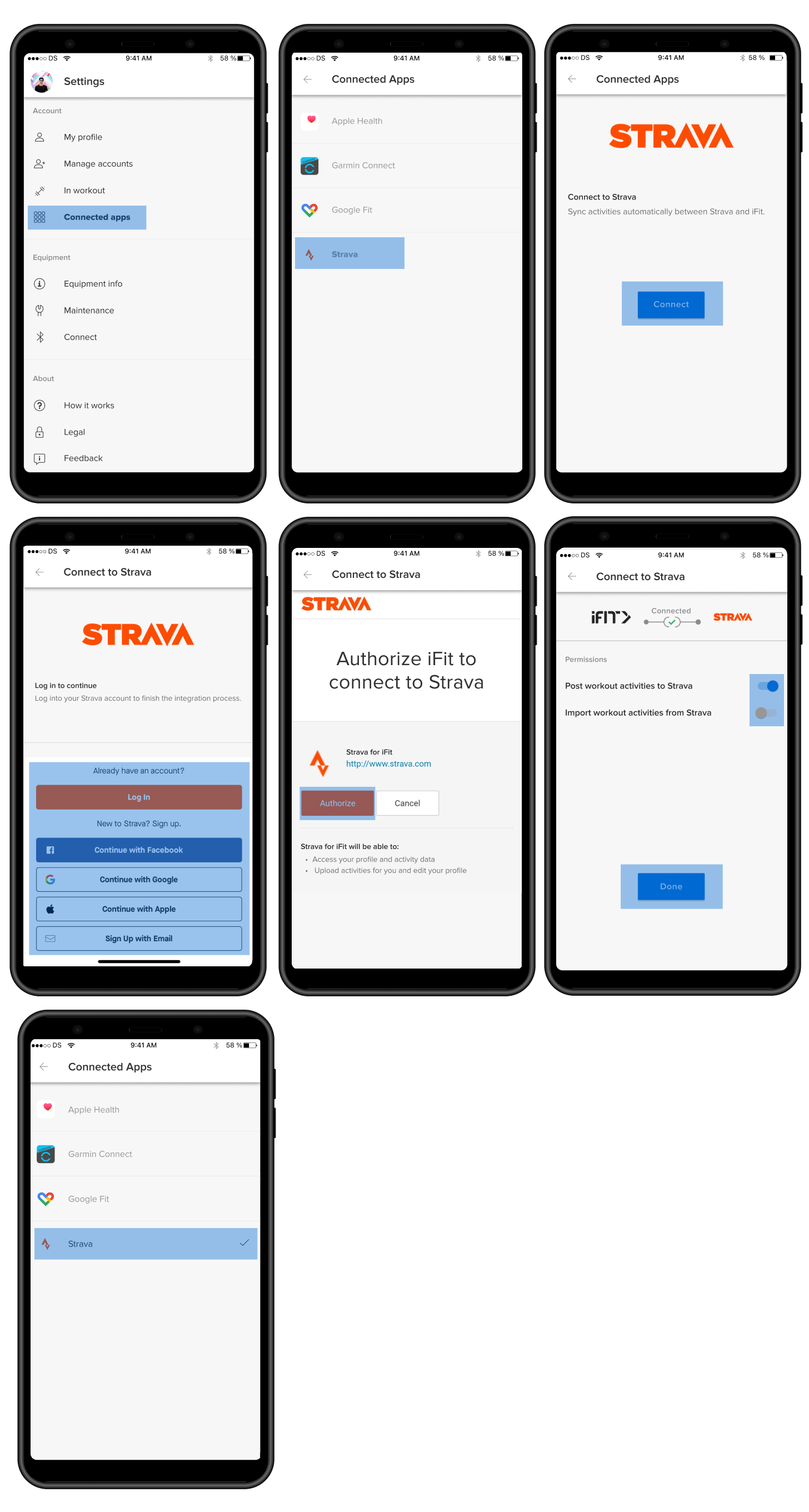
How to connect your iFIT and Strava accounts:
- Launch the iFIT app on your iPhone or Android phone.
- Tap the three lines in the top left corner to access the menu, then tap on Settings.
- From Settings, navigate to Connected Apps.
- On the Connected Apps screen, select Strava, then tap Connect.
- Sign in to your Strava account.
- After signing in to your Strava account, tap the Authorize button to connect your iFIT and Strava accounts.
- After connecting, you can set your desired preferences to automatically sync your activities between your iFIT and Strava accounts.
We hope you enjoy this new feature as you chase your fitness goals with iFIT!
Google Fit™ is a trademark of Google LLC.
Disclaimer: This blog post is not intended to replace the advice of a medical professional. The above information should not be used to diagnose, treat, or prevent any disease or medical condition. Please consult your doctor before making any changes to your diet, sleep methods, daily activity, or fitness routine. iFIT assumes no responsibility for any personal injury or damage sustained by any recommendations, opinions, or advice given in this article. Always follow the safety precautions included in the owner’s manual of your fitness equipment.

.jpg&w=3840&q=75)