6 Ways to Rock Your Post-Marathon Recovery
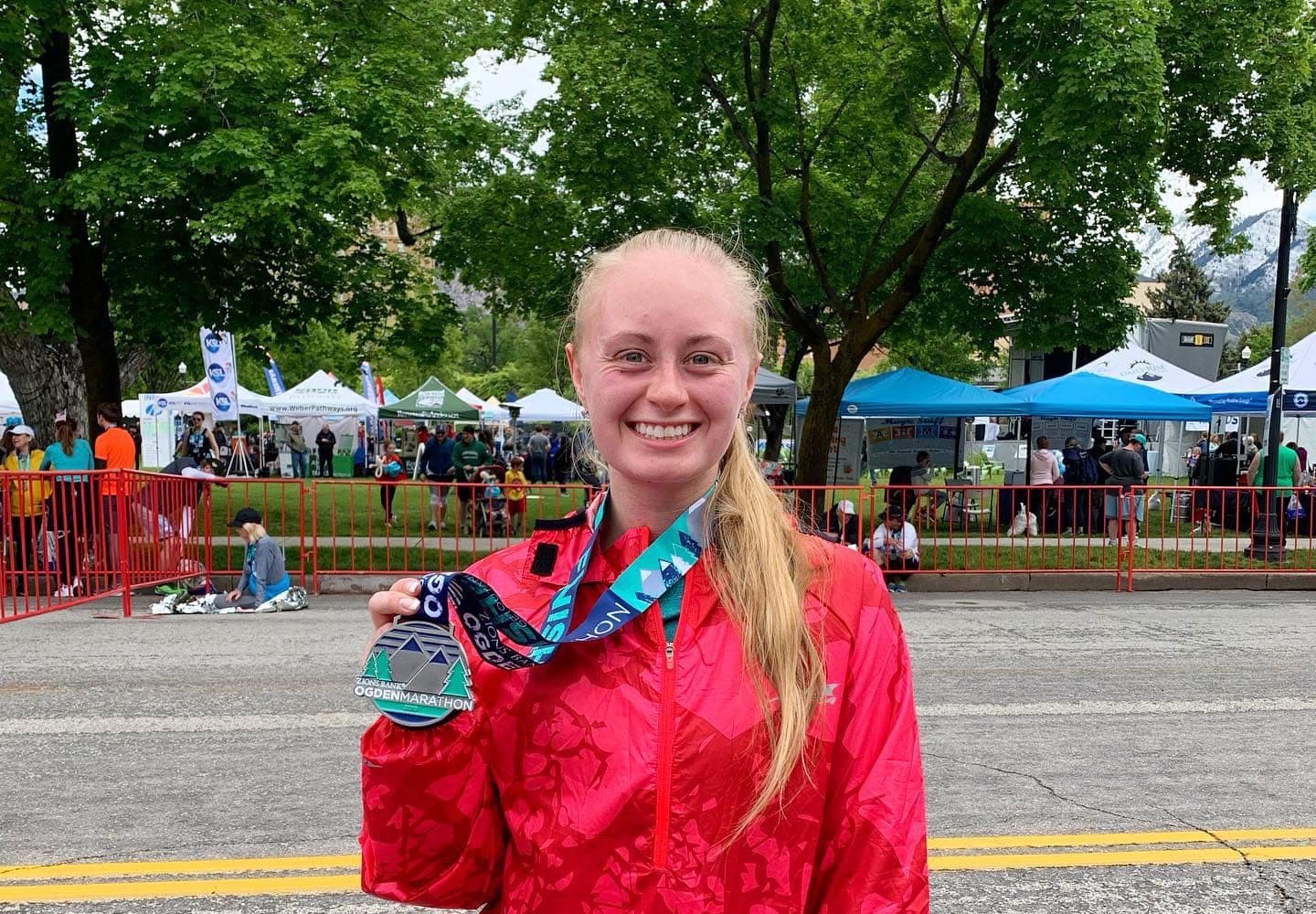
Hooray! You ran through the finisher’s chute, received your medal, and took photos! Why? Because you just completed something incredible—you ran a marathon! All those weeks and months of hard training paid off. However, your marathon journey isn’t over yet.
Running a marathon takes a heavy toll on your body, and the steps you take toward recovering will dramatically impact how fast you can hit the pavement again. Keep in mind, every person is different, and there are a lot of unique aspects to recovery. But these tips and tricks should at least get you started!
Here are my top 6 marathon recovery tips:

1. Cool down.
A common mistake people make at the end of a marathon is sitting down right after they finish. Don’t do this! Once your body has carried you 26.2 miles, it’s crucial that you take time for a proper cooldown, instead of planting yourself on the ground. Cooldowns help slow your heart rate down and flush the lactic acid out of your muscles. Just take a walk for 10–15 minutes after you finish, and you’ll be golden.

2. Hydrate.
Drink plenty of water after the race to replenish what you lost from sweating. If you remember to weigh yourself before and after the race, then you should drink 20–24 fluid ounces for every pound lost. Another good rule of thumb is to pay attention to the color of your urine. It should always be pale yellow if you’re properly hydrated.

3. Recover with myofascial release.
One of the best ways to recover your muscles is myofascial release. You can use a foam roller, rolling stick, recovery boots, or even get a massage 24–48 hours after your race. By using one of these recovery techniques, you’ll drastically reduce your risk of injury, increase blood flow, and reduce muscle soreness.

4. Get enough sleep.
Proper sleep is a huge recovery factor that’s often overlooked. After running a marathon, your body will be tired and worn down. It might be tempting to jump back into your busy, day-to-day schedule, but without getting enough proper sleep each night, your body and mood will take a huge hit. So give your body the time it needs to rest and rebuild by getting at least eight hours of sleep at night. Trust me—your body, mind, and loved ones will thank you!

5. Refuel.
There’s a common thought that if you burn a few thousand calories from running, you should “reward yourself” by eating anything you want. Of course, I’m a huge fan of celebrating your accomplishments, but moderation is always key, especially if you want a speedy and successful recovery. After your race, make sure to refuel with carbohydrates and protein. This will reduce tissue damage, muscle soreness, and replenish your muscle fuel. My favorite is Greek yogurt with granola and a banana!

6. Take it slow.
One of the most common ways people get injured is jumping back into training too soon after a race. Running a marathon is no joke. Regardless of your fitness level, it’s crucial that you slowly ease back into things. Focus on daily stretching, hydrating, and getting enough sleep the week after your race.
Below is a glimpse into what my training looks like post-marathon, if you’d like something to reference!
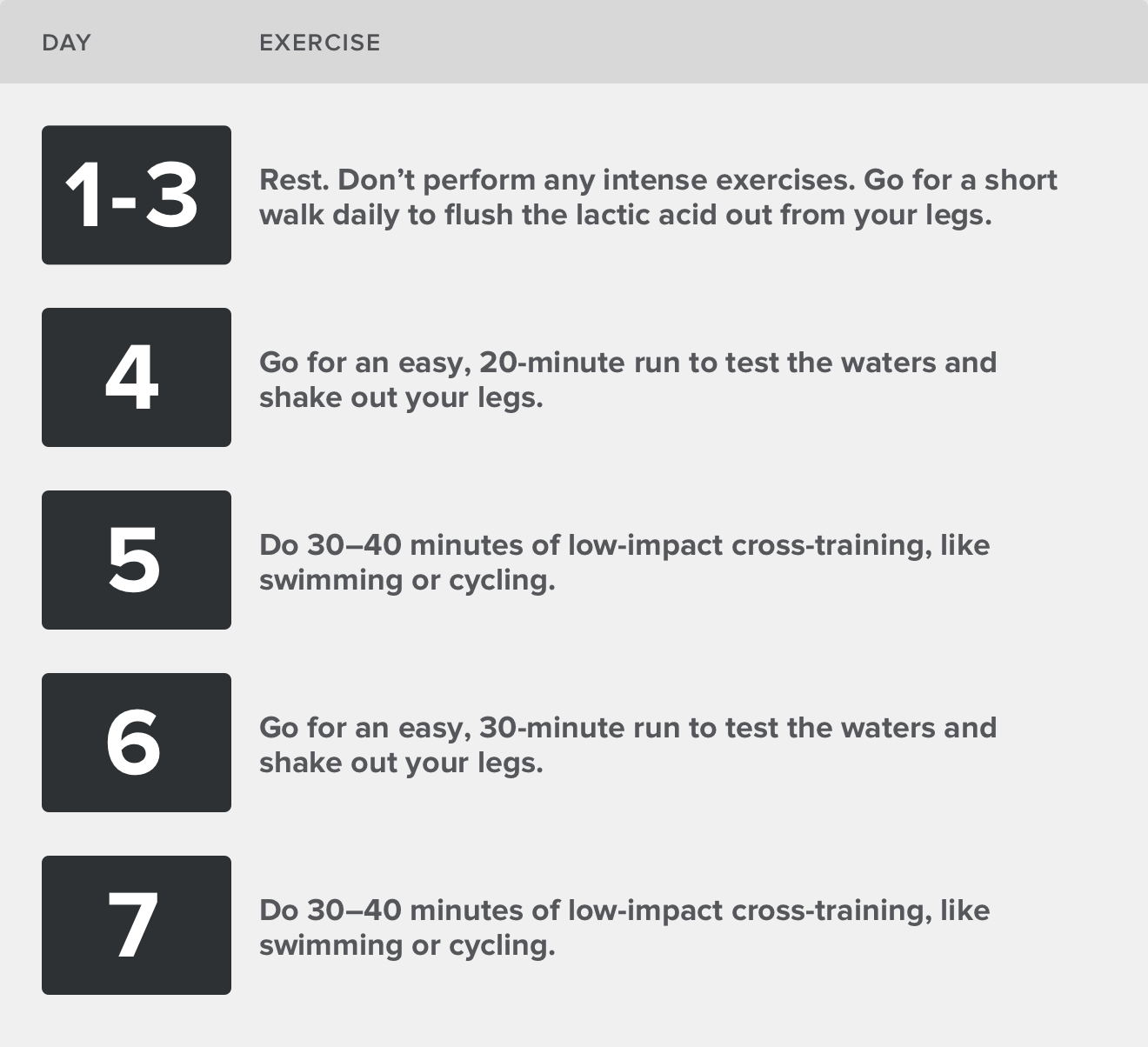
Building your mileage back up is a process. Every person is different, so the time it takes to recover varies with everyone. Do your best to listen to your body, and remember...if it hurts, don’t do it!
Share your marathon recovery tips with us at #iFit on Instagram or Facebook. Good luck on your next race, and don’t forget to enjoy every moment of it!

You might also like

Introducing SmartAdjust™ for Your Treadmill: iFIT’s New Personalized Workout Experience
SmartAdjust personalizes your treadmill workout before it even starts, adapting speed and incline to your fitness level in real time.
March 16, 2021

Strength Training While on GLP-1: A 6-Week Plan
When your body weight changes, you aren’t just losing fat—research shows you risk losing lean muscle mass, too. Protecting that muscle is the key to maintaining your metabolism and everyday strength. This practical 6-week guide breaks down exactly how to structure a simple, 20-to-30 minute full-body strength routine 2–3 times a week. Built around foundational compound movements like squats and rows, this plan shows you how to safely implement progressive overload without burning out your energy. Give your body a clear signal to keep its muscle and build a routine that sticks.
May 26, 2026

Find Your Stride with Tommy Rivs in the Joy of Running Part 2: Redwoods, Workouts 1-10
There’s just something magical about taking your next step forward, especially when it means you’re surrounded by the towering redwoods and rugged beauty of California’s northern coast. iFIT Trainer Tommy Rivs’ newest series will help you experience the magic of this region with the Joy of Running Part 2: Redwoods, Workouts 1-10. This beginner-friendly program is designed to help you progress from walking to running at your own pace.Explore California’s Scenic CoastSet along breathtaking coastal trails and through scenic redwood groves, this series brings the natural beauty of Northern California to your treadmill. From the peaceful paths of Laguna Point to the rolling meadows of Mendocino Headlands, each workout is an opportunity to breathe, move, and connect with the pure joy of movement.Make Progress with Tommy RivsKnown for his thoughtful coaching and love of movement, Tommy Rivs will guide you through a mix of walking and running intervals to gradually build your endurance and confidence. Each workout keeps the speed steady while changing your movement so you can focus on how your body feels and adapts as you move.Whether you’re returning to fitness or taking your first steps toward running, this series is all about moving forward with purpose. Tommy will help you to:Develop endurance and build strength with progressive intervalsImprove your form and consistency with his expert guidanceReconnect with the joy of movement in an inspiring settingBuild confidence to take on your next running challengeThis is only the beginning; there’s so much more to come with Rivs. For now, lace up those shoes and join him for an incredible journey amongst the redwoods.Join Tommy Rivs in the Redwoods
November 3, 2025